Next.js Data Fetching
Next.js provides multiple data fetching methods, allowing you to fetch and display data at different rendering stages (e.g., server-side rendering, static generation, and client-side rendering).
Client-side Data Fetching
Sometimes you want to fetch data from the client after the page loads, rather than at build time or on the server. You can use React's useEffect hook to handle client-side data fetching.
Using useEffect and fetch
Use the useEffect hook and the fetch API in a React component to fetch data.
useEffect runs after the component mounts, and you can make API requests and update state within it.
app/posts/page.tsx file code:
'use client';
import { useEffect, useState } from 'react';
export default function PostsPage() {
const [posts, setPosts] = useState([]);
useEffect(() => {
const fetchPosts = async () => {
const res = await fetch('https://jsonplaceholder.typicode.com/posts');
const data = await res.json();
setPosts(data);
};
fetchPosts();
}, []);
return (
<div>
<h1>EXAMPLE Test</h1>
<ul>
{posts.map(post => (
<li key={post.id}>{post.title}</li>
))}
</ul>
</div>
);
}
Visit http://localhost:3000/posts, and the structure is displayed as follows:
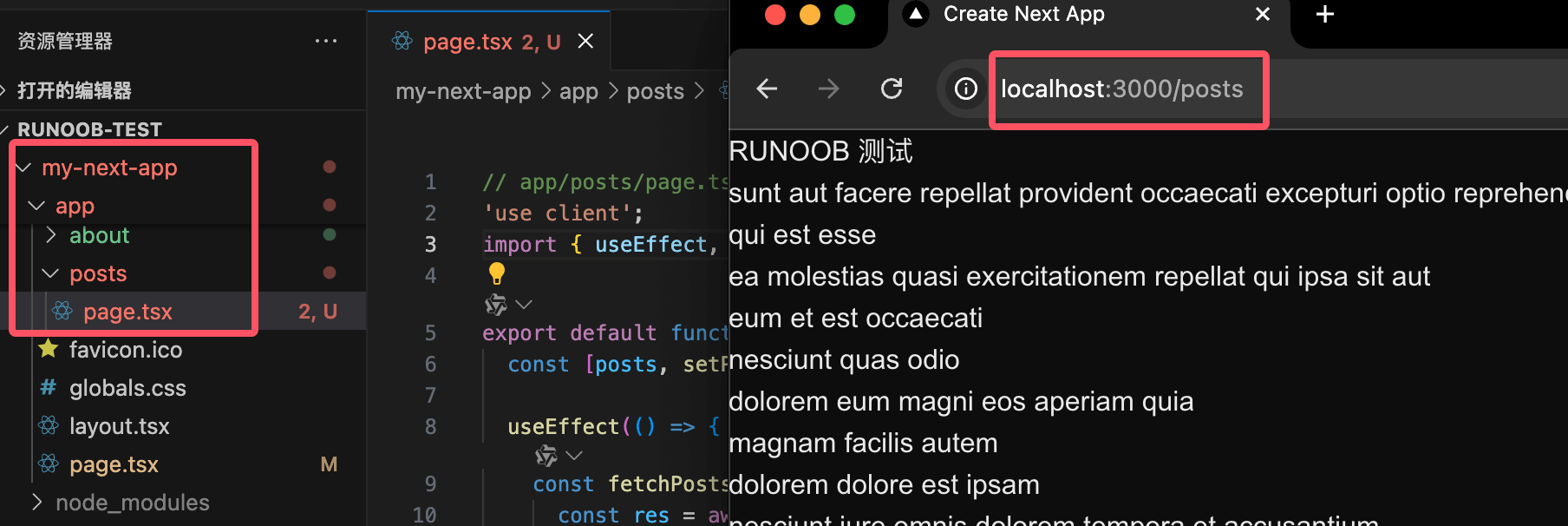
useEffect executes after client-side rendering, suitable for data rendered on the client.
- Fetching data on the client is suitable for content that does not need server-side rendering.
- Data can be fetched dynamically based on factors such as user interaction or time.
Use cases:
- Dynamically loaded data, such as infinite scroll or pagination.
- Data fetched only after user actions, such as fetching data after clicking a button.
Server-side Data Fetching
Server-side data can be fetched using the following methods:
- fetch API
- ORM or Database
Using the fetch API
To fetch data using the fetch API, you need to convert your component into an async function and use await to wait for the fetch call. Example:
app/posts/page.tsx file code:
export default async function Page() {
const data = await fetch('https://jsonplaceholder.typicode.com/posts')
const posts = await data.json()
return (
<ul>
{posts.map((post) => (
<li key={post.id}>{post.title}</li>
))}
</ul>
)
}
Using ORM or Database
You can also fetch data through an ORM or database by converting the component into an async function and awaiting the database call:
app/posts/page.tsx file code:
import { db, posts } from '@/lib/db'
export default async function Page() {
const allPosts = await db.select().from(posts)
return (
<ul>
{allPosts.map((post) => (
<li key={post.id}>{post.title}</li>
))}
</ul>
)
}