Lua Environment Installation
Install on Linux
Installing Lua on Linux & Mac is very simple. Just download the source package and extract and compile it in the terminal. This article uses version 5.4.7 for installation:
Install from Source
Download the source code and install:
curl -L -R -O https://www.lua.org/ftp/lua-5.4.7.tar.gz
tar zxf lua-5.4.7.tar.gz
cd lua-5.4.7
make all test
make install
Install Using Package Manager
Debian/Ubuntu systems:
sudo apt update
sudo apt install lua5.3
CentOS/RHEL systems:
sudo yum install epel-release
sudo yum install lua
Install on Mac OS X
Install from Source
Download the source code and install:
curl -L -R -O https://www.lua.org/ftp/lua-5.4.7.tar.gz
tar zxf lua-5.4.7.tar.gz
cd lua-5.4.7
make all test
make install
Homebrew
Install using Homebrew:
brew install lua
Test
Next, we create a HelloWorld.lua file with the following code:
print("Hello World!")
Execute the following command:
$ lua HelloWorld.lua
The output is:
Hello World!
Install Lua on Windows
On Windows, you can use an IDE environment called "SciTE" to run Lua programs. The download address is:
-
GitHub download address:https://github.com/rjpcomputing/luaforwindows/releases
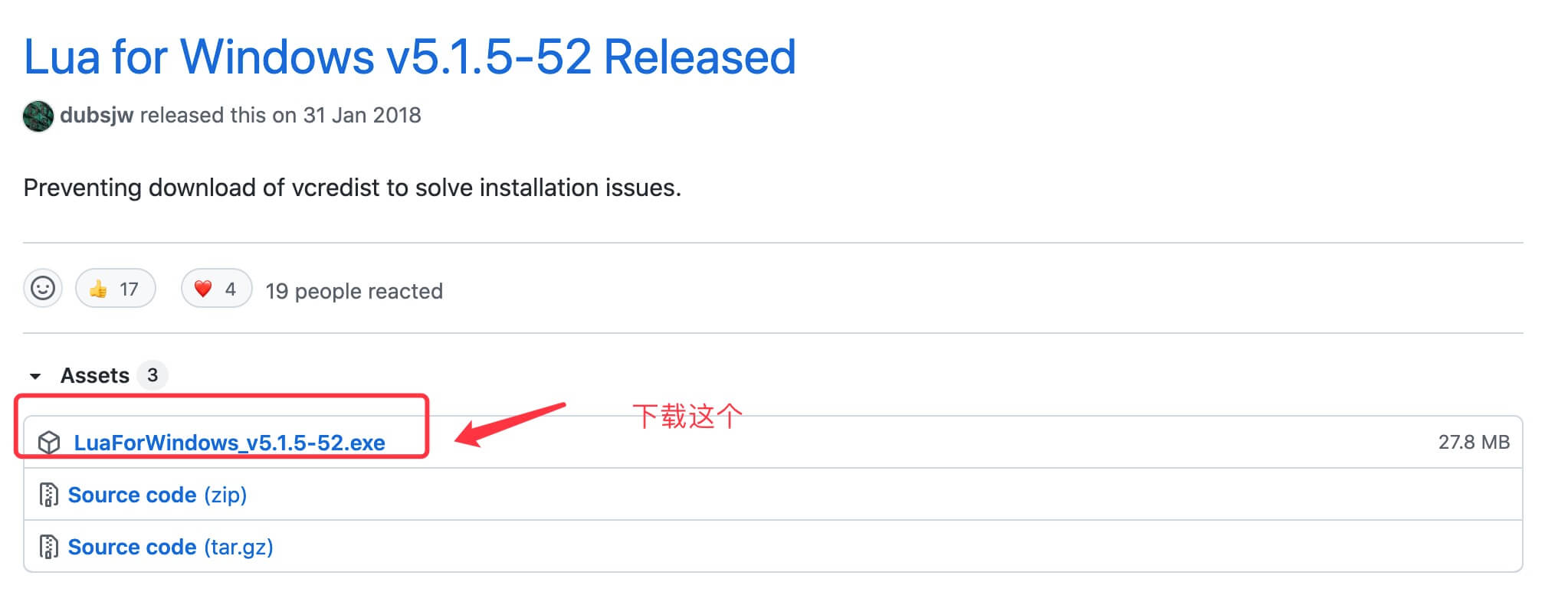
Google Code download address:https://code.google.com/p/luaforwindows/downloads/list
After double-clicking to install, you can write and run Lua programs in this environment.
Other Extensions