Lua Editor
You can use professional editors to write Lua. Here are some popular editors recommended:
- VS Code:https://code.visualstudio.com/
- Alibaba Qoder:https://qoder.com/
- ByteDance Trae:https://www.trae.cn/
You can download the corresponding software from the official websites above and follow the steps to install it.
Next, we will demonstrate how to use Qoder to write Lua code.
Qoder is an AI coding platform built on the VSCode open-source framework. In this section, we will introduce using Qoder to develop Lua.
Qoder (pronounced /ˈkoʊdər/) is an agentic coding platform for real-world software development. It combines enhanced context engineering with intelligent agents seamlessly to fully understand your codebase and advance development tasks systematically.
Qoder provides capabilities such as intelligent code generation, intelligent Q&A, multi-file modification, and coding agents, enabling deeper reasoning, more efficient coding, and better builds, delivering an efficient and smooth coding experience for developers.
Qoder Personal Edition is currently available to all users for free trial.
1. Register and install Qoder
First, visithttps://qoder.com/Register a Qoder account. After registration, click theDownloadbutton, and download the installer according to your computer system.

After downloading, double-click the file to start installation. Then double-click the Qoder IDE icon to launch Qoder.
Related links:
- Qoder official website:https://qoder.com/
- Qoder documentation:https://docs.qoder.com/zh/quick-start
- Qoder CLI tool:https://docs.qoder.com/zh/cli/quick-start
2. Log in to Qoder
In the top-right corner of the Qoder IDE, click the user icon, or use the keyboard shortcut (⌘ ⇧ , (macOS) or Ctrl Shift , (Windows)), then select Log in.
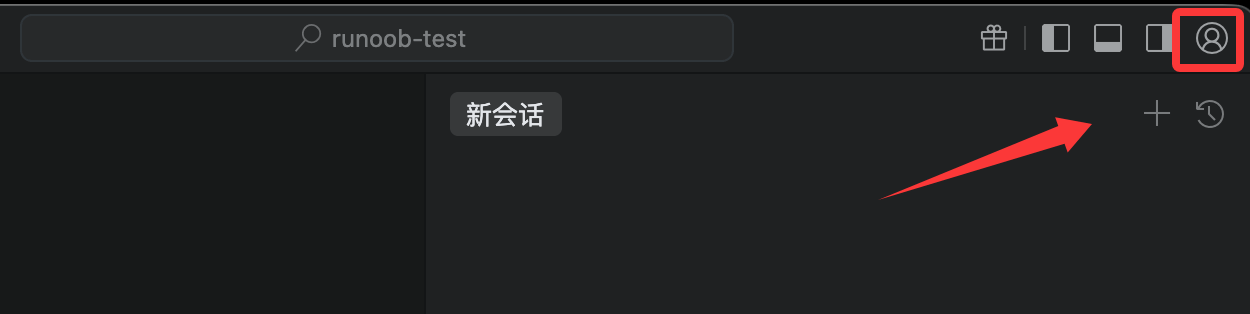
If you don't have an account yet, you can click theRegister Nowlink to register an account, or use your Google or GitHub account to register directly.

Once logged in successfully, you will return to the Qoder IDE, and then we can freely use all features.
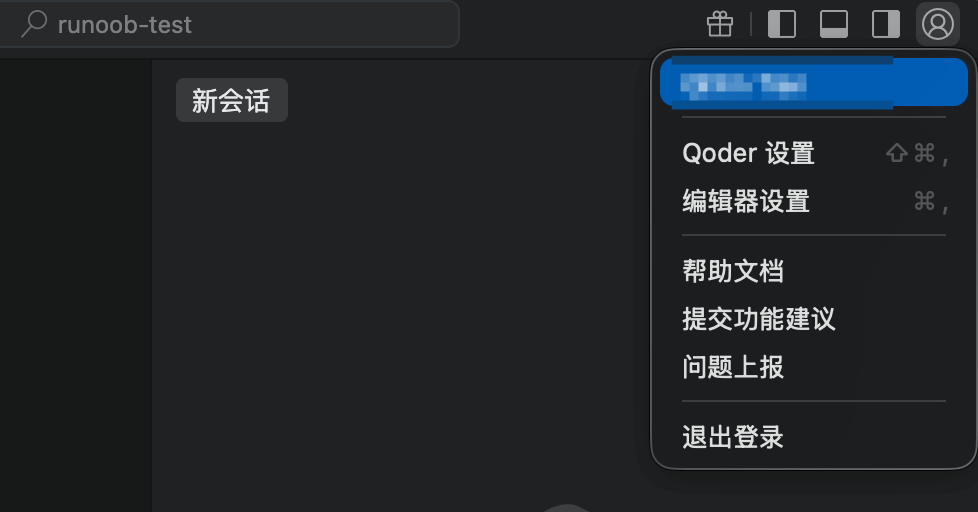
From the overall interface, Qoder's operation is basically no different from VS Code. Since Qoder is built on VSCode, those familiar with VS Code will find it easy to use.
Click the extensions button on the right to install the Lua extension:

Create a Lua project
Create a project directory:
mkdir lua-example-testEnter the project directory:
cd lua-example-test
Use the qoder command to start the Lua project:
qoder .
Qoder will open the project. Let's create a file main.lua and enter the following code:
print("Hello Lua")

local function add(a,b)
    return a+b
end

print(add(3,5))
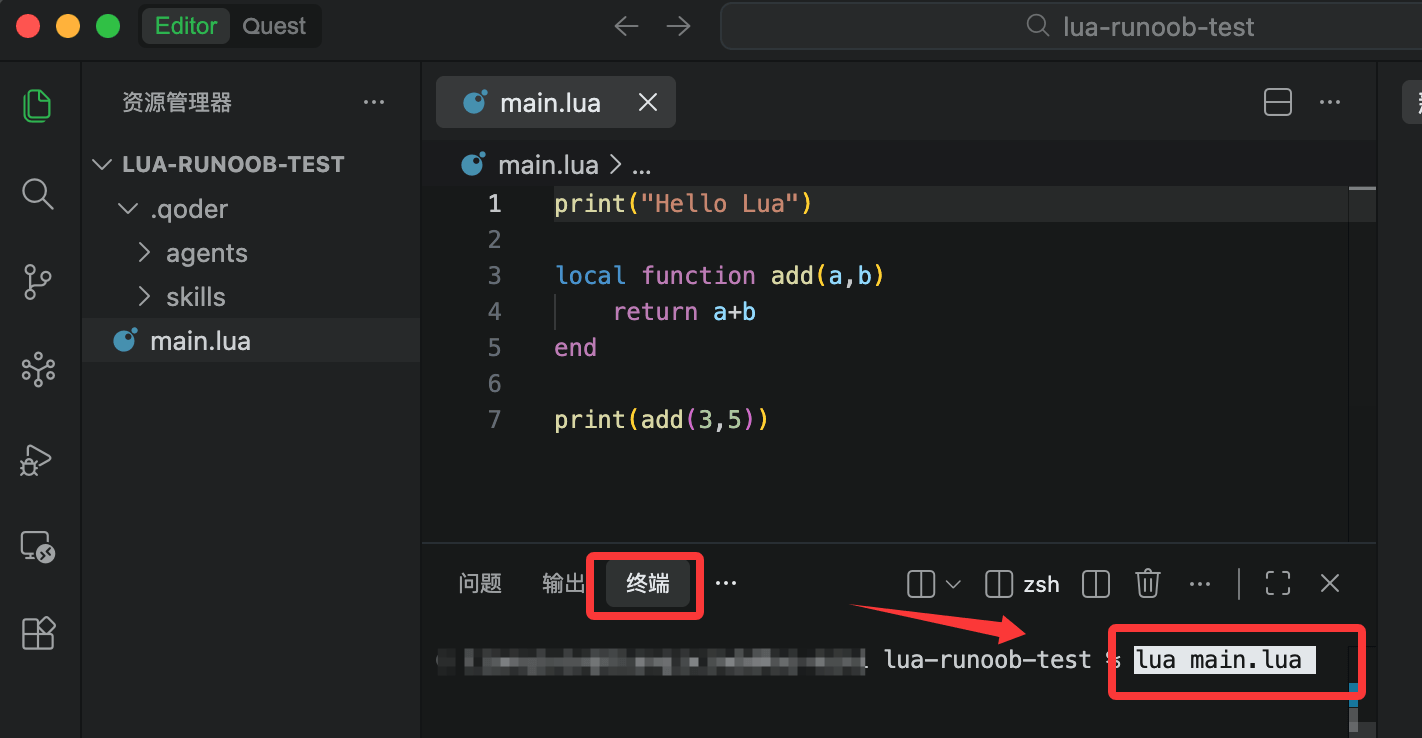
Run the program:
lua main.lua
Output:
Hello LuaOther extensions