HTML DOM scrollWidth Property
 Element Object
Example
Get the height and width of a div element, including padding:
Try it Yourself »
Definition and Usage
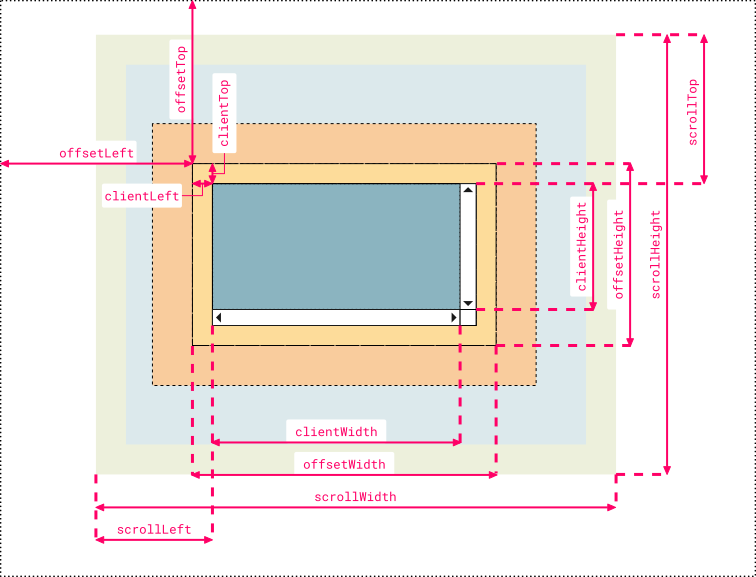
The scrollWidth property is a read-only property that returns the pixel width of the element, which includes padding, but does not include margin or border. It is an integer, in pixels px.
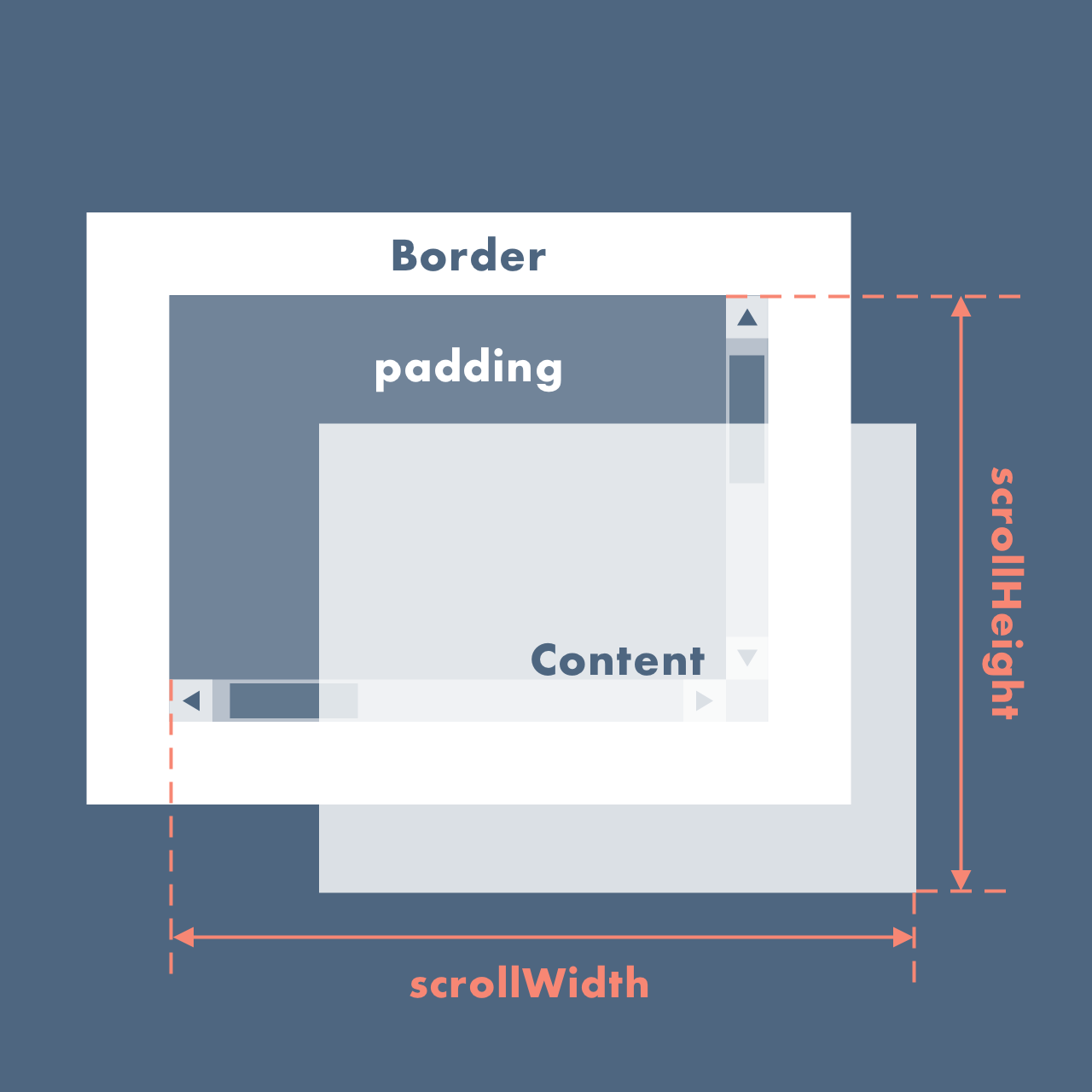
The scrollWidth value equals the minimum width required for all of the element's content to fit in the viewport without using a horizontal scrollbar. The width is measured in the same way as clientWidth: it includes the element's padding, but does not include borders, margins, or vertical scrollbars (if present). It may also include the width of pseudo-elements such as ::before or ::after. If the element's content can fit without requiring a horizontal scrollbar, its scrollWidth equals clientWidth.
This is a read-only property.
Browser Support
| Property | |||||
|---|---|---|---|---|---|
| scrollWidth | Yes | Yes | Yes | Yes | Yes |
Syntax
element.scrollWidth
Technical Details
| Return value: | Returns an integer representing the pixel width of the element. |
|---|
More Examples
Example
Use padding, border, scrollbar, and margin to demonstrate changes in the scrollWidth and scrollHeight properties:
Try it Yourself »
Example
Get the values of an element's scrollHeight and scrollWidth properties, then use the obtained height and width to set the scrollHeight and scrollWidth property values of another element:
Try it Yourself »
Other Extensions