JavaScript pop()Method
 JavaScript Array Object
Example
Remove the last array element:
var fruits = ["Banana", "Orange", "Apple", "Mango"];
fruits.pop();
fruitsResult output:
Banana,Orange,Apple
Try it Yourself »
Definition and Usage
The pop() method is used to remove the last element of an array and return the removed element.
Note:This method changes the length of the array!
Tip:To remove the first element of an array, use theshift()method.
Browser Support
The numbers in the table specify the first browser version that fully supports the method.
| Method | |||||
|---|---|---|---|---|---|
| pop() | 1.0 | 5.5 | 1.0 | Yes | Yes |
Syntax
array.pop()
Return Value
| Type | Description |
|---|---|
| All types | Returns the removed element. |
The array element can be a string, number, array, boolean, or other object type.
Technical Details
| JavaScript Version: | 1.2 |
|---|
More Examples
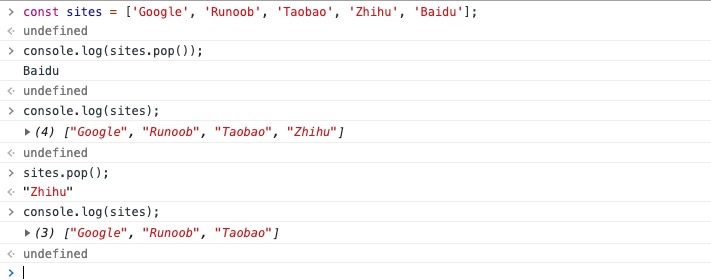
Example
const sites = ['Google', 'Example', 'Taobao', 'Zhihu', 'Baidu'];
console.log(sites.pop());
//Result: "Baidu"
console.log(sites);
//Result: ['Google', 'Example', 'Taobao', 'Zhihu']
sites.pop();
console.log(sites);
//Result: ["Google", "Example", "Taobao"]
Other Extensions