JSON Syntax
JSON syntax is a subset of JavaScript syntax.
JSON Syntax Rules
JSON syntax is a subset of the JavaScript object notation syntax.
- Data is inname/valuepairs
- Data by commas,separated
- Use a backslash\to escape characters
- Curly braces{}hold objects
- Square brackets[]hold arrays, arrays can contain multiple objects
Two structures of JSON:
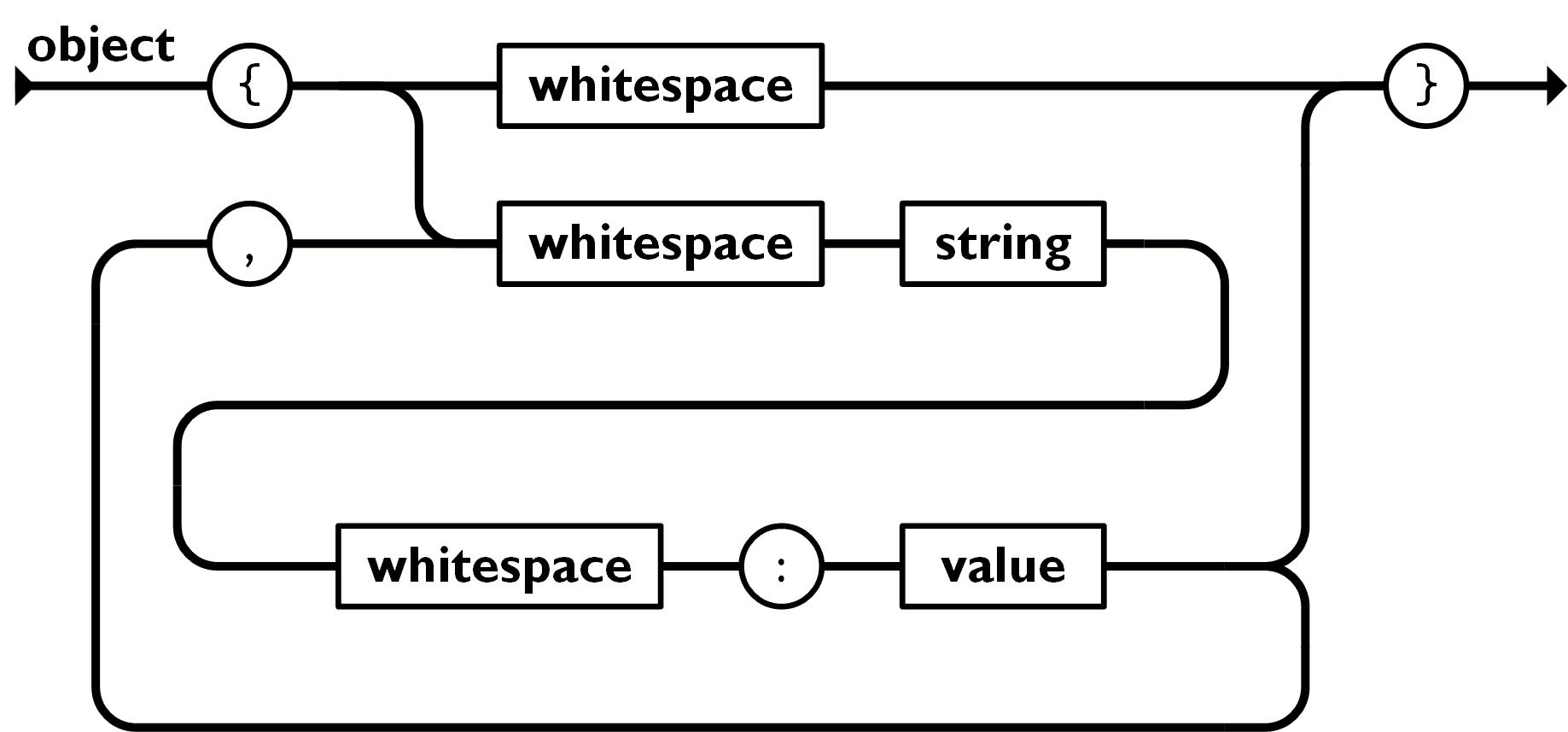
1. Object:Curly braces{}The object stored is an unorderedname/valuepair collection. An object begins with a left brace{starts, right brace}ends. Each "key" is followed by a colon:,name/valuepairs use commas,separated.
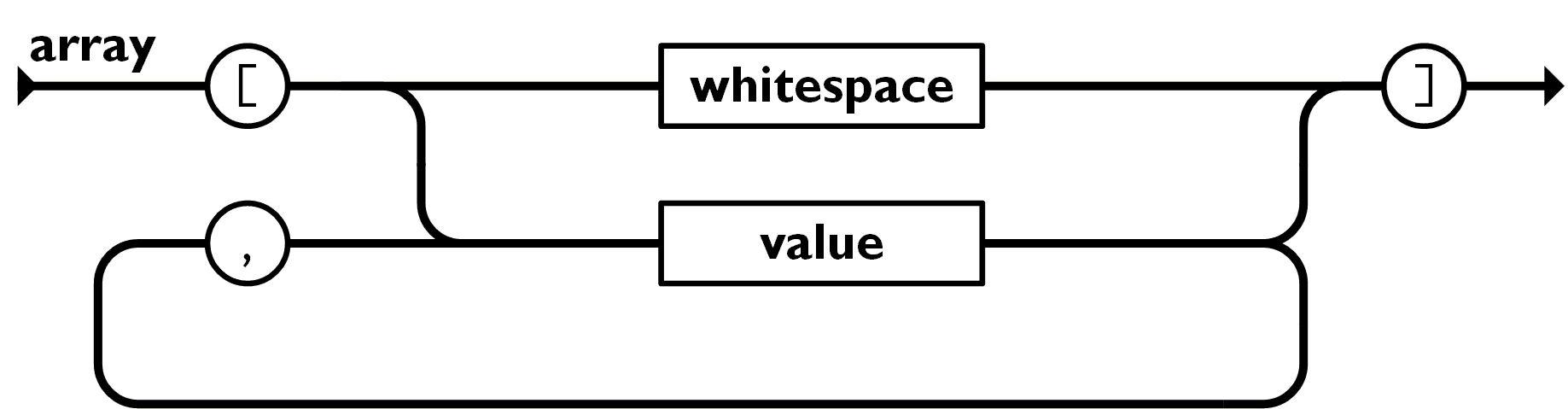
2. Array:Square brackets[]The stored array is an ordered collection of values. An array starts with a left square bracket[starts, right square bracket]ends, values use commas between,separated.
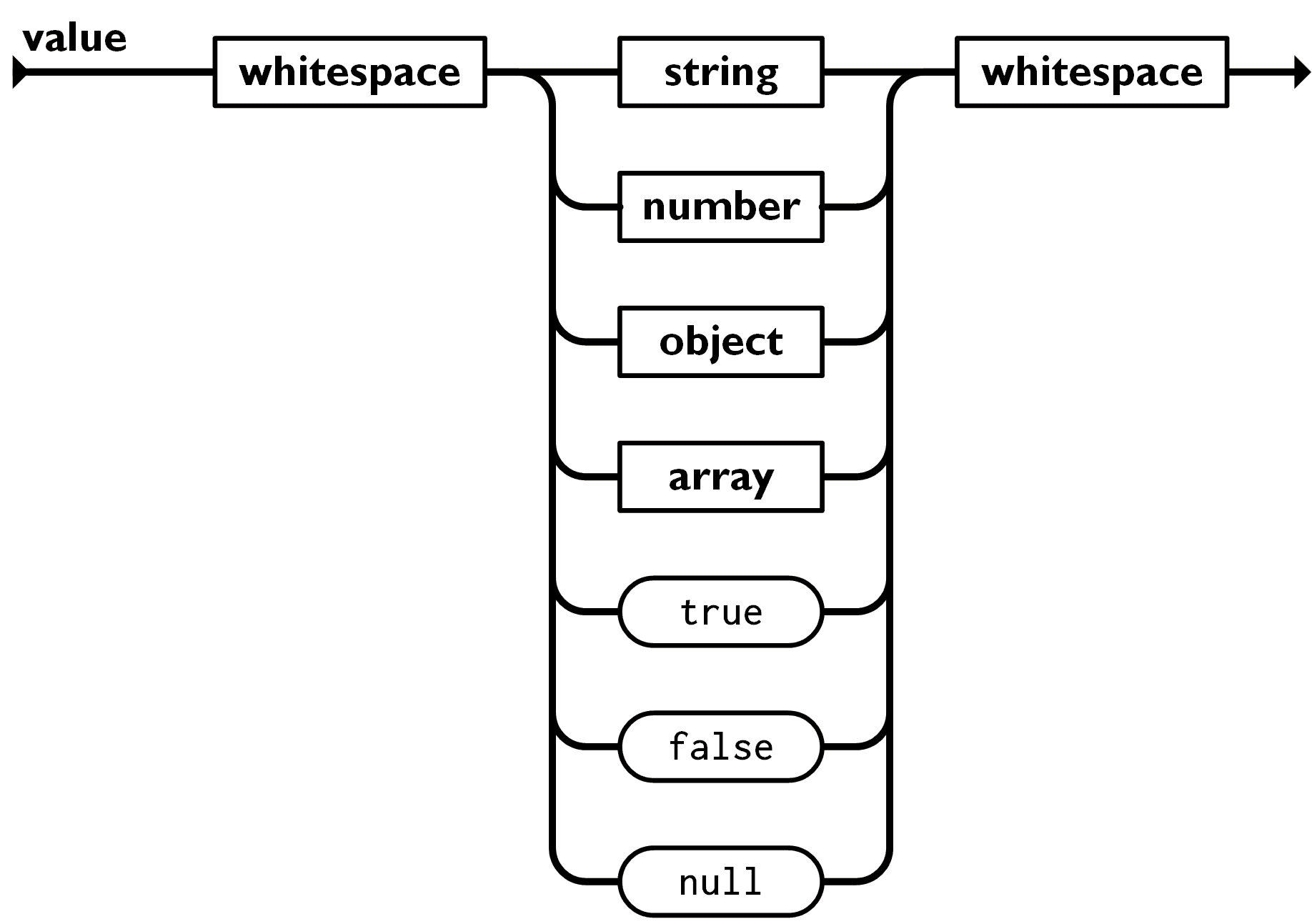
Values can be strings enclosed in double quotes, numbers, true, false, null, objects, or arrays, and they can be nested.
JSON Name/Value Pairs
The writing format of JSON data is:
key : value
A name/value pair includes a field name (in double quotes), followed by a colon, then a value:
This is easy to understand, equivalent to this JavaScript statement:
JSON Values
JSON values can be:
- Numbers (integers or floating-point numbers)
- Strings (in double quotes)
- Booleans (true or false)
- Arrays (in square brackets)
- Objects (in curly braces)
- null
JSON Numbers
JSON numbers can be integers or floating-point:
JSON Objects
JSON objects in curly braces{}are written
{key1 : value1, key2 : value2, ... keyN : valueN }
Objects can contain multiple name/value pairs:
This is also easy to understand, equivalent to this JavaScript statement:
JSON Arrays
JSON arrays in square brackets[]are written
Arrays can contain multiple objects:
[
    { key1 : value1-1 , key2:value1-2 },
    { key1 : value2-1 , key2:value2-2 },
    { key1 : value3-1 , key2:value3-2 },
    ...
    { key1 : valueN-1 , key2:valueN-2 },
]
In the above example, the objectsitesis an array containing three objects. Each object represents a record about a website (name, url).
JSON Booleans
JSON booleans can be true or false:
JSON null
JSON can set null values:
JSON Uses JavaScript Syntax
Because JSON uses JavaScript syntax, no additional software is needed to process JSON in JavaScript.
With JavaScript, you can create an array of objects and assign values like this:
Example
You can access the first item in the JavaScript object array like this (index starts from 0):
The returned content is:
In the following chapters, you will learn how to convert JSON text into JavaScript objects.
JSON Files
- The file type of a JSON file is.json
- The MIME type of JSON text isapplication/json