SSL Free Certificate Application - Certbot
We know that using SSL (Secure Sockets Layer) certificates is very important for websites and online services. SSL certificates protect data from being eavesdropped on or tampered with by encrypting the communication between users and servers.
In this chapter, we will introduce how to use the Certbot tool to apply for free SSL certificates.
What is Certbot?
Certbot is an open-source automation tool used to obtain and renew free SSL/TLS certificates provided by Let's Encrypt.
Let's Encrypt is a certificate authority (CA) operated by the Internet Security Research Group (ISRG). It provides an automated process for generating and renewing certificates, allowing website administrators to easily enable HTTPS encryption for their sites.
The main features of Certbot include:
- Automation: It can automatically verify domain ownership and apply for certificates.
- Free: It uses the free certificates provided by Let's Encrypt.
- Compatibility: Supports multiple web servers, such as Apache, Nginx, etc.
- Ease of use: Provides a command-line interface, making installation and use simple.
- Renewal: Automatically handles certificate renewal, ensuring the website's HTTPS connection remains valid at all times.
Certificates issued by Let's Encrypt are valid for 90 days. Certbot automatically configures certificate renewal tasks to ensure certificates do not expire.
Certbot Installation
1. Install Certbot on Ubuntu/Debian systems
Install using APT:
sudo apt update
sudo apt install certbot
After the installation is complete, Certbot is ready to use.
Install the Snap version:
Snap is the official recommended installation method for Certbot, especially for long-term support Ubuntu versions.
sudo snap install core
sudo snap refresh core
sudo snap install --classic certbot

sudo ln -s /snap/bin/certbot /usr/bin/certbot  # 这一步是为了确保 certbot 命令能全局使用
2. Install Certbot on CentOS/RHEL systems
Install the EPEL repository (for CentOS 7 and below):
sudo yum install epel-release
sudo yum install certbot
3. Install Certbot on macOS
On macOS, you can install Certbot using Homebrew:
brew install certbot
For more content, you can visit the Certbot websitehttps://certbot.eff.org/View the installation methods for each system platform:
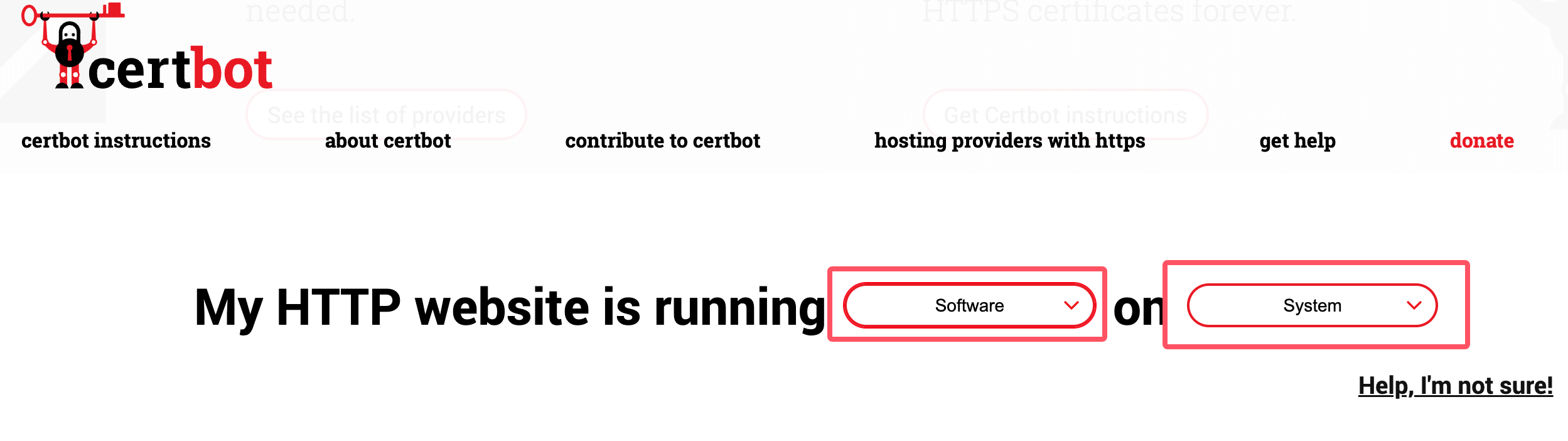
After installation, use the following command to check the installed version of certbot:
certbot --version
Certificate Application and Renewal
After installing certbot, you can use the following command to apply for a certificate. Note that *.example.com should be replaced with your own domain:
certbot certonly -d *.example.com --manual --preferred-challenges dns --server https://acme-v02.api.letsencrypt.org/directory
After executing the above command, fill in the information:
Saving debug log to /var/log/letsencrypt/letsencrypt.log
Enter email address (used for urgent renewal and security notices)
 (Enter 'c' to cancel): xxx@qq.com. # 这里输入你的邮箱

- - - - - - - - - - - - - - - - - - - - - - - - - - - - - - - - - - - - - - - -
Please read the Terms of Service at
https://letsencrypt.org/documents/LE-SA-v1.4-April-3-2024.pdf. You must agree in
order to register with the ACME server. Do you agree?
- - - - - - - - - - - - - - - - - - - - - - - - - - - - - - - - - - - - - - - -
(Y)es/(N)o: Y    # 输入 Y

- - - - - - - - - - - - - - - - - - - - - - - - - - - - - - - - - - - - - - - -
Would you be willing, once your first certificate is successfully issued, to
share your email address with the Electronic Frontier Foundation, a founding
partner of the Let's Encrypt project and the non-profit organization that
develops Certbot? We'd like to send you email about our work encrypting the web,
EFF news, campaigns, and ways to support digital freedom.
- - - - - - - - - - - - - - - - - - - - - - - - - - - - - - - - - - - - - - - -
(Y)es/(N)o: Y       # 输入 Y

Account registered.
Requesting a certificate for *.example.com

- - - - - - - - - - - - - - - - - - - - - - - - - - - - - - - - - - - - - - - -
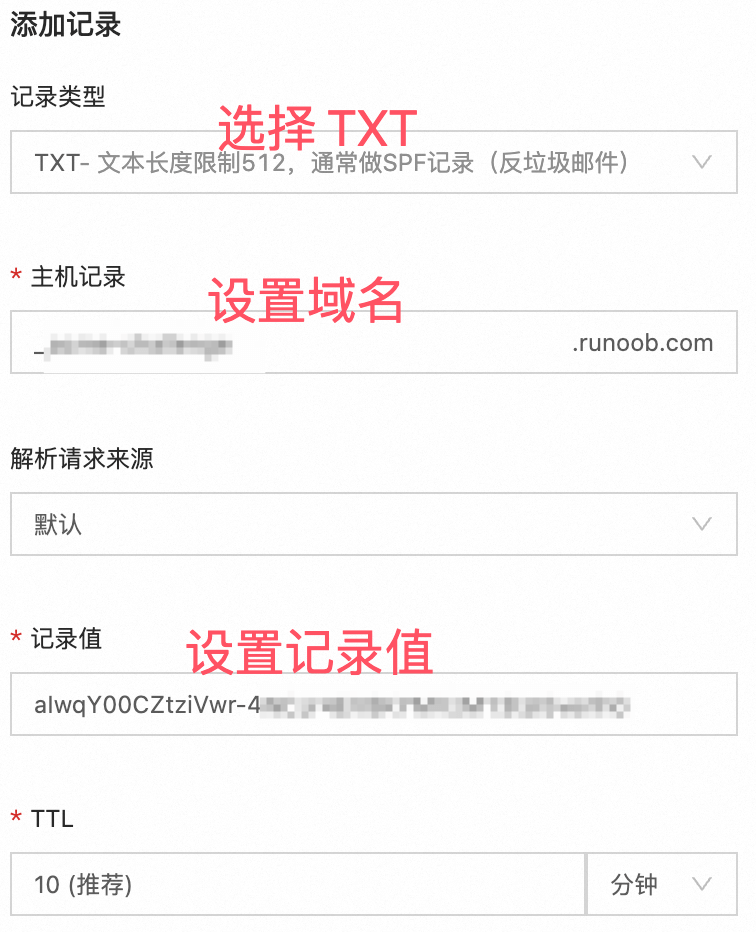
Please deploy a DNS TXT record under the name:

xxxxxxx.example.com. # 这里需要设置域名解析,需要到域名后台填写信息,参考下图

with the following value:

aIwqY00CZtziVwr-xxxxxxxxxxxxxx  # 这里是域名解析的内容,参考下图

Before continuing, verify the TXT record has been deployed. Depending on the DNS
provider, this may take some time, from a few seconds to multiple minutes. You can
check if it has finished deploying with aid of online tools, such as the Google
Admin Toolbox: https://toolbox.googleapps.com/apps/dig/#TXT/_acme-challenge.example.com.
Look for one or more bolded line(s) below the line ';ANSWER'. It should show the
value(s) you've just added.

- - - - - - - - - - - - - - - - - - - - - - - - - - - - - - - - - - - - - - - -
Press Enter to Continue  # 参考下图设置完域名解析后,按回车就可以生成了,记住一定要先解析设置完成后再回车,然后生成的证书信息如下:

Successfully received certificate.
Certificate is saved at: /etc/letsencrypt/live/example.com/fullchain.pem
Key is saved at:         /etc/letsencrypt/live/example.com/privkey.pem
This certificate expires on 2024-12-21.
These files will be updated when the certificate renews.

NEXT STEPS:
- This certificate will not be renewed automatically. Autorenewal of --manual certificates requires the use of an authentication hook script (--manual-auth-hook) but one was not provided. To renew this certificate, repeat this same certbot command before the certificate's expiry date.

- - - - - - - - - - - - - - - - - - - - - - - - - - - - - - - - - - - - - - - -
If you like Certbot, please consider supporting our work by:
 * Donating to ISRG / Let's Encrypt:   https://letsencrypt.org/donate
 * Donating to EFF:                    https://eff.org/donate-le
- - - - - - - - - - - - - - - - - - - - - - - - - - - - - - - - - - - - - - - -
Set up domain resolution to verify the certificate:
The certificates issued by Let's Encrypt are valid for 90 days. You can use the following command to renew the certificate:
certbot certonly --force-renewal --manual -d '*.example.com' \
--preferred-challenges dns \
--server https://acme-v02.api.letsencrypt.org/directory
After executing the above renewal command, it will prompt us to update the DNS resolution records:
Saving debug log to /var/log/letsencrypt/letsencrypt.log
Requesting a certificate for *.jysahre.com

- - - - - - - - - - - - - - - - - - - - - - - - - - - - - - - - - - - - - - - -
Please deploy a DNS TXT record under the name:

_acme-challenge.jysahre.com.

with the following value:

ckxo1wGXbP1CtNQ3ZRfvHxxxxxx          # 这里会显示你要更改的 DNS 解析记录值,设置好就可以完成更新了

Before continuing, verify the TXT record has been deployed. Depending on the DNS
provider, this may take some time, from a few seconds to multiple minutes. You can
check if it has finished deploying with aid of online tools, such as the Google
Admin Toolbox: https://toolbox.googleapps.com/apps/dig/#TXT/_acme-challenge.jysahre.com.
Look for one or more bolded line(s) below the line ';ANSWER'. It should show the
value(s) you've just added.

- - - - - - - - - - - - - - - - - - - - - - - - - - - - - - - - - - - - - - - -
Other Extensions