The IDE used in this tutorial is IntelliJ IDEA. Create a Maven project named zookeeper-demo and add the following dependencies. You can select appropriate versions from the Maven Central Repository on your own. Both the native API and Curator approaches are introduced.
IntelliJ IDEA related introduction:
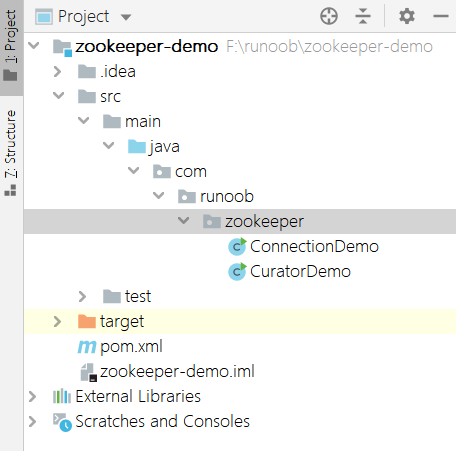
Maven project directory structure:
1. Client-side Zookeeper Native API
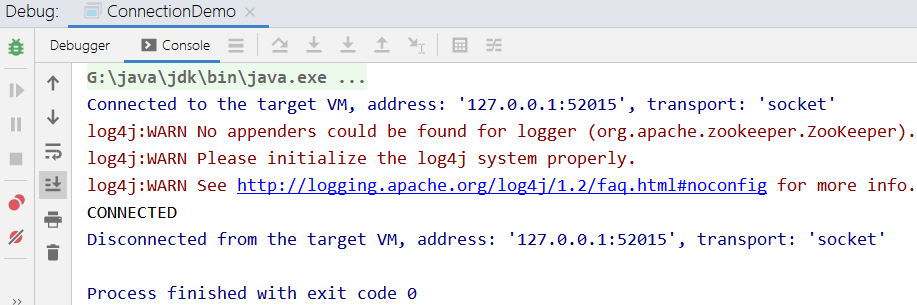
Use the Zookeeper native API to connect to the cluster composed of three servers set up in the previous tutorial. Since the connection takes time, use CountDownLatch to block and wait for a successful connection, then the console outputs the connection status!
Example
The console outputs connected, indicating a successful connection!
Simple example of adding a node API:
zooKeeper.create("/example","0".getBytes(),ZooDefs.Ids.OPEN_ACL_UNSAFE,CreateMode.PERSISTENT);
Tip:For more command functions, please refer to the later chapters of this tutorial.
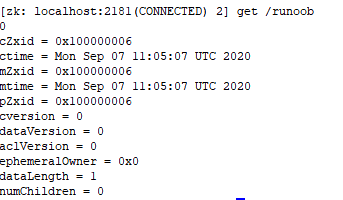
At the same time, execute the command on the server terminal, which shows the setup was successful.
2. Client-side Curator Connection
Curator is an open-source Zookeeper client framework from Netflix. It solves many very low-level detailed development tasks of Zookeeper clients, including connection reconnection, repeatedly registering Watchers, NodeExistsException exceptions, and so on.
Curator contains several packages:
- curator-frameworkSome wrappers for Zookeeper's low-level API.
- curator-clientProvides some client-side operations, such as retry policies, etc.
- curator-recipesWraps some advanced features, such as Cache event listening, elections, distributed locks, distributed counters, distributed Barriers, etc.
Simple usage example:
Example
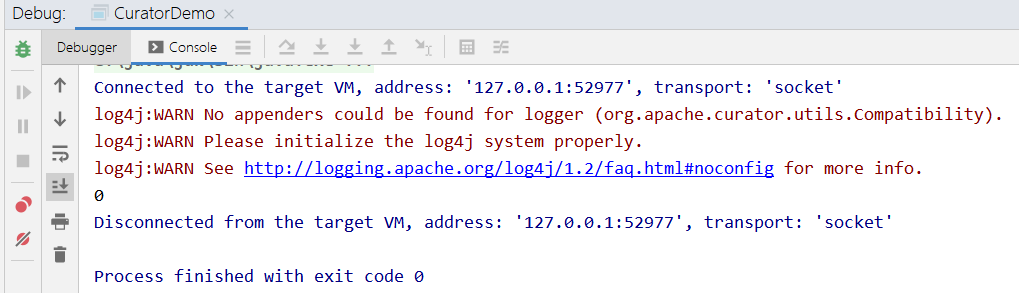
The previous step set the/examplenode value, so the console outputs it.
Curator related reference links:http://curator.apache.org/。
Demo source code packaged file:
Download