Zookeeper commands are used to perform operations on the Zookeeper service.
First, execute the command to open a new session and enter the terminal.
$ sh zkCli.sh
The following explains the usage of basic common commands. The ACL permission content will be elaborated in detail in later chapters.
ls command
The ls command is used to view the directory list under a certain path.
Format:
ls path
- path: represents the path.
$ ls /example

ls2 command
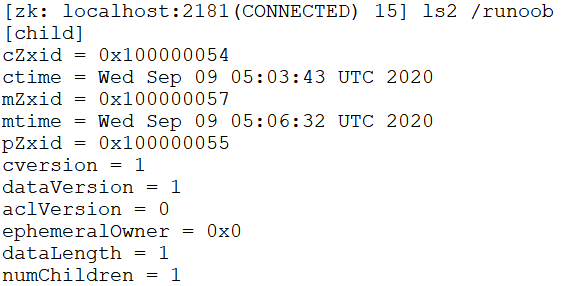
The ls2 command is used to view the directory list under a certain path. It lists more detailed information than the ls command.
Format:
ls2 path
- path: represents the path.
$ ls2 /example
get command
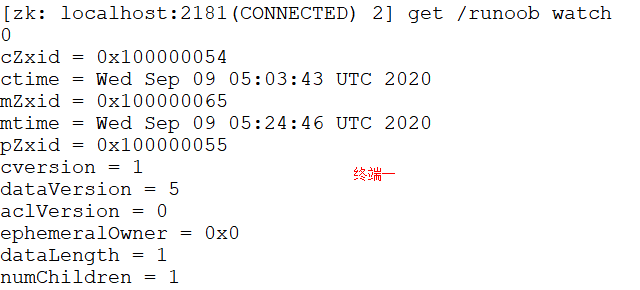
The get command is used to retrieve node data and status information.
Format:
get path [watch]
- path: represents the path.
- [watch]: performs event listening on the node.
The following example opens two terminals simultaneously.
Terminal 1:
$ get /example watch
Modify this node in Terminal 2:
$ set /example 1
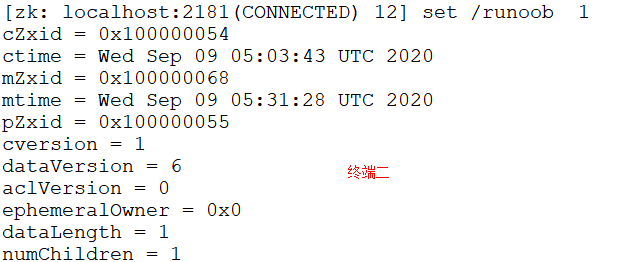
Terminal 1 automatically displays the NodeDataChanged event:

stat command
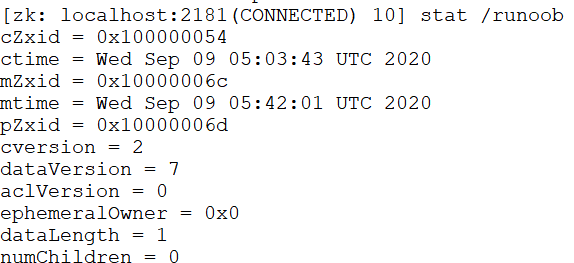
The stat command is used to view node status information.
Format:
stat path [watch]
- path: represents the path.
- [watch]: performs event listening on the node.
The following example views/examplenode status:
$ stat /example
create command
The create command is used to create a node and assign a value.
Format:
create [-s] [-e] path data acl
- [-s] [-e]: -s and -e are both optional. -s represents a sequential node, -e represents an ephemeral node. Note that -s and -e can be used simultaneously, and ephemeral nodes cannot have child nodes created under them.
- path: specifies the path of the node to be created, for example/example。
- data: the data to be stored in this node.
- acl: related to access permissions. The default is world, meaning everyone in the world can access it.
The following example adds an ephemeral sequential node:
$ create -s -e /example 0
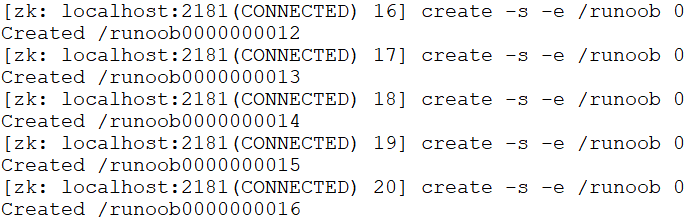
The created node is both sequential and ephemeral.
set command
The set command is used to modify the data stored in a node.
Format:
set path data [version]
- path: node path.
- data: the data to be stored.
- [version]: optional, version number (can be used as an optimistic lock).
The following example opens two terminals, or you can also operate in the same terminal:
$ get /example
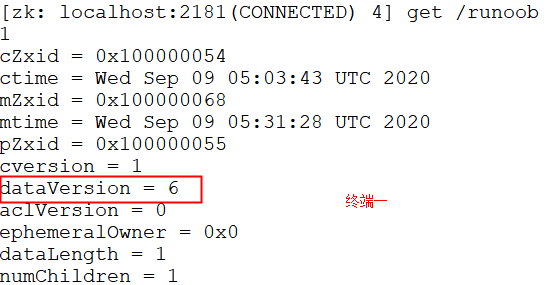
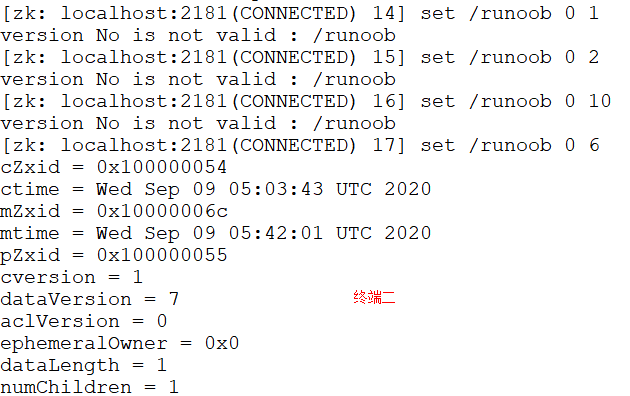
As can be seen in the figure below, only the correct version number can be set successfully:
$ set /example 0 1
$ set /example 0 2
$ set /example 0 10
$ set /example 0 6
delete command
The delete command is used to delete a node.
Format:
delete path [version]
- path: node path.
- [version]: optional, version number (same as the set command).
The following example deletes/examplethe child nodes of the node:
$ ls /example
$ delete /example/child
$ get /example/child
