Compiling Projects in Eclipse
Compiling a Java Project
A project can be associated with multiple compilers.
The Java project is associated with the Java compiler. You can view the compiler associated with the project in the following ways:
- In the Package Explorer view, right-click the project and select Properties.
- In the tree menu on the left, click Builders.
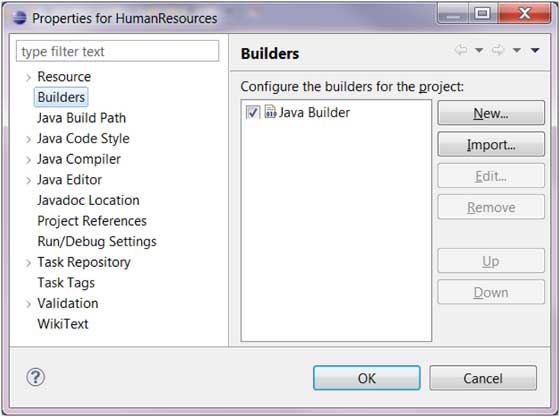
The Java compiler is used to compile Java projects. By clicking the New button, we can associate the Java project with the Ant builder compiler.
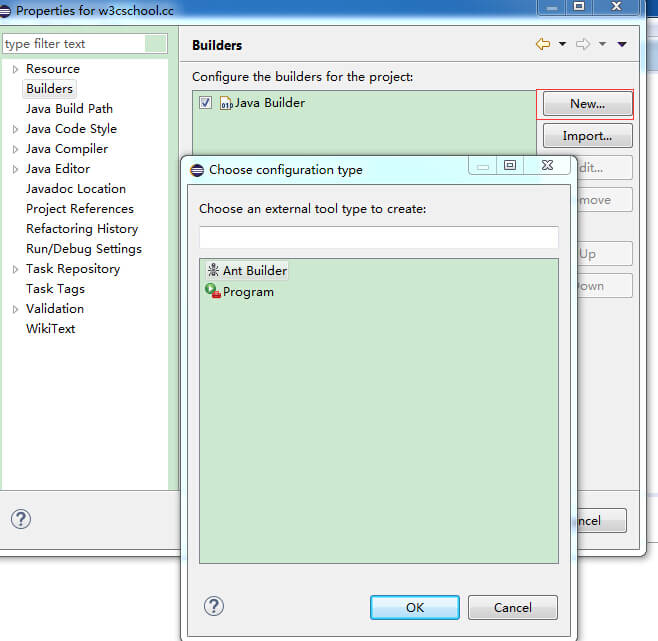
The Java compiler generates class files by compiling Java projects. When the project source code changes, the Java code will be automatically recompiled.
You can disable automatic compilation by unchecking Build Automatically in the Project menu.
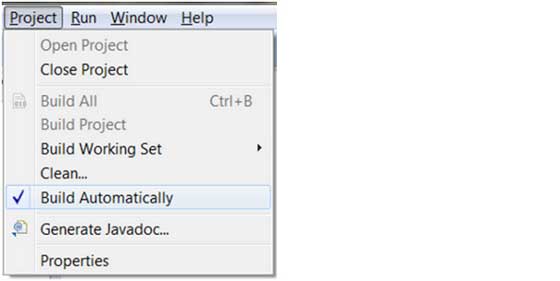
If you disable automatic compilation, the project needs to be compiled via the Build Project menu item in the Project menu. If the Build Automatically option is checked, the Build Project (manual compile) menu item is unavailable.
other extensions