Eclipse Add Bookmark
About Bookmarks
In Eclipse, you can add bookmarks to any line in the editor. You can use bookmarks as reminders, or use them to quickly locate specific lines in a file.
Add bookmark
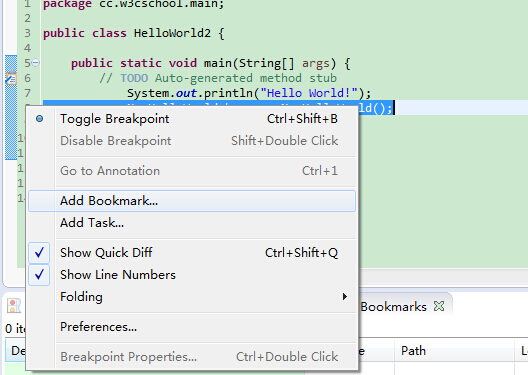
If you want to set a bookmark, you just need to right-click on the vertical ruler and select "Add Bookmark".
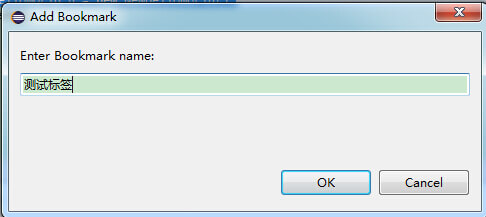
Enter the bookmark name in the pop-up dialog.
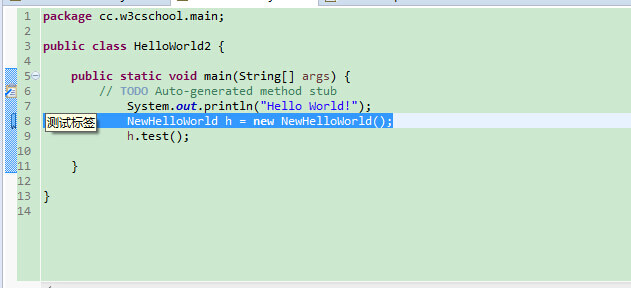
A bookmark icon will appear on the vertical ruler. Of course, you can also view the bookmark list in the Bookmarks view.
Open the Bookmarks view
The method to open the Bookmarks view is:
- Click the Window menu and select Show View > Other
- Type "Bookmark" in the search input box
- Under General, select Bookmarks
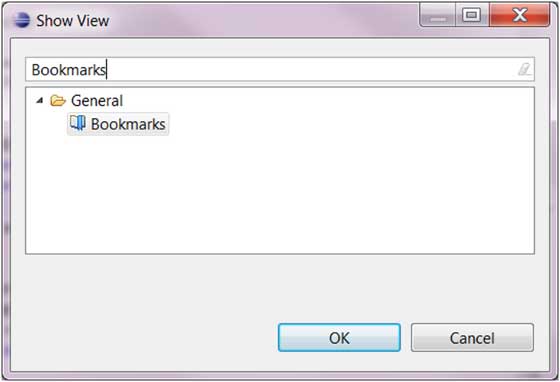
- Click the OK button
Use the Bookmarks view
The Bookmarks view is as follows:
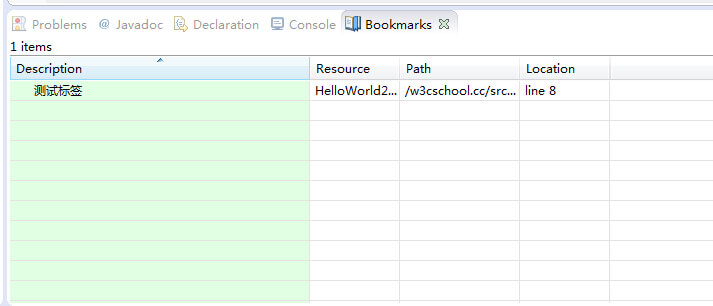
You can double-click a bookmark in the Bookmarks view, or right-click the bookmark and select the "Go to" menu to quickly locate the bookmark's position.
Delete Bookmarks (bookmark)
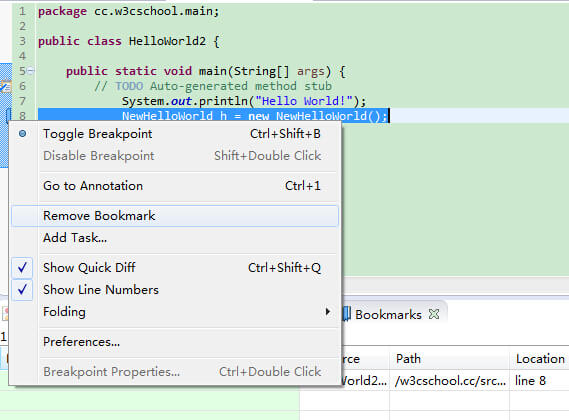
You can right-click on the vertical ruler bookmark and select "Remove Bookmark" to delete the bookmark:
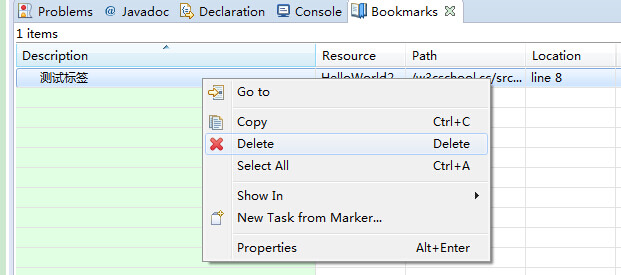
Or right-click the bookmark in the Bookmarks view and select the "Delete" menu item to delete the bookmark:
 other extensions