Eclipse Refactoring Menu
Using Eclipse Refactoring
In project development, we often need to modify class names, but if other classes depend on that class, we need to spend a lot of time changing the class name.
However, Eclipse's refactoring feature can automatically detect class dependencies and rename the class, saving us a lot of time.
The refactoring menu can be opened in the following ways:
- Right-click the Java element in the Package Explorer view and select the Refactor menu item
- In the Java editor, right-click a Java element and select the Refactor menu item.
- Select the Java element in the Package Explorer view and press Shift + Alt + T
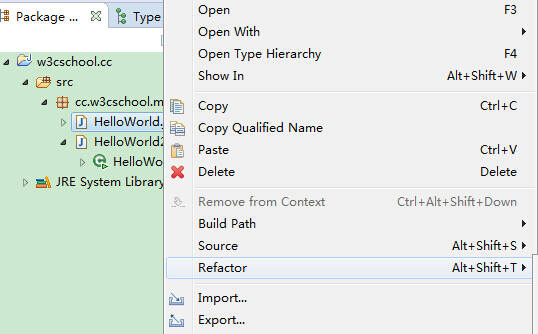
In the figure below, we selected the HelloWorld class in the Java editor.
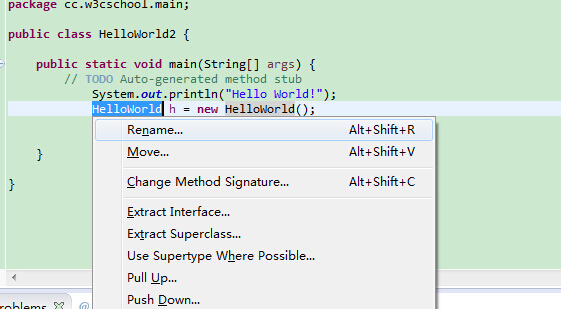
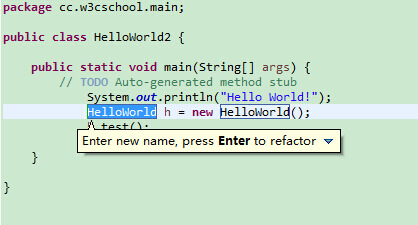
After selecting Rename, you will be prompted to enter a new class name and press Enter to finish the modification.
After pressing Enter to complete the modification, a dialog box will pop up showing the classes that will be modified.
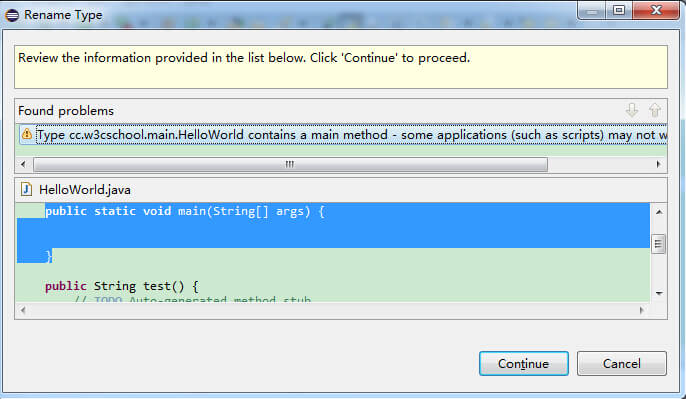
You simply need to click the Continue button to complete the operation.
other extensions