Docker Install PHP
Install the PHP image
Method 1: docker pull php
SearchDocker HubThe php image on:
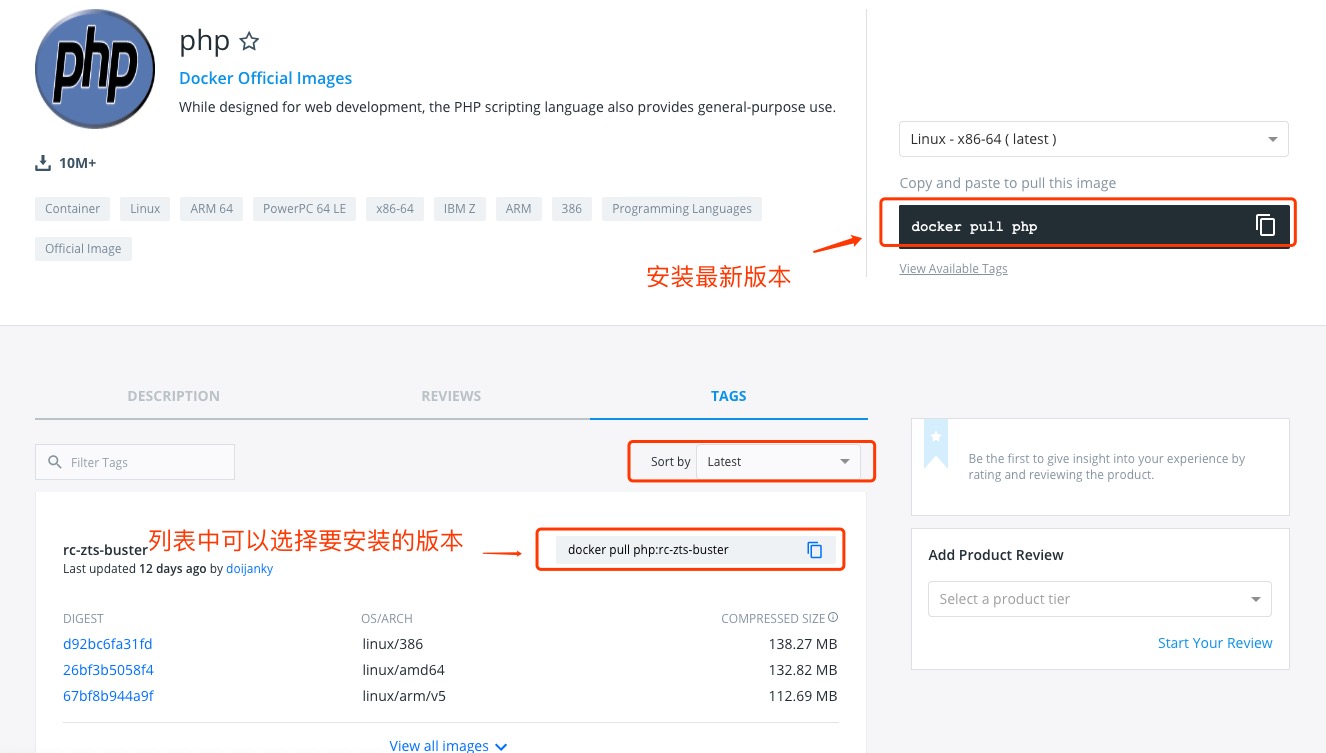
You can view other versions of php via Sort by; the default is the latest version.php:latest。
In addition, we can also use the docker search php command to view available versions:
example@example:~/php-fpm$ docker search php
NAME                      DESCRIPTION                                     STARS     OFFICIAL   AUTOMATED
php                       While designed for web development, the PH...   1232      [OK]
richarvey/nginx-php-fpm   Container running Nginx + PHP-FPM capable ...   207                  [OK]
phpmyadmin/phpmyadmin     A web interface for MySQL and MariaDB.          123                  [OK]
eboraas/apache-php        PHP5 on Apache (with SSL support), built o...   69                   [OK]
php-zendserver            Zend Server - the integrated PHP applicati...   69        [OK]
million12/nginx-php       Nginx + PHP-FPM 5.5, 5.6, 7.0 (NG), CentOS...   67                   [OK]
webdevops/php-nginx       Nginx with PHP-FPM                              39                   [OK]
webdevops/php-apache      Apache with PHP-FPM (based on webdevops/php)    14                   [OK]
phpunit/phpunit           PHPUnit is a programmer-oriented testing f...   14                   [OK]
tetraweb/php              PHP 5.3, 5.4, 5.5, 5.6, 7.0 for CI and run...   12                   [OK]
webdevops/php             PHP (FPM and CLI) service container             10                   [OK]
...
Here we pull the official image with the tag 5.6-fpm
example@example:~/php-fpm$ docker pull php:5.6-fpm
After the download is complete, we can find the image with REPOSITORY php and tag 5.6-fpm in the local image list.
example@example:~/php-fpm$ docker images
REPOSITORY          TAG                 IMAGE ID            CREATED             SIZE
php                 5.6-fpm             025041cd3aa5        6 days ago          456.3 MB
Nginx + PHP Deployment
For Nginx deployment, you can view:Docker Install NginxRefer to this article for some Nginx configuration.
Start PHP:
$ docker run --name myphp-fpm -v ~/nginx/www:/www -d php:5.6-fpm
Command description:
--name myphp-fpm: Name the container myphp-fpm.
-v ~/nginx/www:/www: Mount the host project's www directory to the container's /www.
Create directory ~/nginx/conf/conf.d:
mkdir ~/nginx/conf/conf.d
Add in this directory~/nginx/conf/conf.d/example-test-php.conffile, with the following content:
server {
    listen       80;
    server_name  localhost;

    location / {
        root   /usr/share/nginx/html;
        index  index.html index.htm index.php;
    }

    error_page   500 502 503 504  /50x.html;
    location = /50x.html {
        root   /usr/share/nginx/html;
    }

    location ~ \.php$ {
        fastcgi_pass   php:9000;
        fastcgi_index  index.php;
        fastcgi_param  SCRIPT_FILENAME  /www/$fastcgi_script_name;
        include        fastcgi_params;
    }
}
Configuration file description:
- php:9000: indicates the URL of the php-fpm service, which we will explain in detail below.
- /www/: yesmyphp-fpmThe storage path for php files inside, mapped to the local ~/nginx/www directory.
Start nginx:
docker run --name example-php-nginx -p 8083:80 -d \
    -v ~/nginx/www:/usr/share/nginx/html:ro \
    -v ~/nginx/conf/conf.d:/etc/nginx/conf.d:ro \
    --link myphp-fpm:php \
    nginx
- -p 8083:80: Port mapping, mappingnginxThe 80 in it maps to local port 8083.
- ~/nginx/www: is the local storage directory for html files, and /usr/share/nginx/html is the storage directory for html files inside the container.
- ~/nginx/conf/conf.d: is the local storage directory for nginx configuration files, and /etc/nginx/conf.d is the storage directory for nginx configuration files inside the container.
- --link myphp-fpm:php: takemyphp-fpmmerge the network intonginx, and by modifyingnginxThe container's /etc/hosts, mapping the domainphpMap to 127.0.0.1, allowing nginx to access php-fpm through php:9000.
Next, we create index.php in the ~/nginx/www directory, with the following code:
<?php
echo phpinfo();
?>
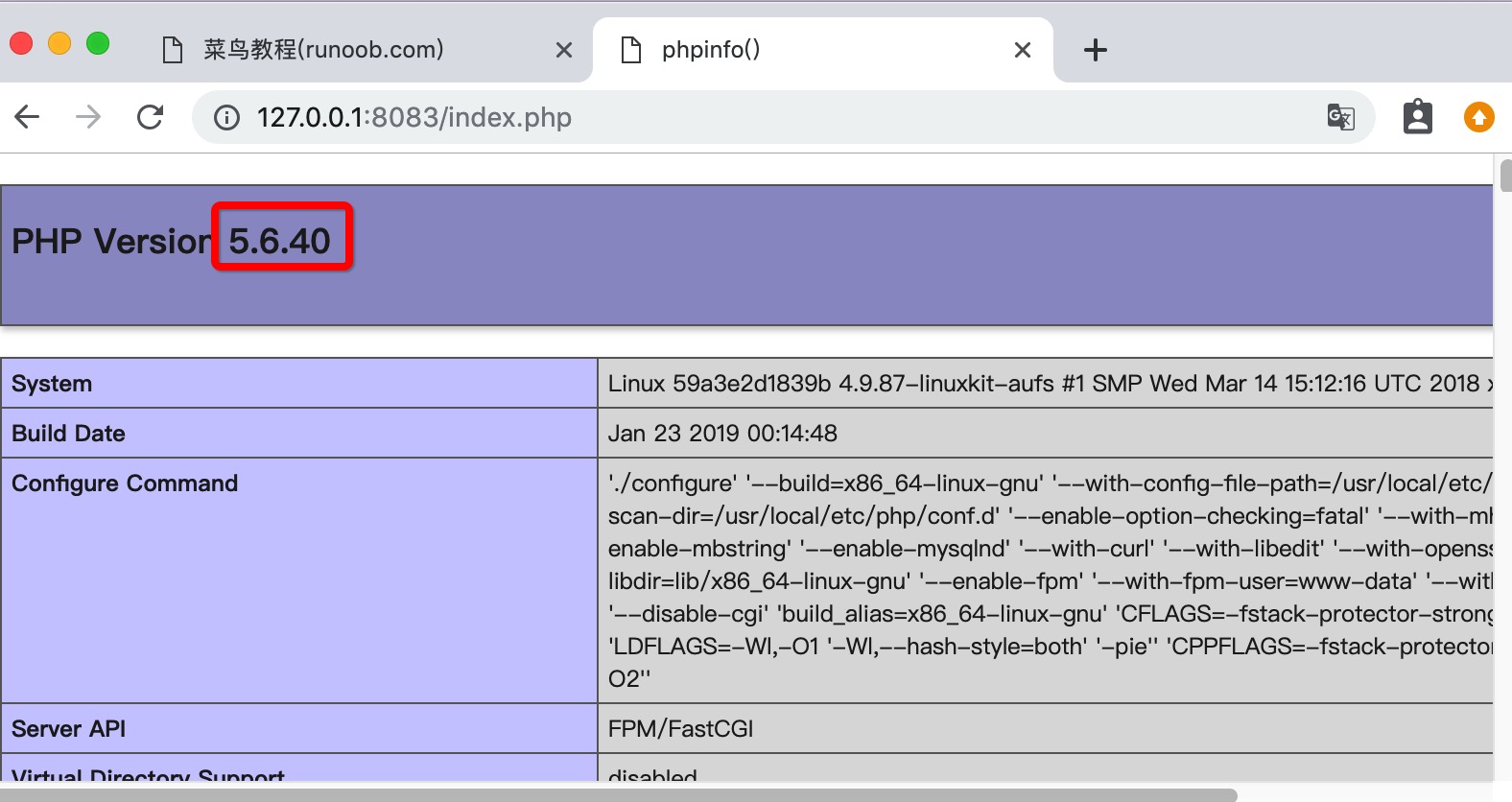
Open in browserhttp://127.0.0.1:8083/index.php, displayed as follows: