Download JDK
Download address:https://www.oracle.com/java/technologies/downloads/
Click the download button:
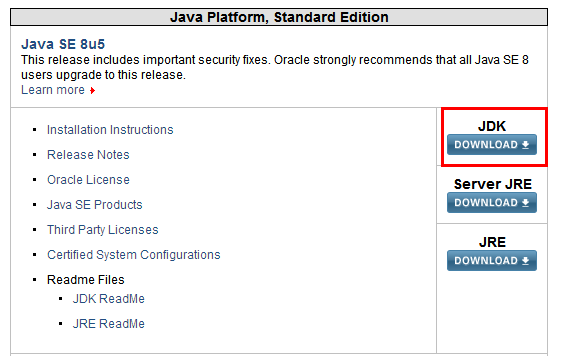
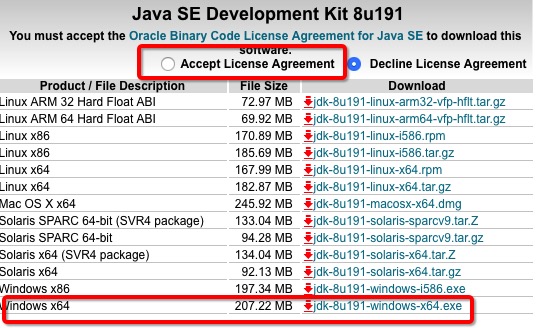
Start installing JDK:
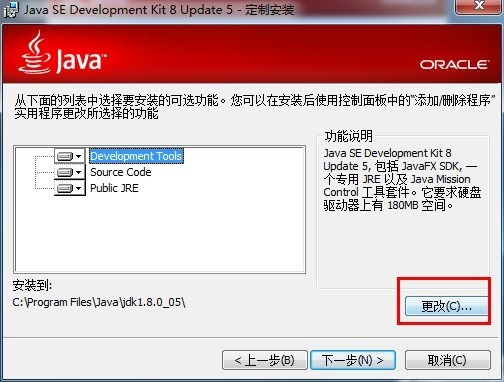
You can set it to the path you want to install to.
Environment Variable Configuration
1. Open the Environment Variables window
Right-clickThis PC -> Properties -> Advanced system settings -> Environment Variables...
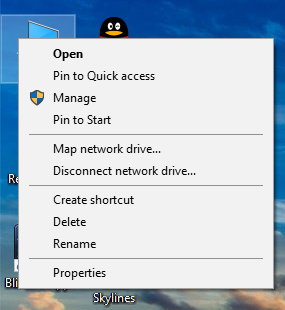
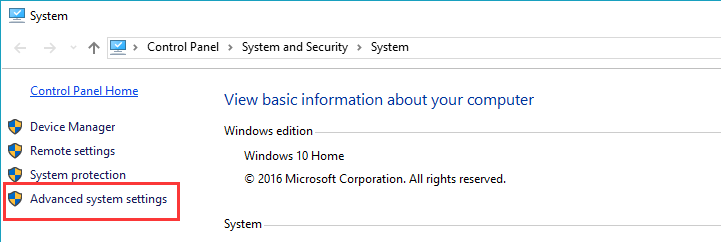
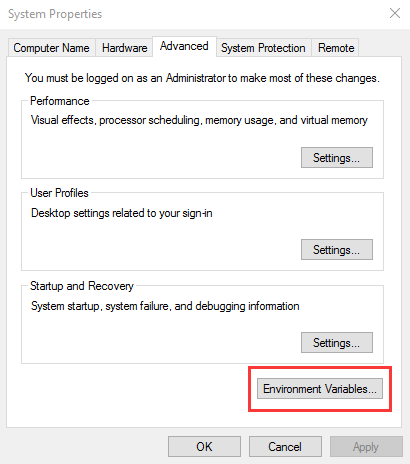
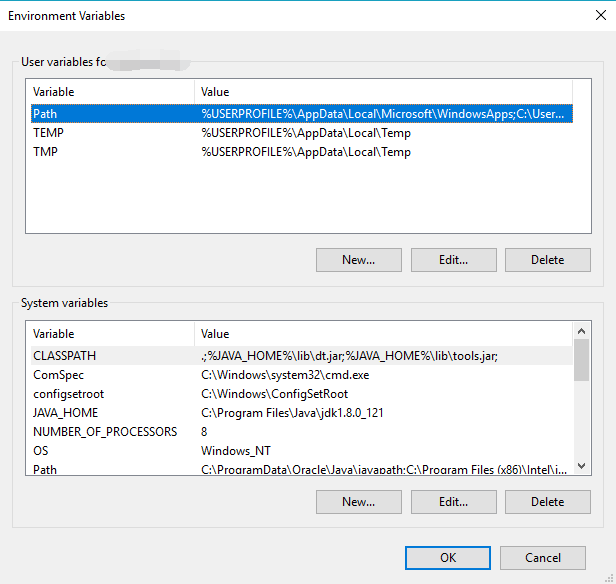
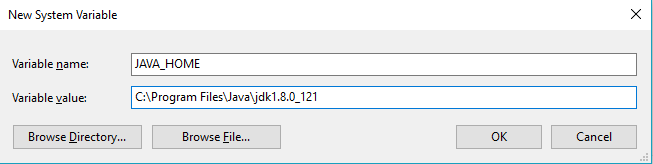
2. Create a new JAVA_HOME variable
ClickNew...button
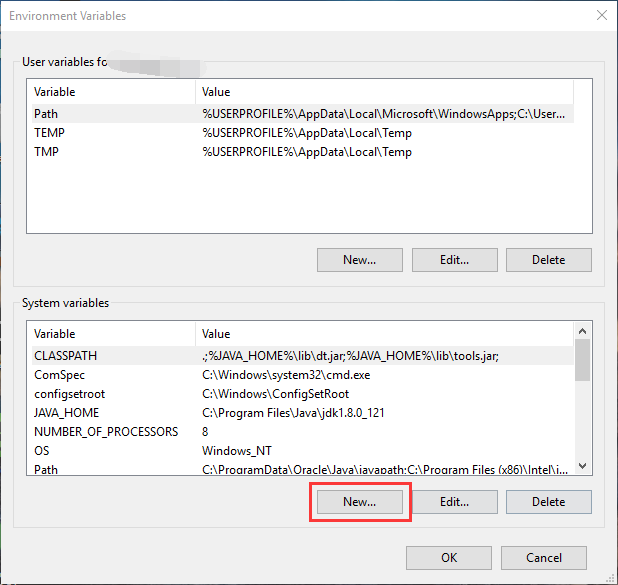
Enter:
变量名:JAVA_HOME
变量值:电脑上JDK安装的绝对路径
After entering, click OK.
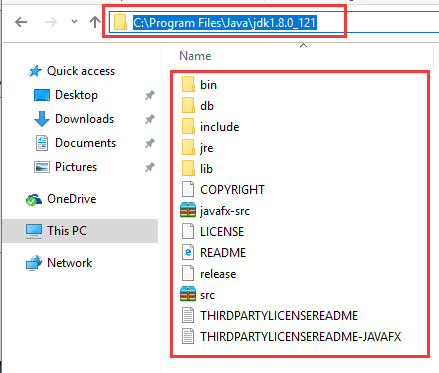
The following files must be visible under the JDK path.
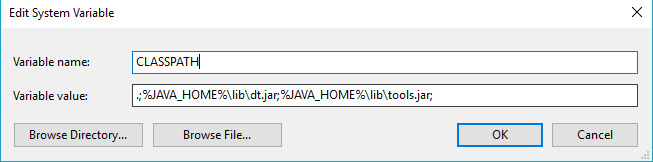
3. Create/Modify the CLASSPATH variable
If theCLASSPATHvariable exists, select and clickEdit。
If not, clickNew...Create.
Enter / add after the existing variable value:
变量名:CLASSPATH
变量值:.;%JAVA_HOME%\lib\dt.jar;%JAVA_HOME%\lib\tools.jar;
Click OK to save.
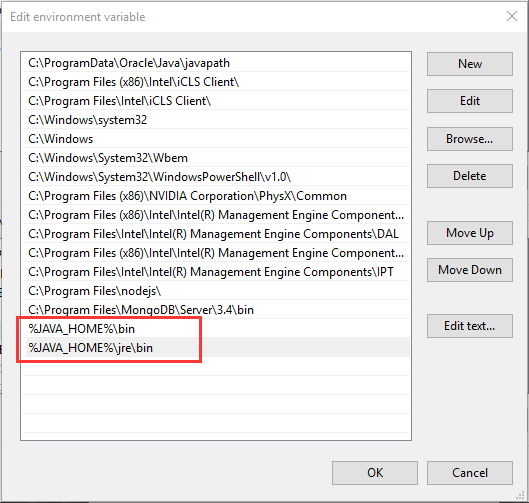
4. Modify the Path variable
Due to differences in Win10, when selectingPathvariable, the system conveniently separates all the different paths, unlike Win7 or Win8 where they are connected together.
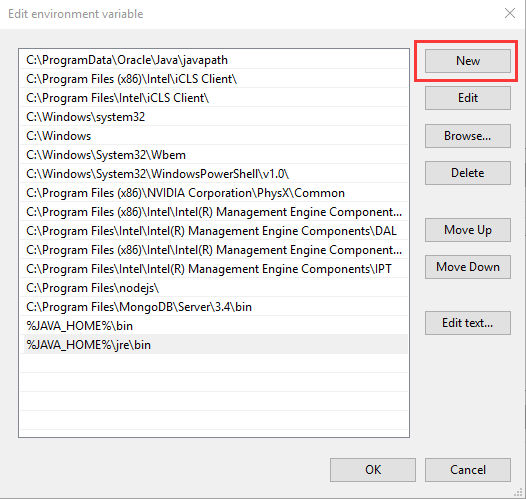
Create two new paths:
%JAVA_HOME%\bin
%JAVA_HOME%\jre\bin
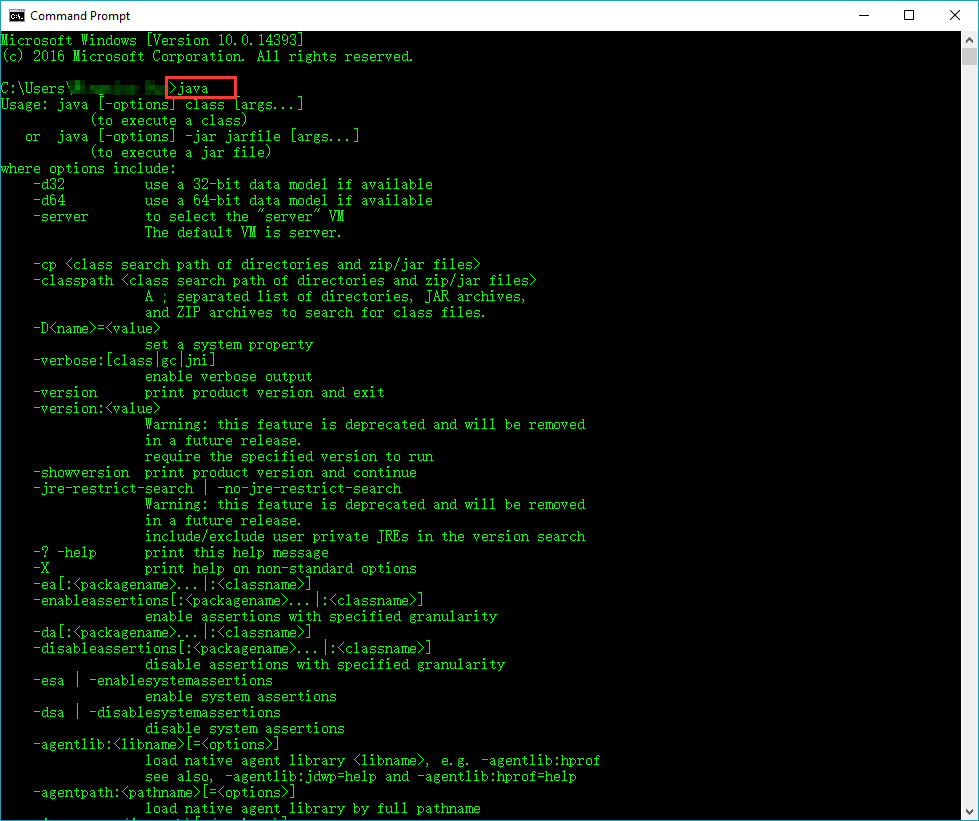
4. Check Open cmd, enterjava, a series of command prompts appear, indicating that the configuration was successful:
Original URL: https://www.jianshu.com/p/9fc41ea941aa