Methods to view the SSH public key:
1. Through the command window
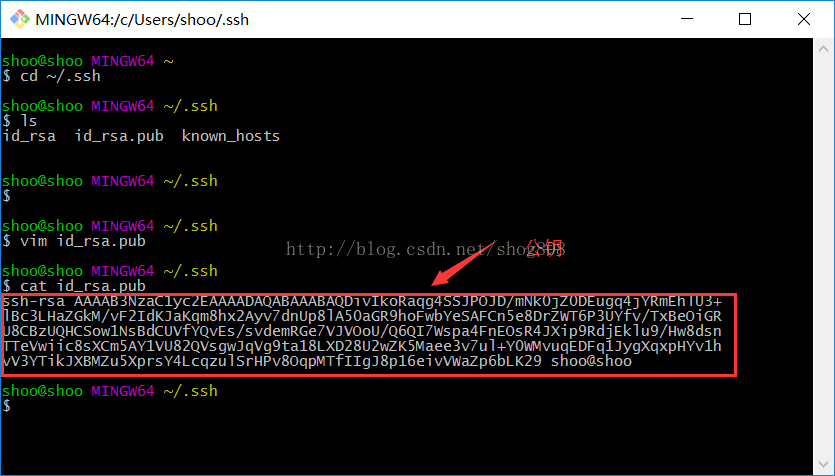
a. Open yourgit bashwindow
b. Enter.sshdirectory:cd ~/.ssh
c. Findid_rsa.pubfile:ls
d. View the public key:cat id_rsa.puborvim id_rsa.pub
as shown in the figure:
2. Or you can also directly enter the command:cat ~/.ssh/id_rsa.pub

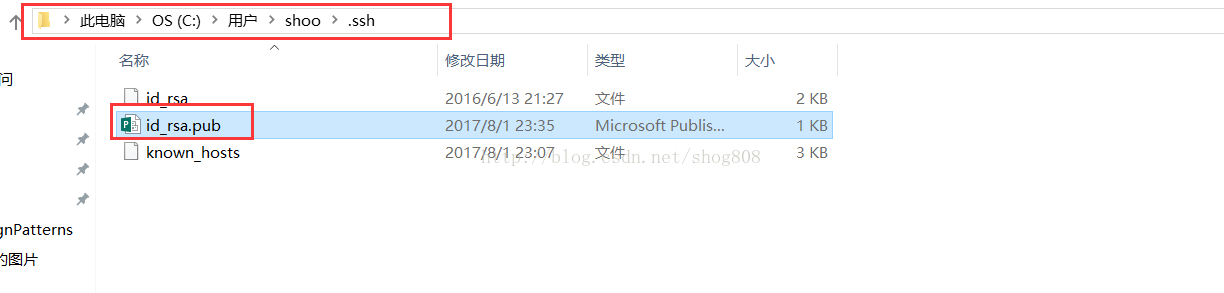
3. Or you can also directly open the .ssh folder under your user (usually Administrator), and open the id_rsa.pub file inside it, as shown in the figure:
What is a public key?
- 1. Many servers require authentication, and SSH authentication is one of them. Generate a public key on the client, add the generated public key to the server, and you will not need to enter your username and password every time you connect to the server.
- 2. Many Git servers use SSH authentication. You need to send your generated public key to the repository administrator and ask them to add it to the server, then you can freely pull and commit code via SSH.
Generate a public key
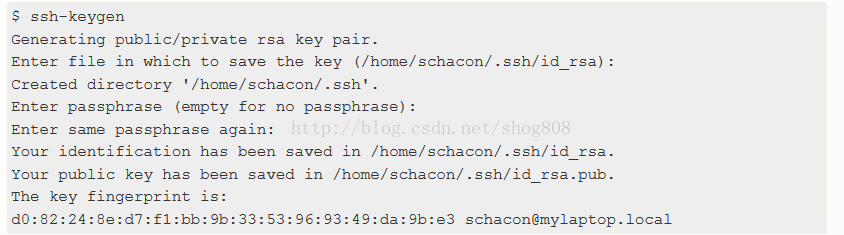
- 1. If you cannot find a public key using the methods above, you need to generate one first: ssh-keygen
- 2. Next, it will confirm the location to save the public key. The default is the path mentioned above. Press Enter to confirm.
- 3. Then it will ask you to enter a passphrase and confirm it. If you don't want to set a passphrase, simply leave it blank and press Enter.
as shown in the figure:
Original link: https://blog.csdn.net/shog808/article/details/76563136