FlappyBird Mini Game Implemented with Swift
As Apple's promotion of Swift deepens, Swift has become popular very quickly. Moreover, Swift's concise and convenient syntax and powerful features make it necessary for developers who use Objective-C to develop iOS to also understand and learn Swift. This article skips Swift's dry syntax and directly starts using Swift from a small game project. The takeaways are summarized as follows:
FlappyBird is a mini game that was very popular a while ago. You tap the screen with your finger to balance the bird through obstacles. I took the previous OC version project and converted it to Swift, so the overall approach is still the OC development approach.
First, I need to define two macros: one to simulate the gravitational acceleration G, and one to conveniently obtain the device screen size. Because this game is very simple and takes only a few hours to develop, we only need to write code in one file: viewController.swift.
Swift does not have macro definitions as found in general languages, but you can achieve the effect of macros by defining constants:
//用常量的形式代理OC中的宏定义
let G:Float=9.8
let SCREEN_SIZE = UIScreen.mainScreen().bounds
We need to define some member variables, as follows:
class ViewController: UIViewController {
    var timer:NSTimer?//背景移动的定时器
    var i:Int=0//背景移动的速度
    var timer2:NSTimer?//柱子和地面移动的定时器
    var timer3:NSTimer?//小鸟移动的定时器
    var bird:UIImageView?
    var t:Float=0.0//小鸟下落的速度
    var isDowm:Bool=false//标记小鸟是否在下落
    var isGameOver:Bool=false//标记是否游戏结束
}
There are many concepts online about understanding ? and !. Simply put, when declaring a variable, if it is not initialized, the system will not assign nil to the variable and will report an error. The role of ? is to tell the system that if it is not initialized here, it is nil. Similarly, when using such variables, you also need to add ? to unwrap. If you add !, it is forced unwrapping, which can be understood as letting the system believe that this variable is definitely not nil.
The creation of UI and other functions is the same as in OC, except the calling methods are slightly different. The source code will be attached later.
The code for controlling the bird's fall is as follows. One thing to note: there is no implicit conversion concept in Swift. For example, if you want to use int a + float b, you must manually convert int to float: (Float)(a) + b
func birdMove(){
        if !isDowm{
            if bird?.frame.origin.y < SCREEN_SIZE.height-100{
                var rant:CGRect=bird!.frame
                rant.origin.y += (CGFloat)(G*(t*t/2))
                bird?.frame=rant
                t+=0.025
            }
        }else{
            if t<0.24{
                var rant = bird?.frame
                rant?.origin.y -= 4.9-(CGFloat)(G*t*t/2)
                bird?.frame=rant!
                t+=0.025
            }else{
                isDowm=false
            }
        }
    }
The game effect screenshot is as follows:
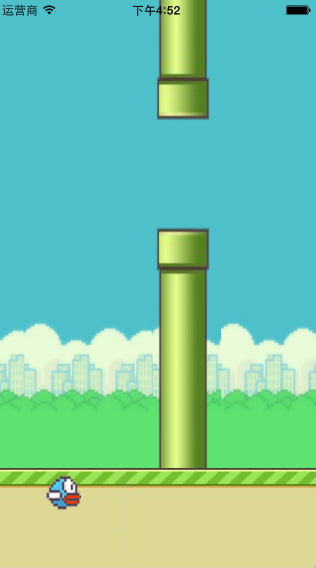
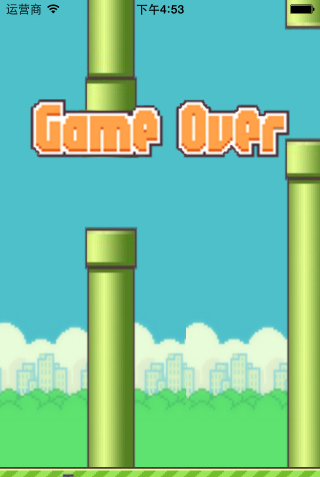
I believe that practice is the necessary path to learning. I hope to progress together with like-minded friends.
Project GitHub address:https://github.com/ZYHshao/swiftFlappyBird
Further Reading
Swift Introductory Tutorial:http://www.w3cschool.cc/w3cnote/apple-swift.html