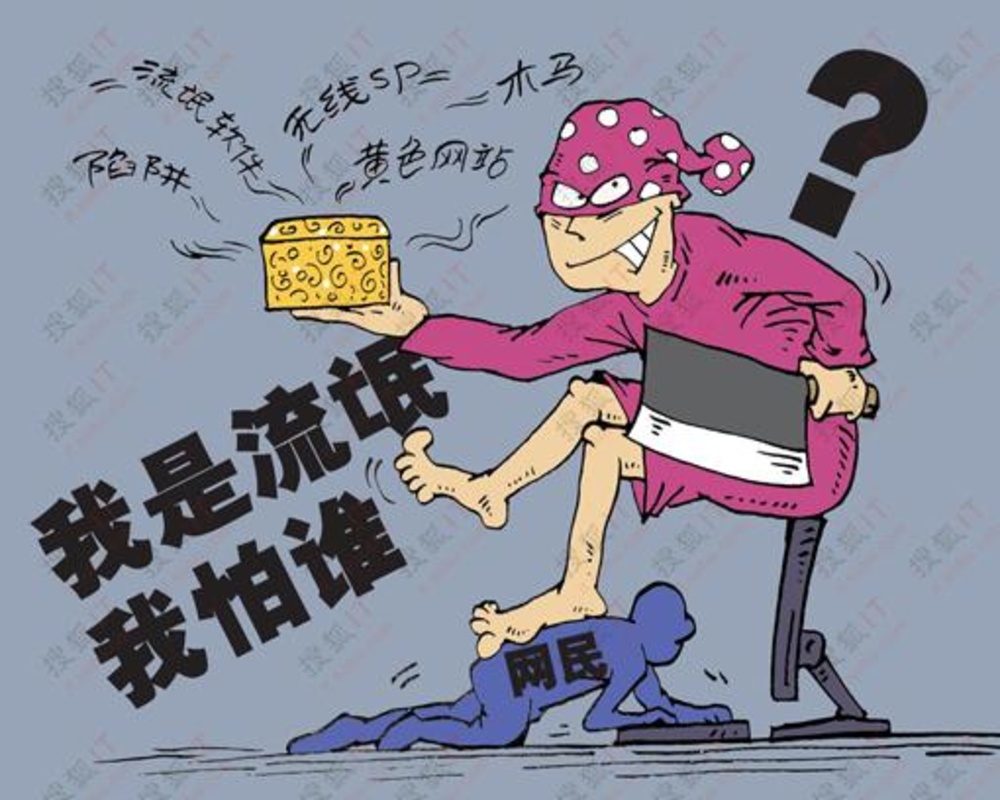
You must have had this experience: after downloading and installing certain software, either your usage habits are maliciously changed, or strange things inexplicably appear in your system. Friends with a bit more technical skill can find the source of the problem and restore the modified homepage and registry. Novice users who don't understand often have to resort to "tech geeks". If the situation is left alone, a system reinstall after a long time is a certainty. So how exactly does commonly used software act like a rogue? Today let's talk about this topic.
Bundled installation of plugins with and without prompts
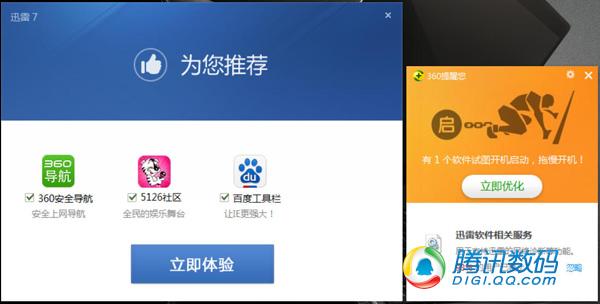
A more conscientious prompting plugin, but a certain security guard thinks it will slow down the computer
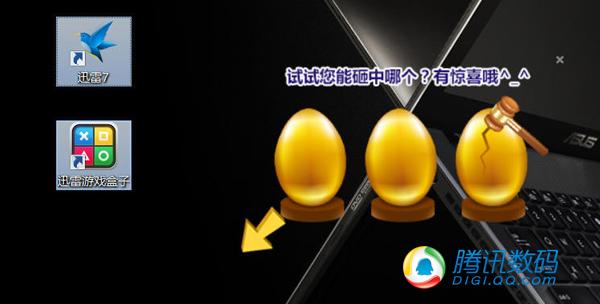
Without any prompt, installs plugins, game boxes, and egg-smashing page ads
Many friends do not carefully look at every step of the installation interface when installing software packages, especially girls who only love Taobao and Korean dramas—they don't have the mind for that. Over time, they find many redundant programs on their computers. These programs were not actively installed by themselves, but somehow they appeared on the computer. This situation is most likely caused by bundled plugins that were installed "secretly".
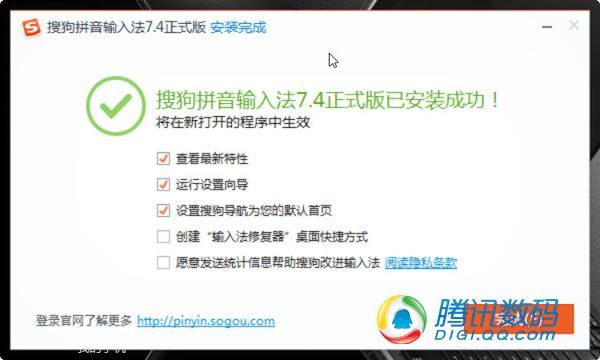
Homepage tampering with prompts: a slight negligence during installation and it will be tampered with

A certain Wangwang bundles UC Browser, Ruyi Tao, Ali Netdisk, Taobao Mobile Assistant—five plugins—and the UC123 homepage
Currently, bundled installation is already a very common phenomenon, but out of professional ethics, most common software provided by software companies will prompt users, either obviously or not, during the installation of bundled software. For this part of the software, we only need to carefully observe each installation step for such prompts, keeping our eyes wide open like doing math problems or filling out a resume, and we can usually avoid incorrectly installing bundled software.
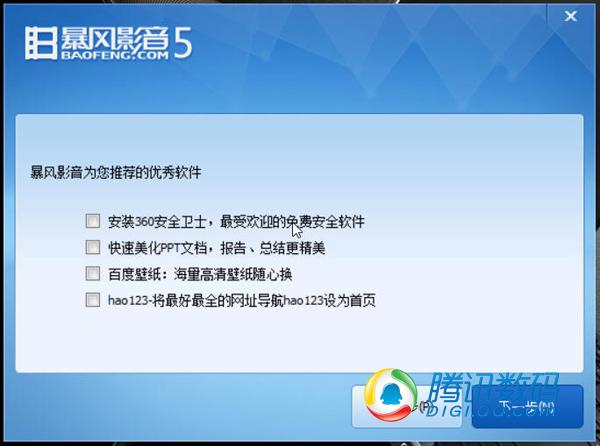
The three plugins carried by a certain media player—360 Security Guard, PPT Beautifier, Baidu Wallpaper—as well as the hao123 homepage navigation
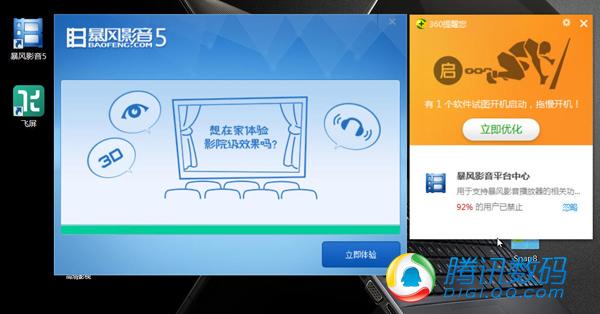
After manually deselecting the plugin installation, the media player still installed Flying Screen software without any prompt.
For some software that has no integrity whatsoever and installs plugins without warning the user at all, perhaps there is really no good solution. We can only not use it, or remember to manually uninstall it after installation.
Tampering with the browser homepage
Tampering with the browser homepage is another common trick of rogue software. Through software installation, it calls browser functions and registry information in the system that are unrelated to the software, and by modifying these parameters, it changes the homepage to one with a vested interest to the software, in order to increase user visits to that homepage. Presumably, homepages like hao123 and 2345 navigation sites are fully aware of how they gradually occupied users' browsers in the early days.
Tampering with the browser homepage is actually divided into shallow and deep levels. Generally, for shallow tampering, users can restore the homepage by manually changing the browser homepage settings and adjusting relevant registry key values. But in some cases, because the tampering is deeper and calls on many system functions, even users who know the system very well find it difficult to change the homepage back by modifying browser settings and the registry. This situation usually only occurs in installation packages of unknown origin, so it is recommended that everyone try not to download and use software installation packages from unknown sources.
Secret trick: If you have already been hit by this and have tried every possible way but still cannot change the browser homepage back, then we will teach you a method. Win7 and Win8 actually both have a very useful system restore point feature. You only need to enable this feature, find a safe system time point before the software was installed, and perform a restore—it will definitely help you solve the problem.
Arbitrarily occupying startup items
The third rogue trick of common software: arbitrarily occupying startup items. Look at the computer users around us. Friends who understand system maintenance can always keep their computers booting in about 30 seconds. Without an SSD, this is a healthy boot time. But other friends who don't pay much attention to system maintenance usually find their computers take longer and longer to boot. Many friends' computers take at least one minute or more to start up. This is very likely caused by software arbitrarily occupying startup items.
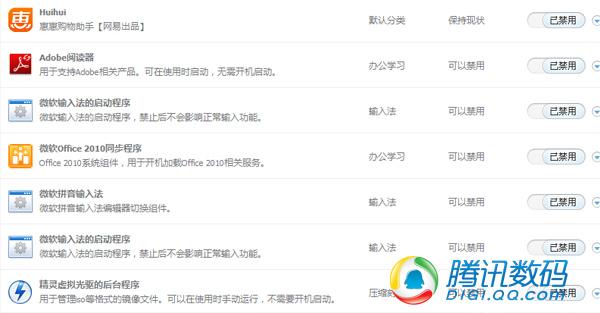
Many startup items do not need to be started at boot for ordinary users.
Take a certain user's computer as an example. Looking at his startup items, there are many items that originally started automatically at boot, and he manually disabled them, including common ones like Microsoft input method, Adobe Reader, virtual drive background programs. For most of us, there is no need for them to start with the system; we only need to call them when using them. So disabling them can effectively reduce boot time. Check your computer's startup items, think about which software you don't need to run at boot, and feel free to disable them!
Changing default opening methods
As the saying goes, "One mountain cannot hold two tigers." When two pieces of software of the same type are installed on a computer at the same time, what will be the result? The program installed later will definitely strive for more opportunities and value for itself. It manifests as browsers prompting users to make themselves the default browser, and players prompting users to make themselves the default media opener. What problems does this bring to users? When you click a link today, it opens browser A; tomorrow it might open browser B. Today your music is opened by OO Music, tomorrow it might be Lobster Music, and the day after it becomes Qianqian Jingting. The default way is changed back and forth, causing inconvenience to users and chaos to the system.
Recommendations:
1. "Monogamy" — keep a fixed partner.
2. Some software re-establishes its status as the default opening method every time it starts, for example "K Me Music". Faced with such extremely tough rogue behavior, you can either choose to uninstall it, or set other software as non-default or uninstall them.
Hard-to-prevent ad pop-ups
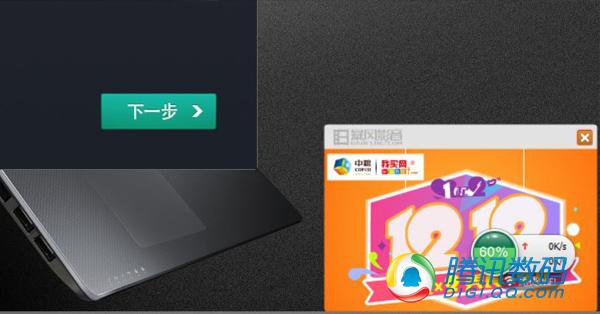
Storm Player's ad pop-up
Besides the evil behavior exposed at last year's 315 (Consumer Rights Day) of network operators pushing ad pop-ups on web pages by region, whether software carries ad pop-ups usually depends on the software's profit model. Some software vendors stop at nothing to make money and forcibly push pure ad pop-ups on the desktop, making ordinary users passive spectators of ads and affecting the harmony and aesthetics of the computer system.
Most software with ad push supports users setting to refuse ad push. Users can find the relevant disabling function in the settings of such software. However, if the software does not provide such blocking options, although there are some targeted ad-blocking techniques online, no technique can completely eliminate this problem. If you are fed up with these ads, the answer may be to uninstall. But will uninstalling make everything smooth and no longer upsetting? Not necessarily.
Deliberately blocking uninstallation
In order to keep users from uninstalling the software, software vendors have tried every possible method. The most typical is to obstruct the user during the uninstallation process. You want to uninstall it as smoothly as you installed it? Not a chance!
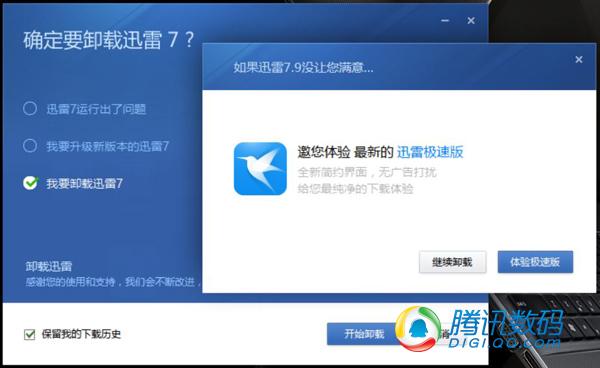
Uninstallation can only be completed after multiple option judgments and multiple window jumps.
"How about cleaning up the junk one more time?" "Dear, after uninstalling, your computer will be without our protection, dear." "Without our software, the system will slow down, dear!" "Is the forcibly installed mobile assistant not to your taste? How about uninstalling it first and then feeling it again?" Every time I see software making such repeated difficulties and refusing to leave, those who especially want to swear, please raise your hand.
Summary:
In fact, in the Internet era, nothing is impossible, and any software product has competition. Practices that ignore user experience for commercial interests can bring short-term benefits. But in the long run, this is not conducive to improving user experience and user stickiness. When your software cannot give users a good experience, and exactly when another similar software provides a great experience, it is very likely that it will quickly conquer and take away the market. If what I said has not yet become reality, then as a vendor, you should feel fortunate that the opponent is not strong enough to overturn, and that users are still silently enduring rather than abandoning you.
Original source: http://www.techug.com/software-cheater