This article introduces how to pass parameters to click events in React.
Problem Description
Let's first look at the problem description. As shown below:
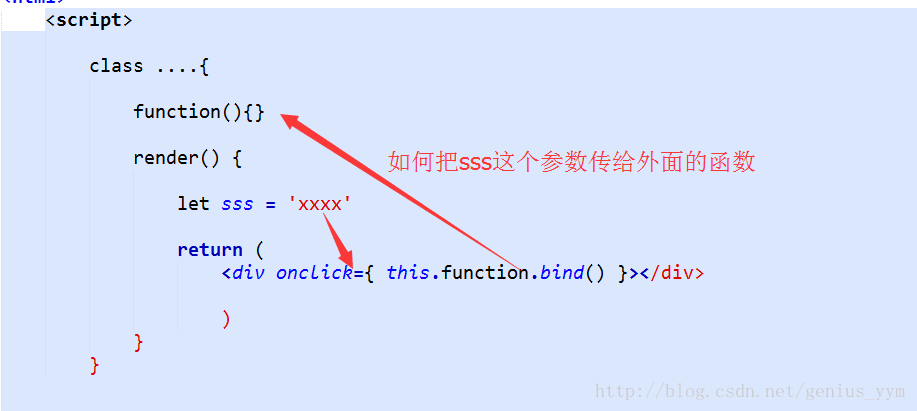
So how do I solve this problem?
The following is the HTML code,clickFunctionis the click event function,thisStatusis the parameter to be passed:
<div onClick={this.clickFunction.bind(this, thisStatus)>收</div>
The following is the way the React code function receives parameters,thisStatusParameters accepted by the function:
clickFunction(thisStatus, event) {
    console.log('thisStatus', thisStatus);
}
To solve the problem I raised at the beginning, again, look at the picture.
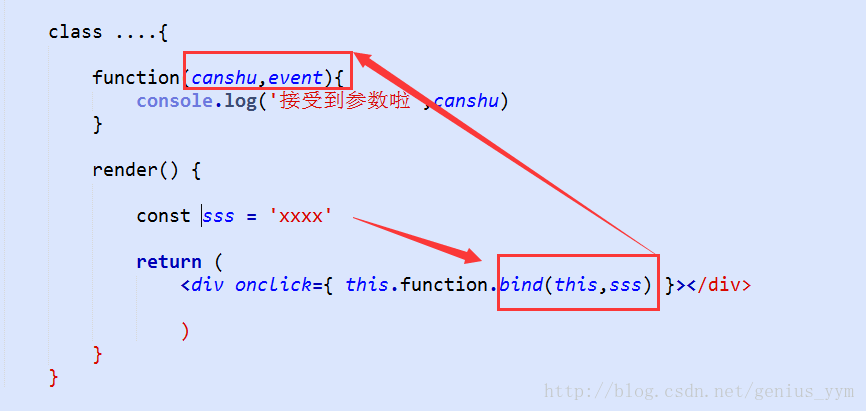
That's it.
Summary
You need to bind parameters through the bind method. The first parameter points to this, and starting from the second parameter are the parameters received by the event function:
<button onClick={this.handleClick.bind(this, props0, props1, ...}></button>

handleClick(porps0, props1, ..., event) {
    // your code here
}
- Event:this.handleclick.bind(this, the parameter to be passed)
- Function:handleclick(the passed parameter, event)
Original address: https://blog.csdn.net/genius_yym/article/details/54135567