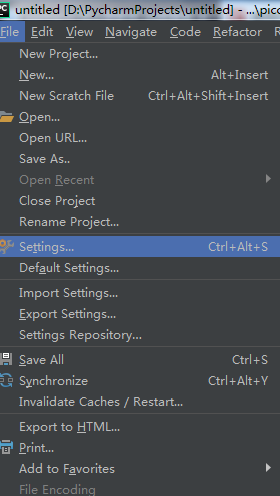
1. ClickFile->settings
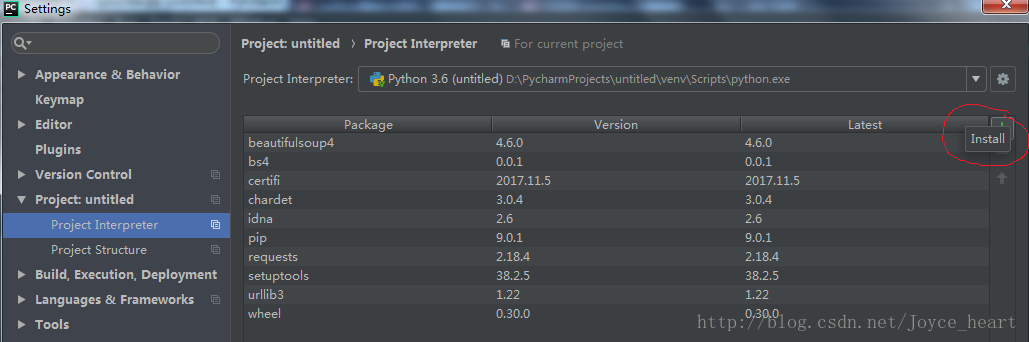
2. SelectProject Interpreter, click the green plus sign on the right to add the package
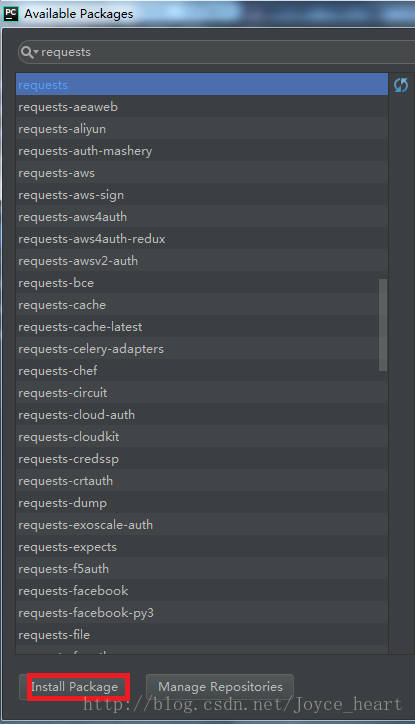
3. Enter the package name you want to add, clickInstall Package
4. You can view the installed packages in the directory where Pycharm saves the project, path
D:\PycharmProjects\untitled\venv\Lib\site-packages
Original address: https://blog.csdn.net/Joyce_heart/article/details/78931712