Everyone knows how to compile Java source code, that iscmdgo to the directory where the source file is locatedjavac **.javaand that's it. When the program has a package declaration, can you still simply directlyjavac **.java? The answer is of courseno, below is a simple example to prove what happens when directlyjavac **.javacompiling it.
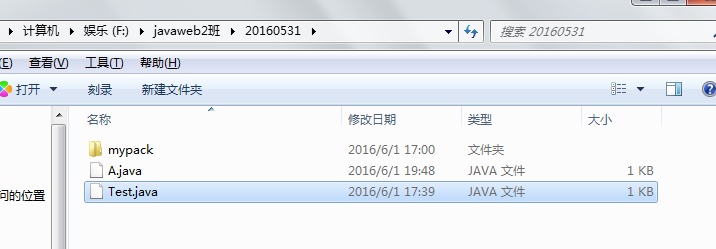
As follows: In the F:\javaweb2班\20160531 directory there is an A.java file. Note that the source file has a package declaration:
Example
Now compile A.java directly with javac A.java, and the result is as follows:
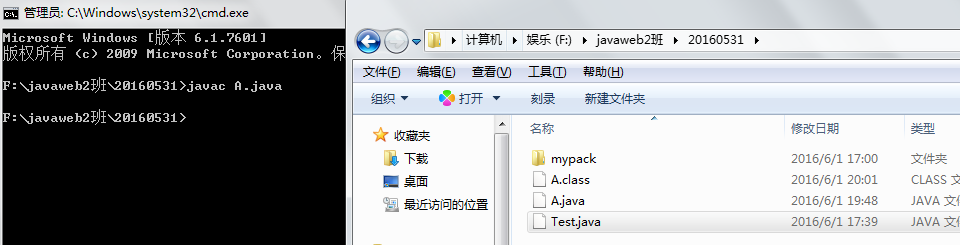
We can clearly see that the A.class bytecode file has appeared in the current directory. Can it run directly like this? Let's try it!
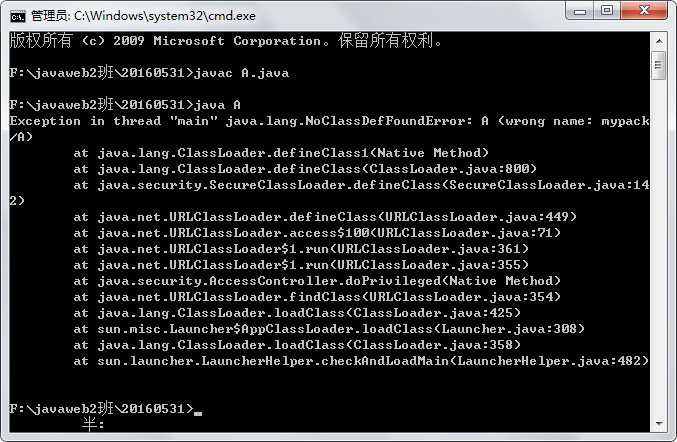
This error appeared because we have a package declaration in A.java. When executing the A.java source file, the Java virtual machine first looks for the bytecode file in the current directory of A.java. Although it finds it this time, because there is a package declaration in A.java, the Java virtual machine then goes to the package directory to look for the A.class bytecode file. Only when it finds it there can it execute successfully. If you don't believe it, let's do an experiment! (Here I'll also teach you how to compile A.java with a package declaration, that is, package compilation with javac -d . A.java)
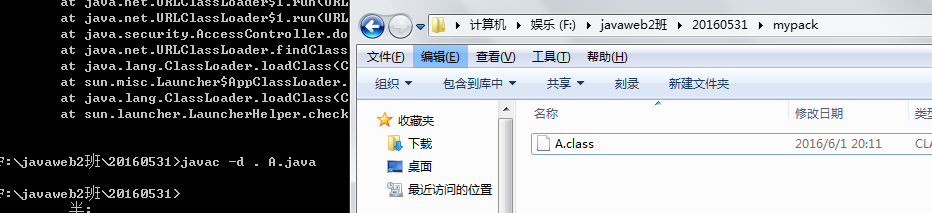
Now the package compilation succeeded. At this point, we can see that the A.class file has appeared in the mypack directory. Let's try executing it.
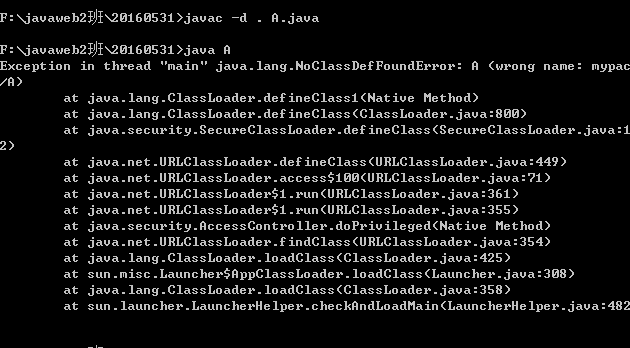
At this point, we find that execution still fails?? Why is that?? This is a problem many beginners encounter. Here everyone must remember one point: the parameter of the Java command is the "fully qualified class name", not the "file name".
The fully qualified class name of this source program should be mypack.A, so it should be written like this:java mypack.A
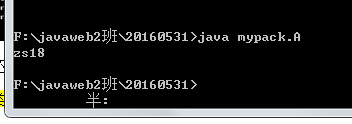
Now it can execute successfully!
Don't rush!! There's more exciting stuff below! As for using packages, how could we not explain package import, creation, and compilation!
This time we introduce another test class Test.java, with the following code:
Example
Compile and execute as follows:
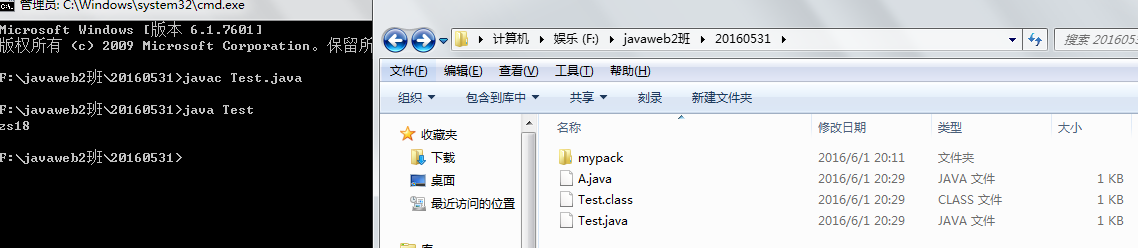
The result, as expected, is certainly that it compiles and executes. The execution flow is like this: after Test.java is compiled, the generated bytecode file is in the current directory (during compilation, it looks for whether there is an A.class file in mypack; if not, compilation fails). During execution, since Test.java has no package declaration, the Java virtual machine first finds Test.class in the current directory and executes it. When execution reaches the place where class A is referenced in the program, the Java virtual machine checks whether there is an A.class bytecode file in the current directory. At this time, even if it finds one, it will enter the package according to the package import in the source program to look for A.class. Only when it finds it can execution succeed (in fact, it already looked during the compilation phase!)
Going a step further: if we add a package declaration package mypack1; to the test class Test.java,
Now we perform package compilation on Test.java. Here I want to explain two knowledge points again: 1. When packaging and compiling, the package directory is automatically created, and you don't need to create a package name folder yourself; 2. When there are multiple java files in the current directory that need to be compiled or package-compiled,javac -d . *.javaThe command can compile or package-compile all java files in the current directory based on whether there is a package declaration in the program.
Now how do we execute the Test.java file? java Test.java? Obviously that won't work. Remember what I said earlier: the parameter of the Java command is the "fully qualified class name", not the "file name".
Therefore, we need to execute it like this:
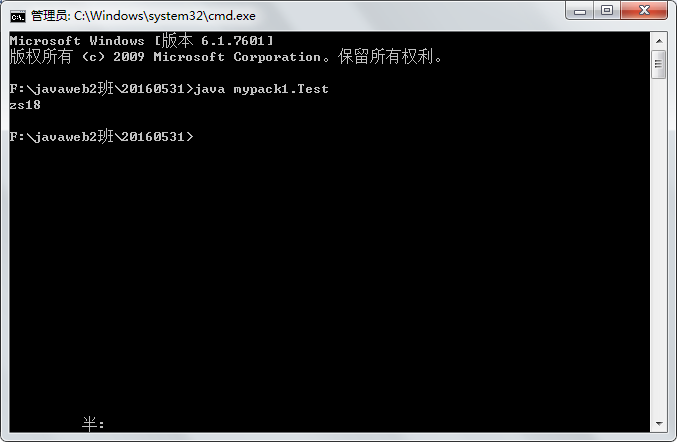
In this way:
Everything discussed above is the general case, that is, the classpath is in the current directory. When the classpath is not in the current directory, can it still be executed? And how should it be executed?
As shown in the figure below, I put Test.java in the directory one level outside. In this case, we need to set the classpath parameter ourselves. For example:F:\javaweb2班>java -cp F:/javaweb2class/20160531 mypack1.java; or in any directory:java -cp F:/javaweb2class/20160531 mypack1.java
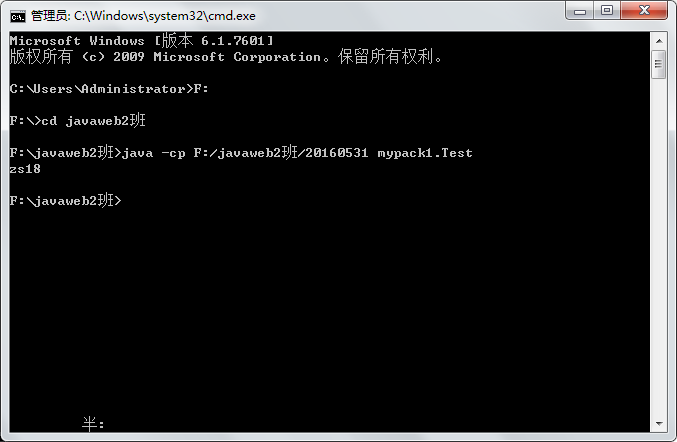
In this way, it succeeds! Everyone, analyze and understand the specific execution flow yourself!
Summary
- 1. The parameter of the Java command is the "fully qualified class name", not the "file name".
- 2. When packaging and compiling, the package directory is automatically created, and you don't need to create a package name folder yourself.
- 3. When there are multiple java files in the current directory that need to be compiled or package-compiled,javac -d . *.javaThe command can compile or package-compile all java files in the current directory based on whether there is a package declaration in the program.
- 4. When the classpath is not in the current directory, you need to usejava -cp ..., such as:java -cp F:/javaweb2class/20160531 mypack1.java。
- 5. Be clear about the process by which the Java virtual machine executes bytecode files based on package declarations and package imports.
Original address: https://www.cnblogs.com/xiaoming0601/p/5551113.html