1. Four values of position: static, relative, absolute, fixed.
Absolute positioning: absolute and fixed are collectively called absolute positioning
Relative positioning: relative
Default value: static
2. The difference between relative positioning and absolute positioning
Example:
HTML code:
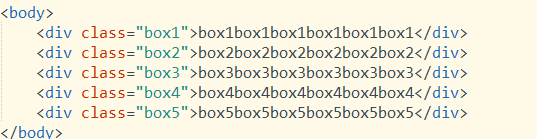
CSS code:
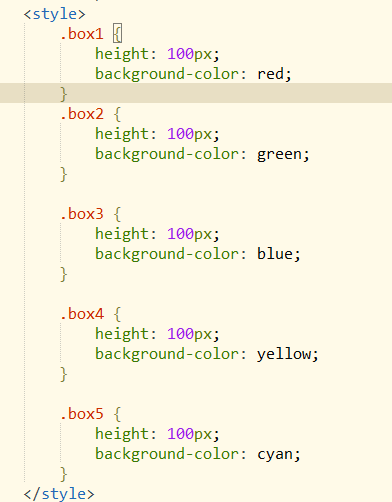
Initial effect:
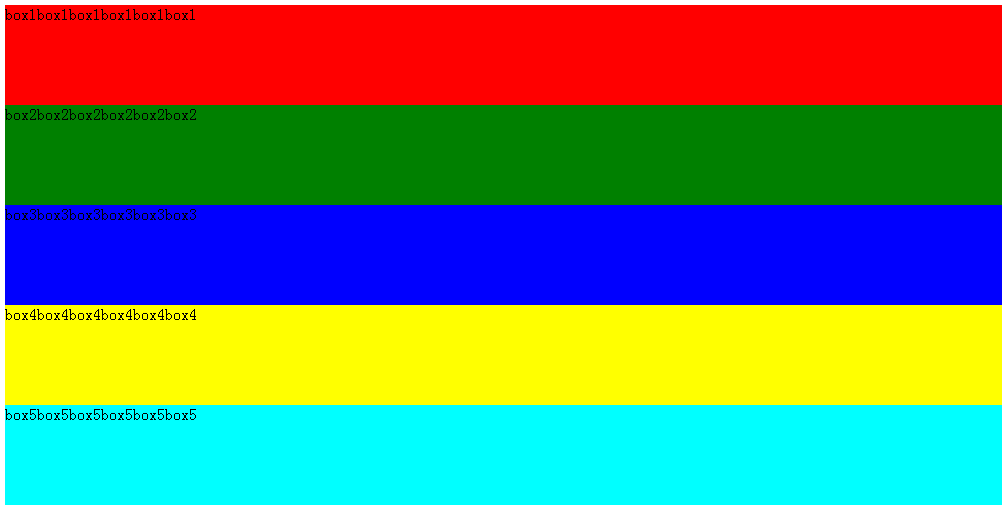
1. relative: moves relative to the original position. After setting this property, the element still remains in the document flow and does not affect the layout of other elements
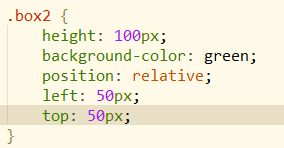
Set relative on the second box:
The element is offset relative to its original position, width and height remain unchanged, and it stretches the container.
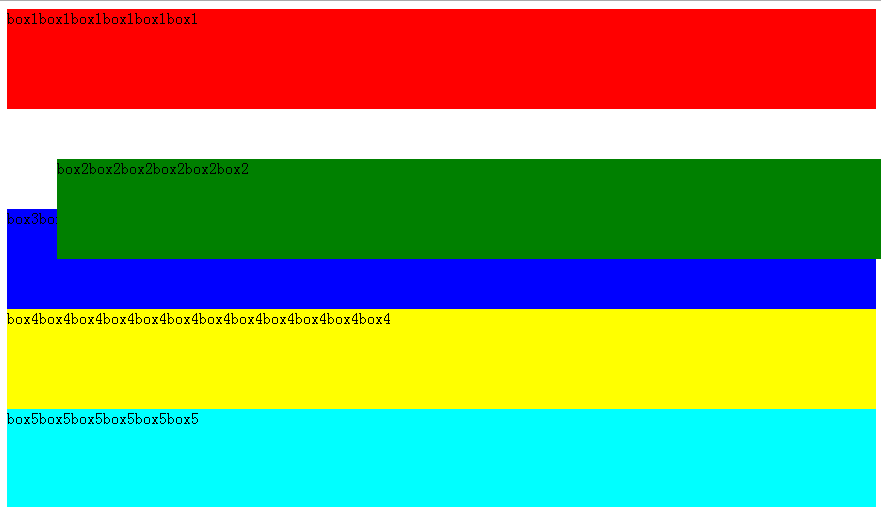
2. absolute: the element will leave the document flow. If an offset is set, it will affect the positioning of other elements
Only set absolute on the fifth box:
Explanation: When an element has no defined width, its width is determined by the content inside the element, and the effect is the same as using the float method.
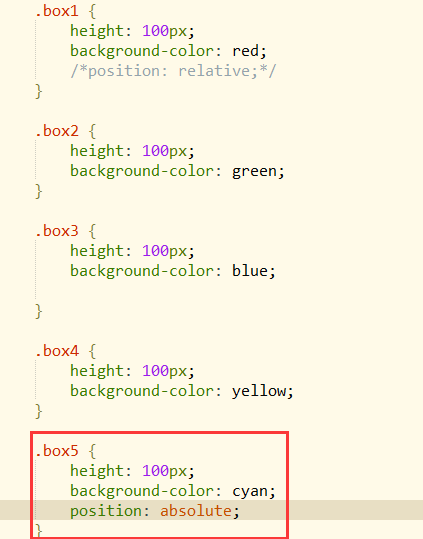
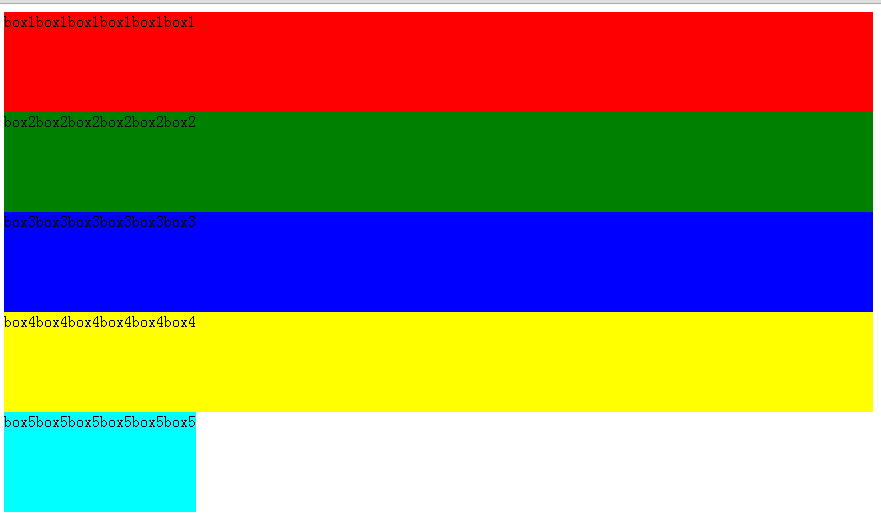
Analysis of the absolute positioning principle:
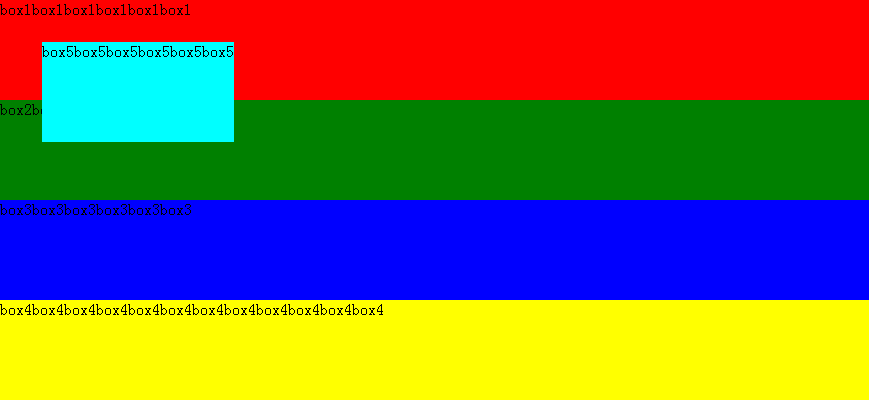
1. When the parent element has not set relative positioning or absolute positioning, the element is positioned relative to the root element (i.e., the html element) (this means the parent element has not set it).
Now give box5 an offset value to verify:
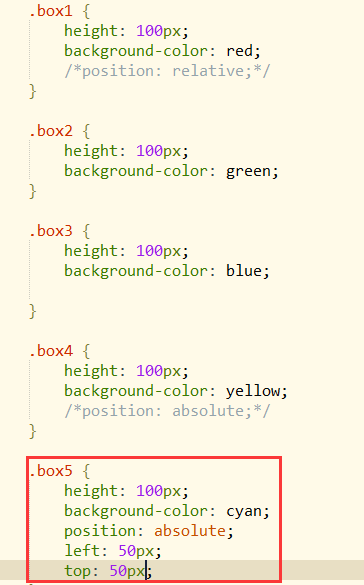
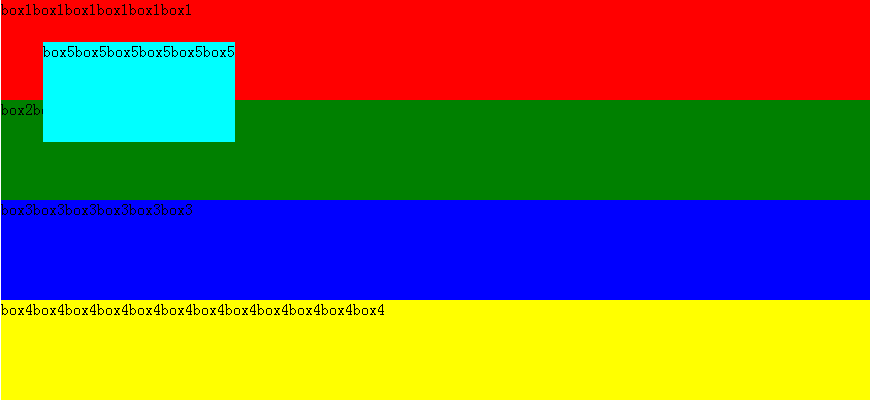
2. When the parent element has set relative positioning or absolute positioning, the element will be positioned relative to the nearest parent element that has set relative or absolute positioning (or rather, positioned relative to the nearest parent element that is not static, because the element defaults to static).
Supplement: Some people online explain that the element will be positioned relative to the first parent element that is not static. I think this can easily cause misunderstanding. The above is my own definition.
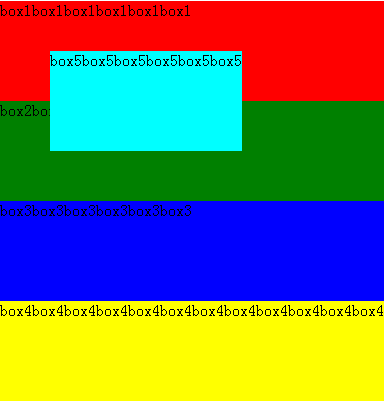
Now give the body element an absolute positioning (the body element is set to absolute, the width of the entire container is determined by the longest div, so the width becomes smaller):
At this time, box5 is now positioned relative to the body element
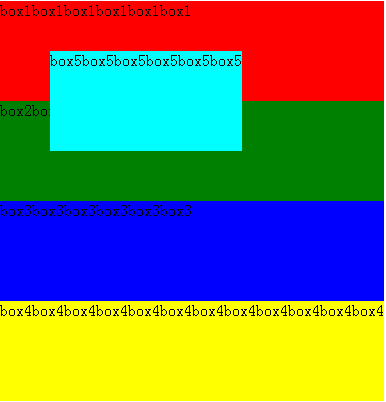
I put the two images above—the one positioned relative to the html element and the one positioned relative to body—together. From the comparison, you can see in the lower image that box5 positioned relative to body is farther from the text box1. Therefore, when no parent element has set relative or absolute positioning, an element with absolute set will be positioned relative to the html root element.
CSS code:
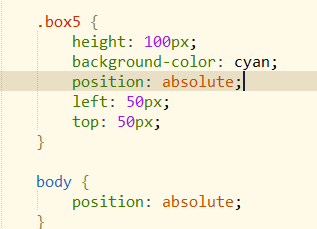
Now verify this statement again:When the parent element has set relative positioning or absolute positioning, the element will be positioned relative to the nearest parent element that has set relative or absolute positioning
Now wrap the boxes in three parent containers, as follows:
HTML code:
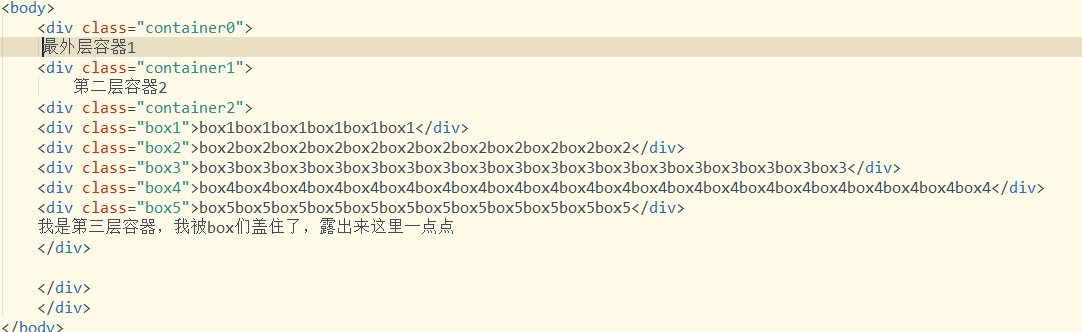
The CSS styles of the three parent containers are as follows:
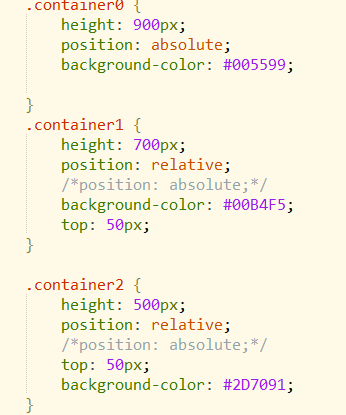
The current look. Now box5 is not positioned relative to the first element that is not static as stated (according to this statement, my box5 should now be offset relative to the outermost container 1), but rather it is positioned relative to the nearest parent element that has set relative or absolute positioning:
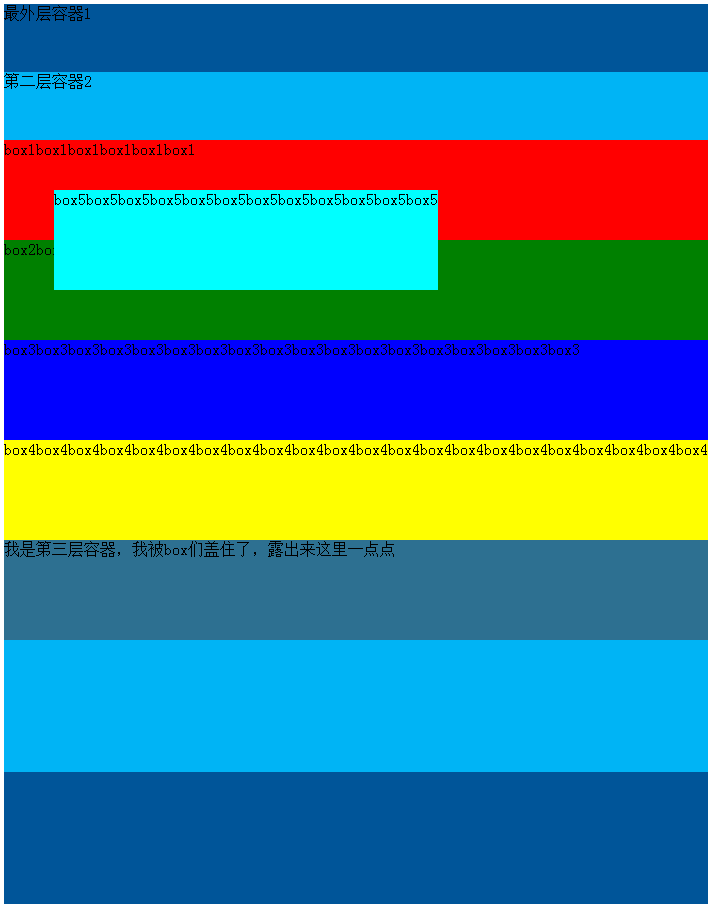
Now comment out the position of the second container and the third container (without position, setting top, left, bottom, right values has no effect), the result is as follows:
Now the only outer parent element of box5 that has set relative or absolute is the outermost container 1, so box5 is now positioned relative to the outermost container 1. (Obviously box5 has moved)
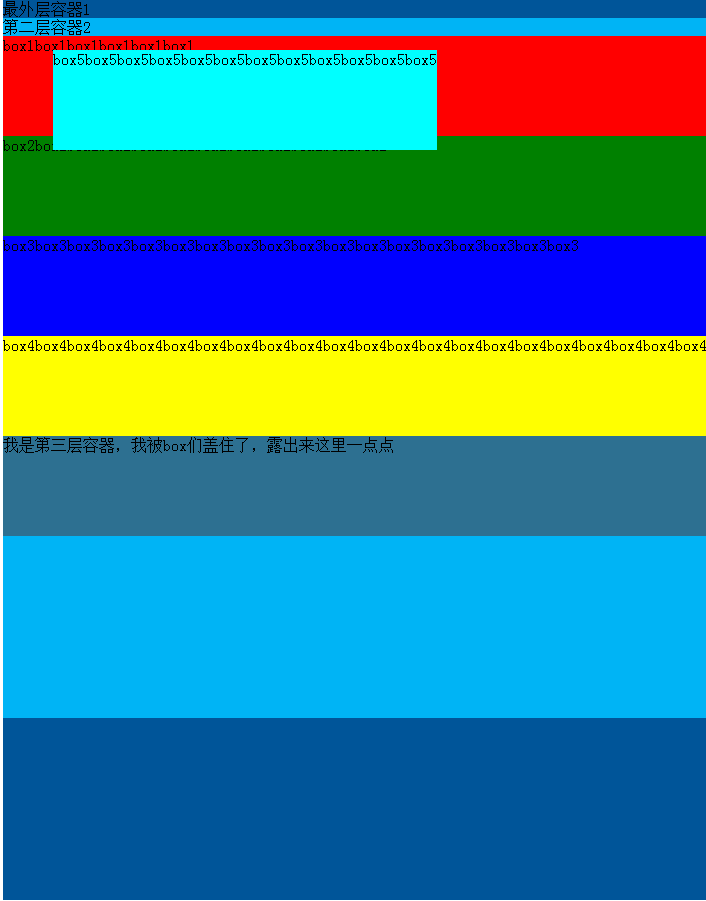
Now only comment out the position of the third container
The principle is the same. Now it is positioned relative to the second container (top: 50px, the nearest parent element that has set relative or absolute positioning):
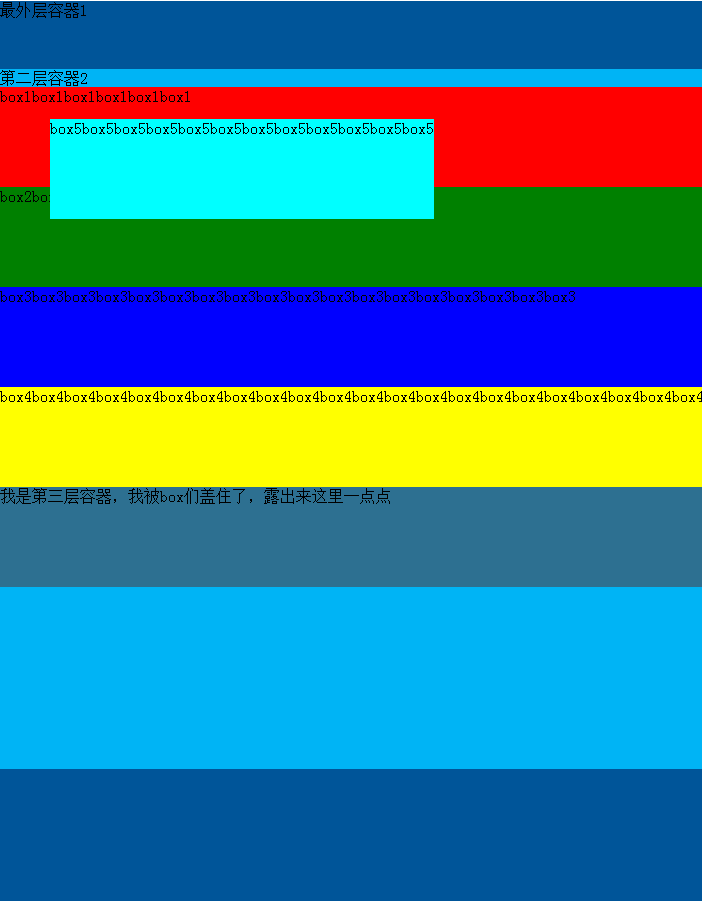
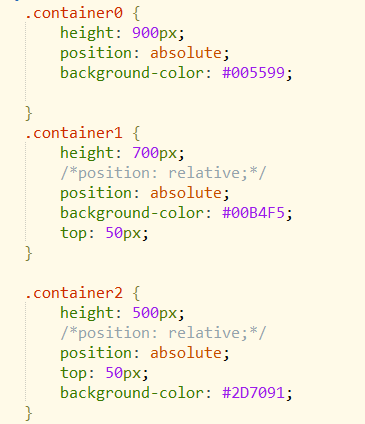
Both the second and third containers above are set to relative positioning. Now change them to absolute positioning:
CSS code:
The principle is the same as setting the second and third containers to relative, except that after setting them to absolute, the third container leaves the document together with its content, so it does not stretch the width of the two outer containers
Current effect:
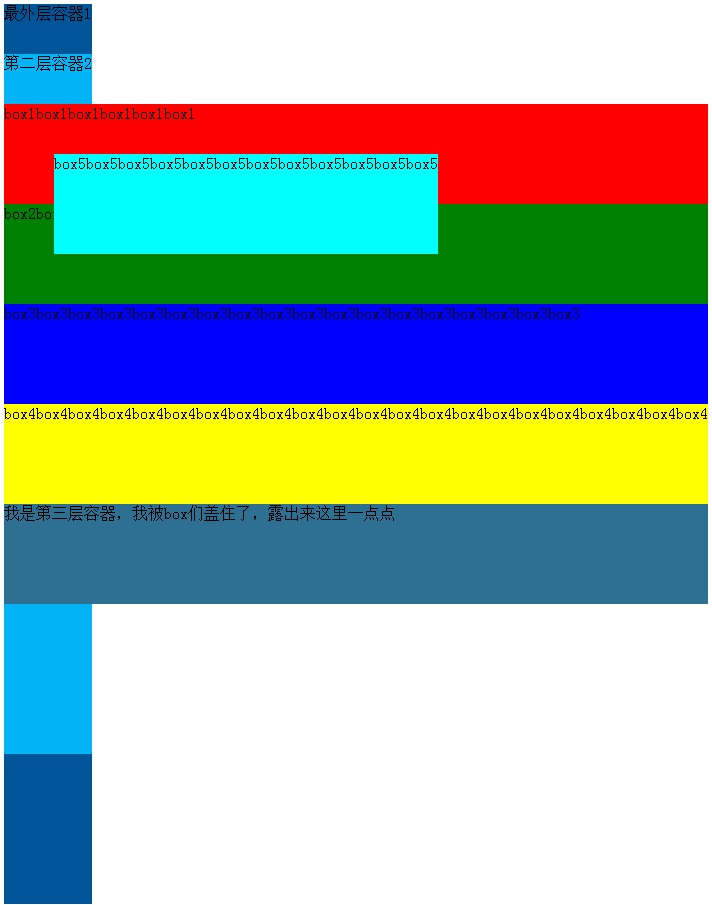
Add another container outside to verify the effect that the first and second layers above were not stretched
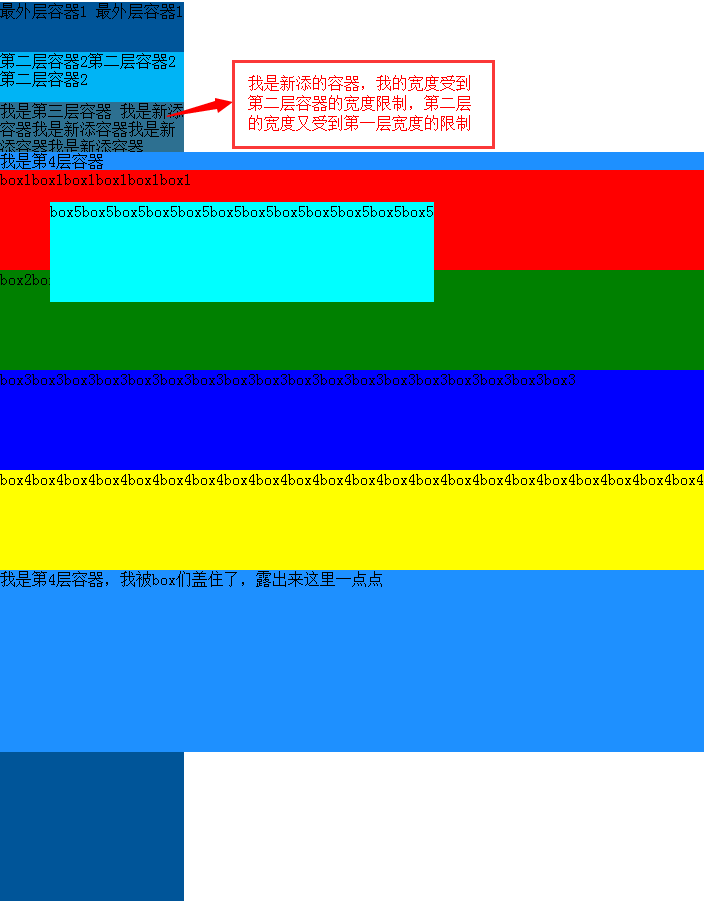
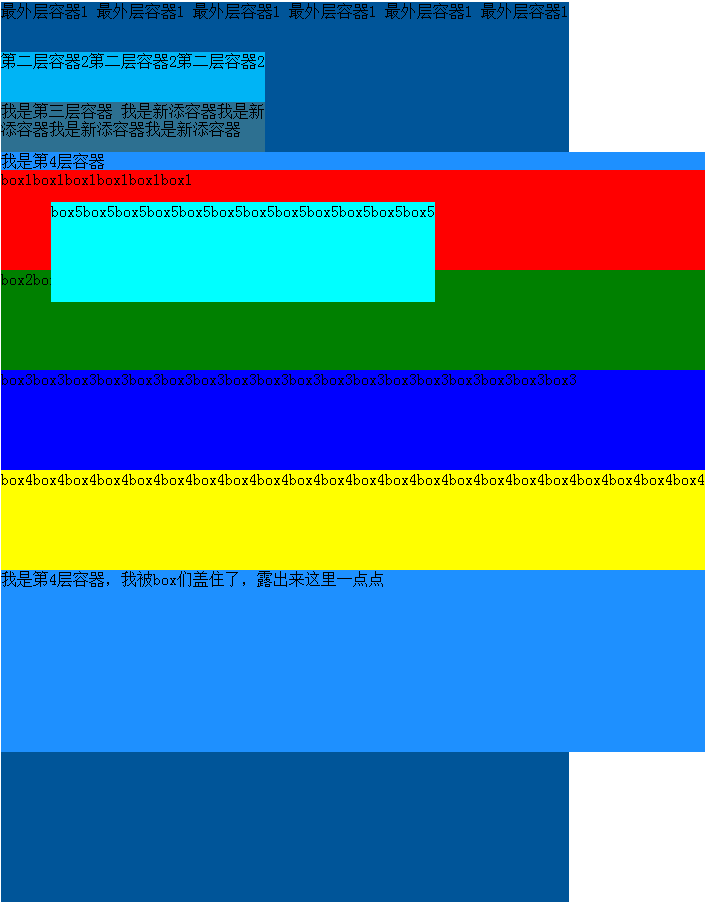
The width is limited by the width of the parent container on the upper layer. Now widen the first layer container, and the second and third layers widen accordingly, the effect is as follows:
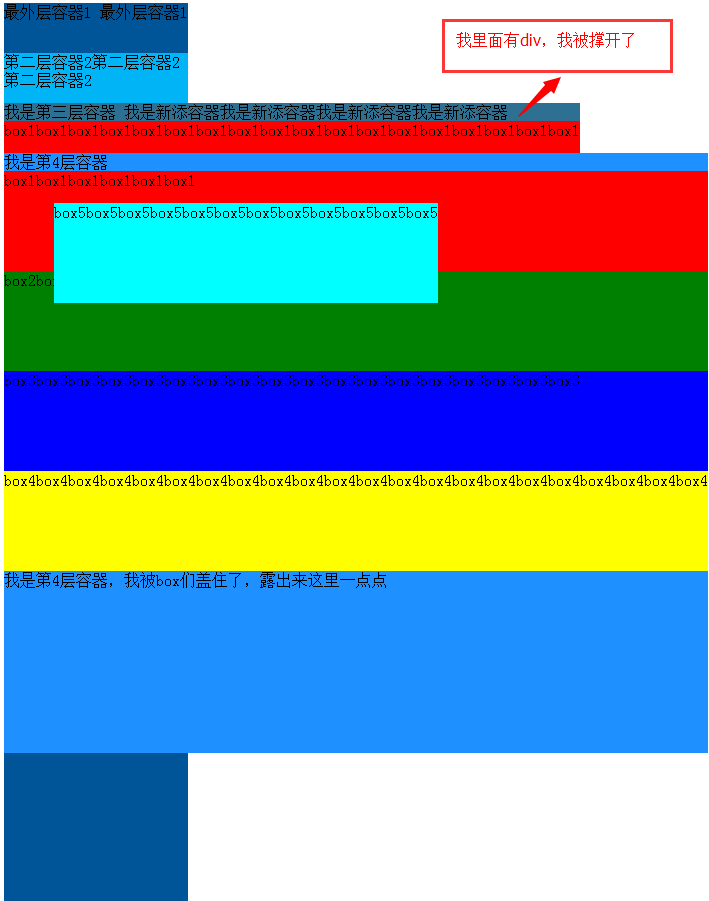
But if there is a long div inside the container, the container can still be stretched, the effect is as follows:
Supplement:
After box2 is set to absolute positioning, it leaves the document flow, box3 moves up, and the left side is covered by box2.
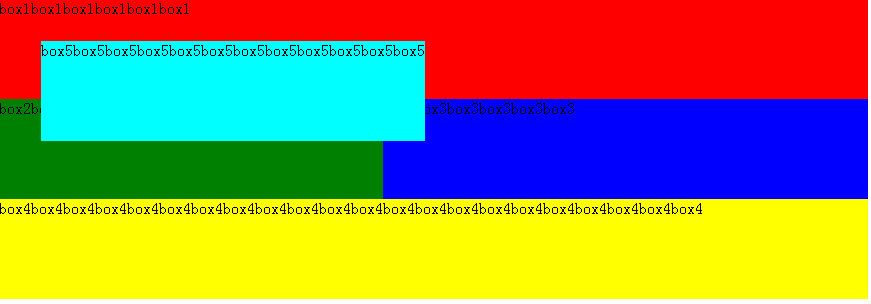
On the basis of the above, set box3 to absolute. box3 leaves the document flow (as if box3 floated up, floating above box2), box4 moves up, box3 covers box2 and part of box4.
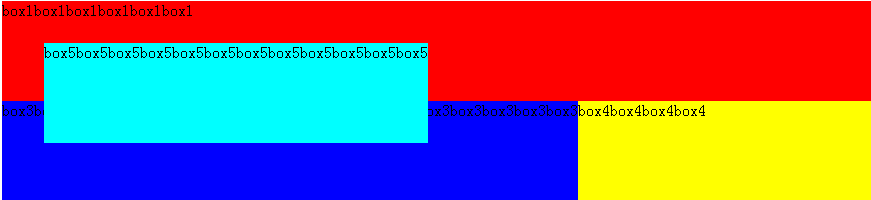
Similarly, if box4 is set to absolute positioning, it will float up and cover box3 and box2.
Summary
relative: positioning is relative to the element's own position(When setting an offset, it will be offset relative to its own position). An element with relative set still remains in the document flow, the element's width and height remain unchanged, and setting an offset will not affect the positions of other elements. When the outermost container is set to relative positioning, without setting a width, its width is the entire browser width.
absolute: positioning is determined relative to the nearest parent element that has set absolute or relative positioning. If no parent element has set absolute or relative positioning, the element is positioned relative to the root element, i.e., the html elementAn element with absolute set leaves the document flow. When the element has no set width, its width is determined by the content inside the element. After leaving, the original position is equivalent to being empty, and the elements below will occupy that position.
Original link: http://www.cnblogs.com/yy95/p/5672440.html