With the development of technology, people have begun to try to create something ahead of their time. In this process, a problem that cannot be ignored is how user interface (UI) design should be handled. An excellent user interface can create a good interaction between users and products, such as Material Design and so on.
Recently, foreign media fastcodesign reviewed the best UI designs of 2014. Several of these designs are eye-opening. Let's take a look together.
GravitySketch 3D virtual drawing board
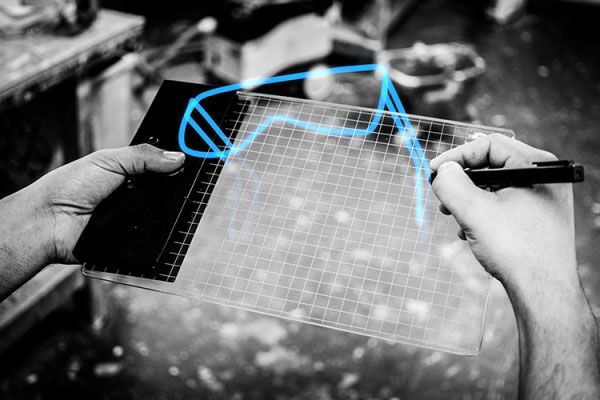
GravitySketch makes it possible for designers to "work out of thin air" anytime, anywhere. Users need to wear 3D glasses to draw 3D images on this completely flat board. During the drawing process, users can freely flip the drawing board to compose the back, bottom, and top areas of the artwork. The difference between it and a 3D printer is that the image exists "out of thin air".
RoomAlive motion-sensing system

In simple terms, RoomAlive is a motion-sensing peripheral developed by Microsoft consisting of a "projector + Kinect". It can project images from a TV screen onto the walls. The "peripheral images" on the surrounding walls can instantly surround the player, and Kinect serves as a depth-sensing camera system to track the player's movements. Imagine while aiming at a target in front of you, you suddenly turn around and find an enemy quietly approaching from behind. Doesn't that feel like playing real-life CS?
Thumbles pixel buttons
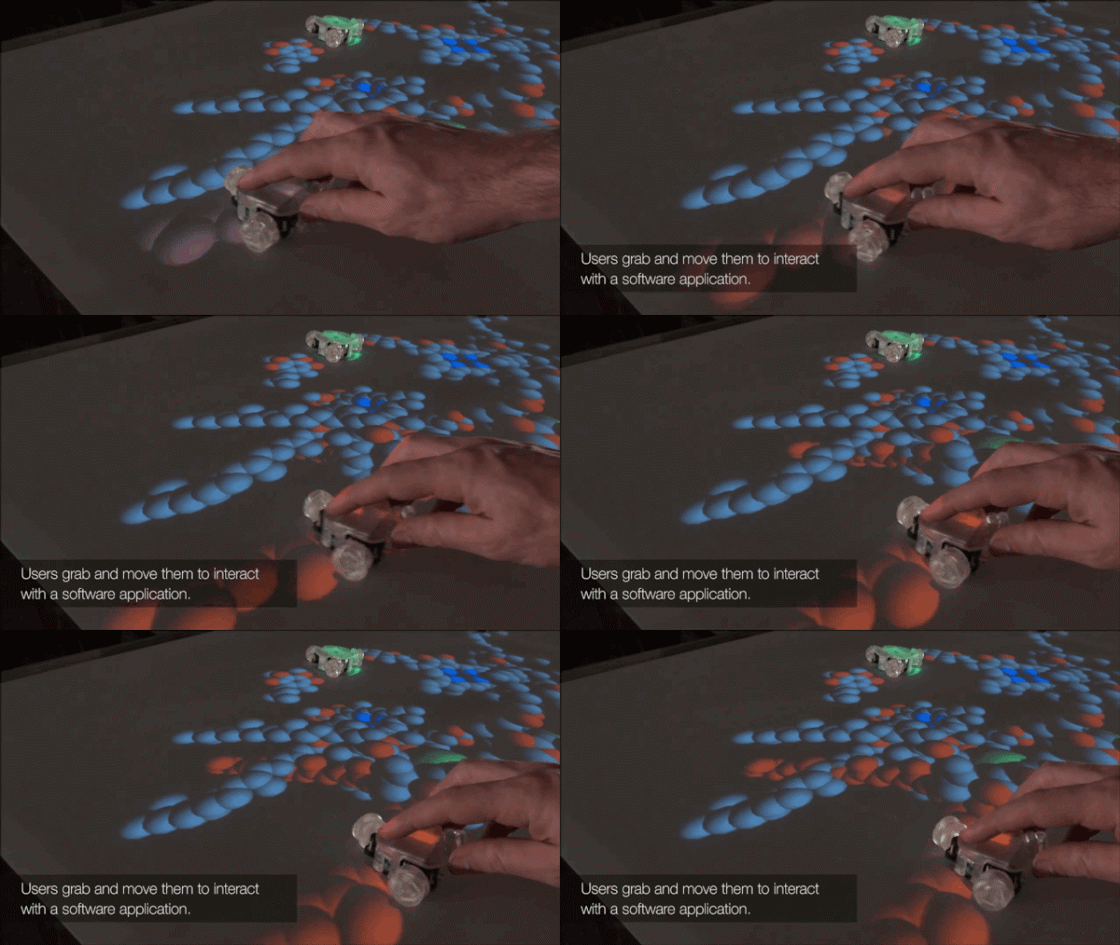
Thumbles is a human-computer interaction interface designed by James Patten, a researcher at Patten Studio, using its self-developed Sensetable technology. In fact, each button on the touchscreen is a tiny pixel hidden behind the screen. The addition of physical buttons gives people a sense of tactile pleasure while operating. Thumbles can act as a mouse to directly control elements on the screen, and even rearrange and recombine the pixels behind the screen.
Although you can't say what specific function it has, it just looks really cool, doesn't it?
Ink and Slide hardware series
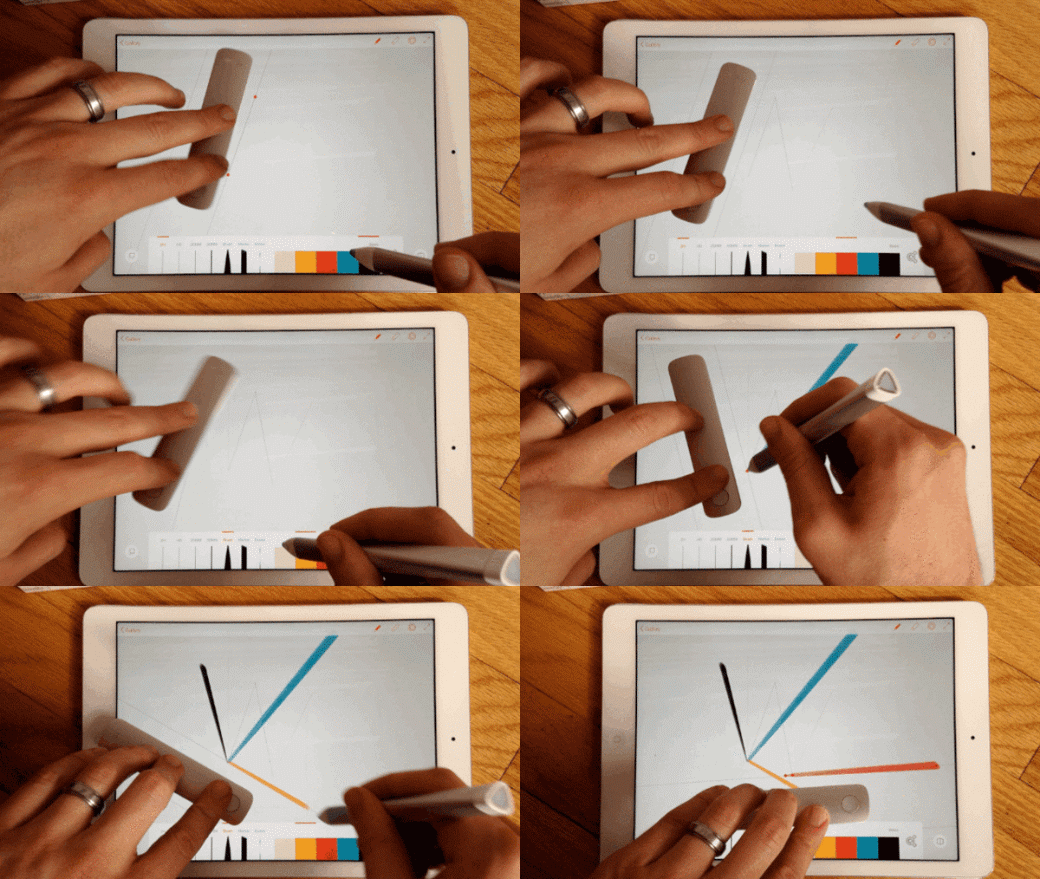
When mice and keyboards could no longer meet the requirements of input devices, the Ink and Slide hardware series came into being. These are Adobe's first hardware products. Ink is a Bluetooth pen that works with the Slide ruler to draw digital lines on a tablet screen.
SmartWalk smart walking system
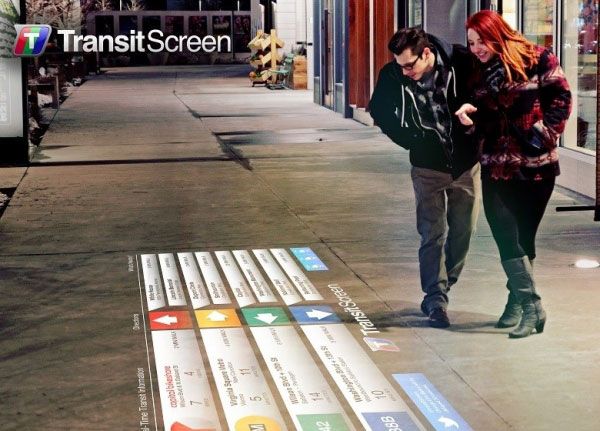
SmartWalk is a godsend for people who are directionally challenged. It can display real-time traffic information on the surface of walkways, and can also tell pedestrians the specific route and distance to a certain location. But this should not be a reason for us to look down at our phones while walking.
Livescribe notebook
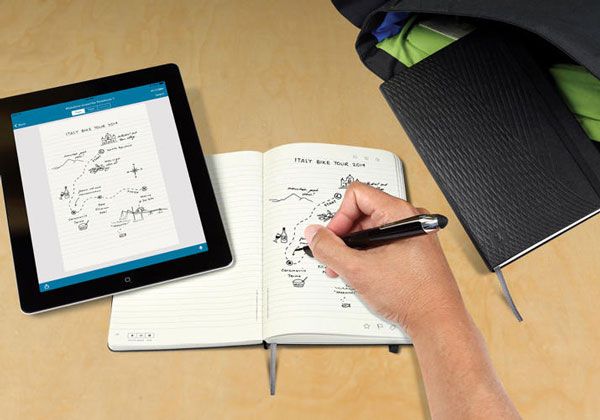
In this digital age, tablets will be the future of drawing. Is there a way to display your artwork on a tablet screen while you draw on paper? The Livescribe notebook can do this. When you draw on a Livescribe notebook with a pen, you can use various programs on the tablet to process, edit, and modify the work.
BIRDLY simulator
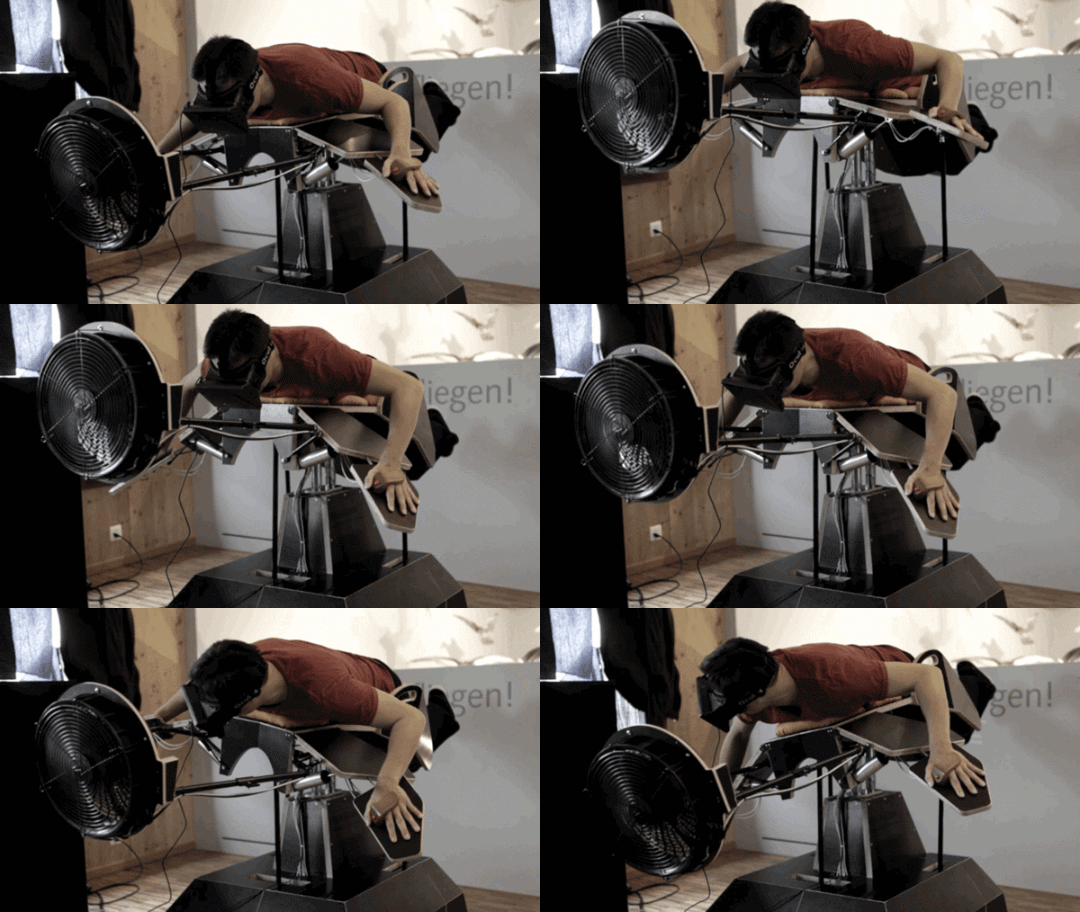
In 2015, we will see Facebook, Samsung, Sony, and even Microsoft enter the virtual reality field. As its name suggests, this simulator lets you experience what it's like to be a bird. You need to put on a VR headset, fix your hands to the mechanical bird skeleton, and then fly freely.
Source: Weiphone