If you want your Android device, such as smartphones and tablets, to be able to write code anytime and anywhere, then take a look at the following 15 Android code editors I will introduce. They will surely become your ideal tools.
1.Deuter IDE
A mobile-based text editor, online compiler, and integrated development environment with built-in support for Android. Its virtual keys provide common programming symbols and syntax highlighting, and support over 40 programming languages, making writing code on the go easier than ever.

Official website: https://play.google.com/store/apps/details?id=com.didactic.DeuterIDE
2.DroidEdit
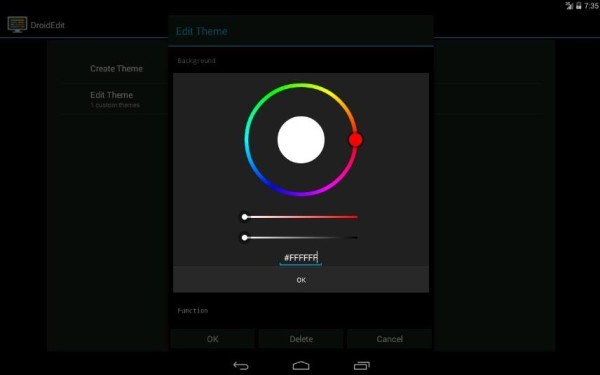
DroidEdit is a text and source code editor for Android tablets and phones (similar to gedit). It has the following features: syntax highlighting for several programming languages (C, C++, C#, Java, HTML, CSS, JavaScript, Python, Ruby, Lua, LaTeX, SQL…).
Official website: https://play.google.com/store/apps/details?id=com.aor.droidedit&feature=also_installed
3.Code Peeker
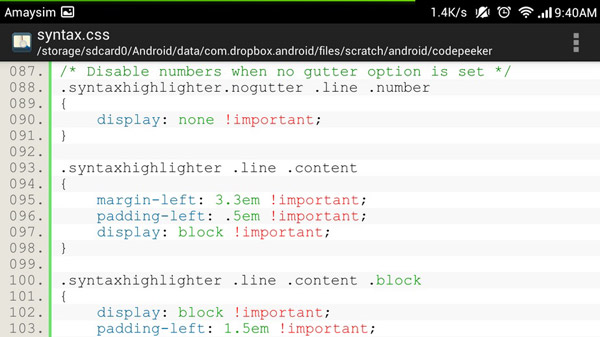
If you just want syntax highlighting, find snippets, and quick fixes while reading source code, then choose Code Peeker! It is a compact code reader that improves your current coding knowledge by highlighting your previous coding expertise.
Official website: https://play.google.com/store/apps/details?id=twig.nguyen.codepeeker
4.Code Me Silly
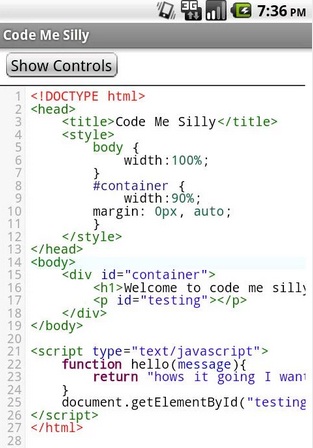
Code Me Silly is not a WYSIWYG editor... It is a syntax-highlighting editor for HTML, CSS, JavaScript, and PHP. This app also supports Python, Java, C, C++, CoffeeScript, Haskel, Clojure, and Groovy, but is mainly for web development. Code Me Silly provides find/replace, undo, and redo functions.
Official website: https://play.google.com/store/apps/details?id=com.hoodwebmedia.hello
5.Java Code Viewer
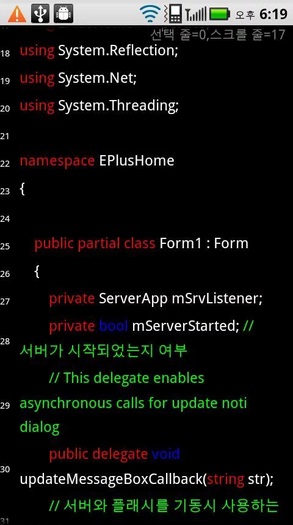
Java CodeViewer — CodeViewer is a text viewer, Java viewer, C# viewer, and viewer for other Android-supported programming languages. It supports syntax highlighting for Java, C#, C/C++, CSS, PHP, ASP, and JavaScript.
Official website: https://play.google.com/store/apps/details?id=org.codein.codeviewer
6.AIDE—Android IDE—Java,C ++
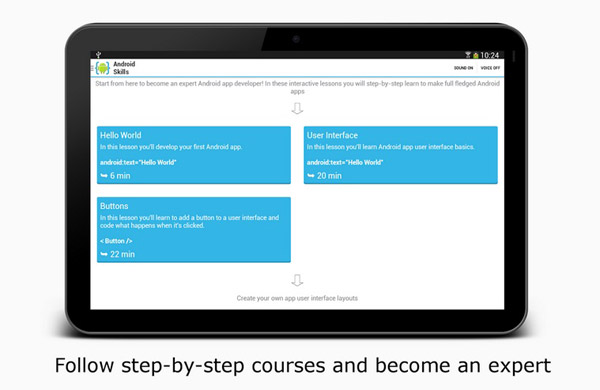
AIDE is an integrated development environment (IDE) that supports developing real Android applications directly on Android devices. It turns you into an app development expert through step-by-step procedures. Features include: visual design apps, a code editor with multi-function code implementation, real-time error checking, refactoring and intelligent code navigation, and one-click app running.
Official website: https://play.google.com/store/apps/details?id=com.aide.ui
7.JavaIDEdroid
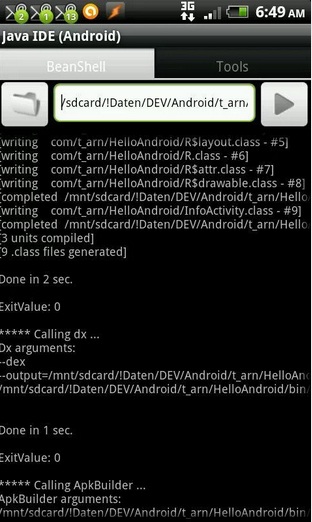
JavaIDEdroid is not suitable for novice programmers. It works similarly to AIDE, allowing you to create Android applications directly on Android devices. However, I find JavaIDEdroid not very user-friendly and more suited to users who prioritize function over appearance.
Official website: https://play.google.com/store/apps/details?id=com.t_arn.JavaIDEdroid&feature=also_installed
8.Terminal IDE
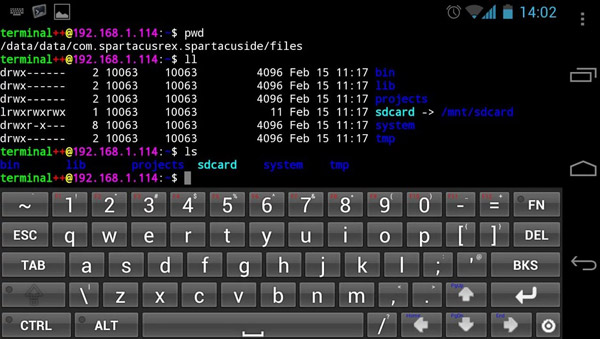
Terminal IDE is an extensible terminal application, a complete Java/C/C++/HTML/Android development kit that runs on Android devices. It uses the command line and comes with many powerful and durable open-source applications, plus an on-screen custom ASCII "soft" keyboard (you need to enable it in the device's main keyboard settings), and also extensive universal external "hard" keyboard key mappings. CTRL/ALT/ESC and other keys are accessible.
Official website: https://play.google.com/store/apps/details?id=com.spartacusrex.spartacuside
9.C4droid—C / C ++ comliler&IDE
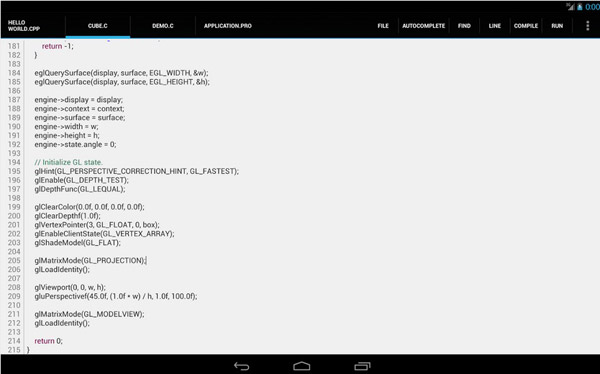
C4droid is a typical C compiler that can be used on Android devices. It uses the gcc compiler, a compiler commonly used on Unix. Installing C4droid can be a bit tricky, so be mentally prepared.
Official website: https://play.google.com/store/apps/details?id=com.n0n3m4.droidc
10.MobileC(Offline Compiler)
The C/C++ compiler is said to be a fully compatible C/C++ compiler. However, in reality it can only compile C code and does not include C++. Still, the C compiler seems to work well, so if you need a C compiler, it may be very useful to you.
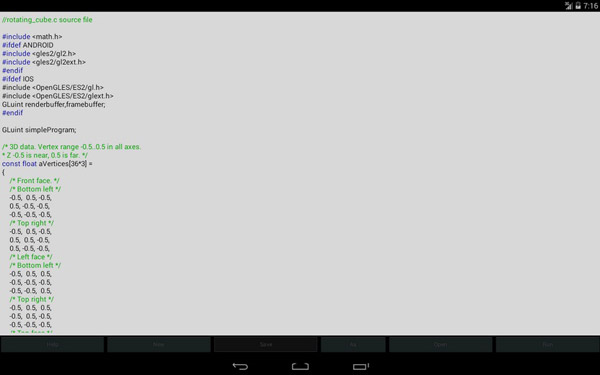
Official website: https://play.google.com/store/apps/details?id=GDE.Main
11.C#To Go
What, you want to use C# but can't find a satisfactory one? Ha ha, then C# To Go, the small C# compiler, will be your new favorite you can use anytime.
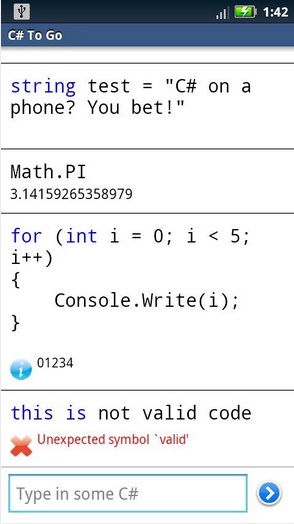
Official website: https://play.google.com/store/apps/details?id=com.gregshackles.csharptogo
12.C++, Java Programs & Reference
A collection of the best programs and references for preparing tests and interviews. This app contains references for Java, C++, and Intel8086 collections. Aiuto is a free reference app.
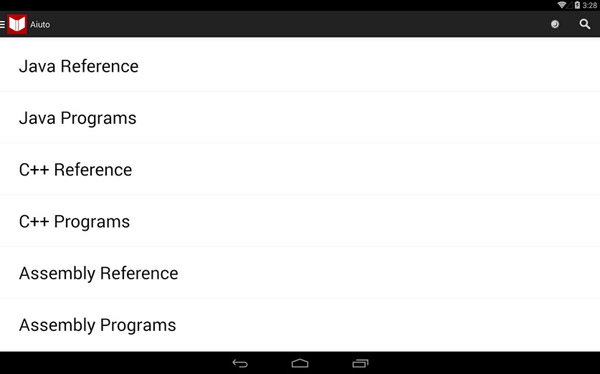
Official website: https://play.google.com/store/apps/details?id=in.nishitp.aiuto&hl=en
13.AWD—PHP / HTML / CSS / JS IDE
Android Web Developer (AWD) is an IDE (integrated development environment) that supports web development. It supports the following languages and formats: PHP, CSS, JS, HTML, JSON.

Official website: https://play.google.com/store/apps/details?id=org.kidinov.awd
14.Quoda Code Editor
Quoda is a complex yet easy-to-use source code editor, and also an IDE equipped with powerful features — theme syntax highlighting, cross-session editing, code completion, snippets with tab stops and variables, and more.
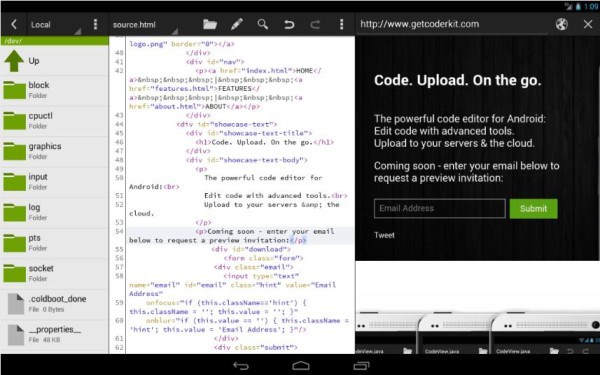
Official website: https://play.google.com/store/apps/details?id=com.henrythompson.quoda&hl=en
15.920 Text Editor
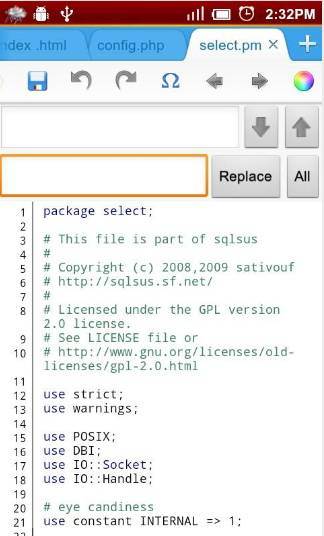
920 Text Editor is a powerful text editor that runs on Android phones. No matter where you are, you can easily view and edit code, and you can even use it as an ebook reader to open TXT novels.
Official website: https://play.google.com/store/apps/details?id=com.jecelyin.editor
Original: http://www.developerslane.com/top-15-android-code-editors-for-mobile-developers/
Translation: http://www.codeceo.com/article/15-android-code-editor.html
Translator: Codeceo – Xiao Feng