Firebug Dynamically Executes JavaScript
Firebug's official website announced that it has ceased further development, updates, and maintenance of Firebug, inviting everyone to use Firefox's built-in tools.DevTools。
You can use Firebug to write and execute a JavaScript in real time.
This is for testing to ensure the script works properly, which is a good way before deploying JavaScript code to a production environment.
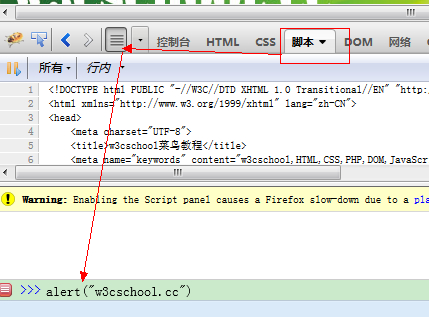
Open Firebug > Script > Show Command Line, the code is as follows:
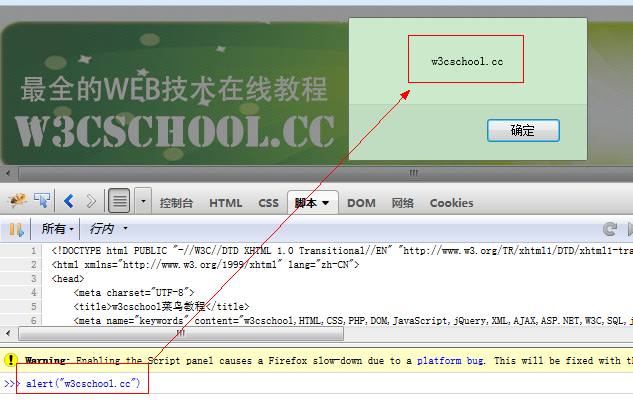
alert("w3cschool.cc")
After pressing the Enter key, you'll immediately see the output of the code. As shown in the figure: