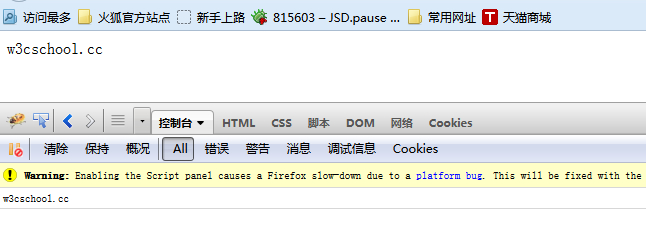
Firebug Records JavaScript Logs
Firebug's official website announced that it has ceased further development, updates, and maintenance of Firebug, inviting everyone to use Firefox's built-in tools.DevTools。
You can use Firebug to generate logs.
This helps us debug web pages and discover errors on the page.
Execute the following code in the Firefox browser:
<!DOCTYPE HTML PUBLIC "-//W3C//DTD HTML 4.01//EN" "http://www.w3.org/TR/html4/strict.dtd">
<html>
<head>
<meta http-equiv="Content-Type" content="text/html; charset=UTF-8">
<title>Firefox测试页面 - w3cschoolExample</title>
</head>
<body>
<script type="text/javascript">
var a = "w3cschool";
var b = ".cc";

document.write(a,b);
console.log(a + b);
</script>
</body>
</html>
Use the Firefox browser to open the above code file firefox-test.html; the execution results and log records are as follows: