Eclipse Menu
The Eclipse menu bar typically contains the following menus:
- File Menu
- Edit Menu
- Navigate Menu
- Search Menu
- Project Menu
- Run Menu
- Window Menu
- Help Menu
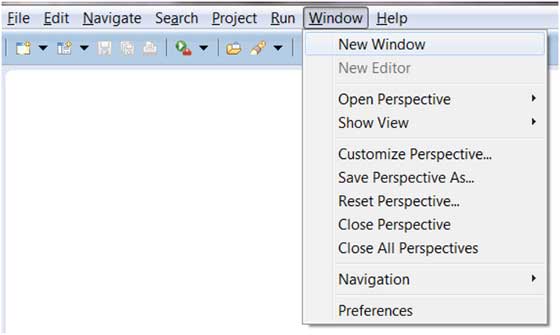
Through Eclipse plugins, you can add new menus and menu items.
Menu Description
| Menu Name | Description |
|---|---|
| File | The File menu allows you to open files, close the editor, save the edited content, and rename files. Additionally, you can import and export workspace content and close Eclipse. |
| Edit | The Edit menu has functions such as copy and paste. |
| Source | The Source menu is only visible when a Java editor is open. The Source menu contains operations related to editing Java source code. |
| Navigate | The Navigate menu contains operations for quickly locating resources. |
| Search | The Search menu allows you to configure searches for specified characters in a specified workspace. |
| Project | The Project menu contains operations related to creating projects. |
| Run | The Run menu contains operations for code execution modes and debugging modes. |
| Window | The Window menu allows you to open multiple windows and close views at the same time. Eclipse's preferences settings are also under this menu. |
| Help | The Help menu is used to display the help window, which contains Eclipse description information. You can also install plugins under this menu. |
Eclipse also allows you to customize menus. For detailed information on customizing menus, seeEclipse Perspective。
other extensions