Eclipse Modify Character Set
By default, the Eclipse character set is GBK, but many projects now use UTF-8. In this case, we need to set our Eclipse development environment character set to UTF-8. The setup steps are as follows:
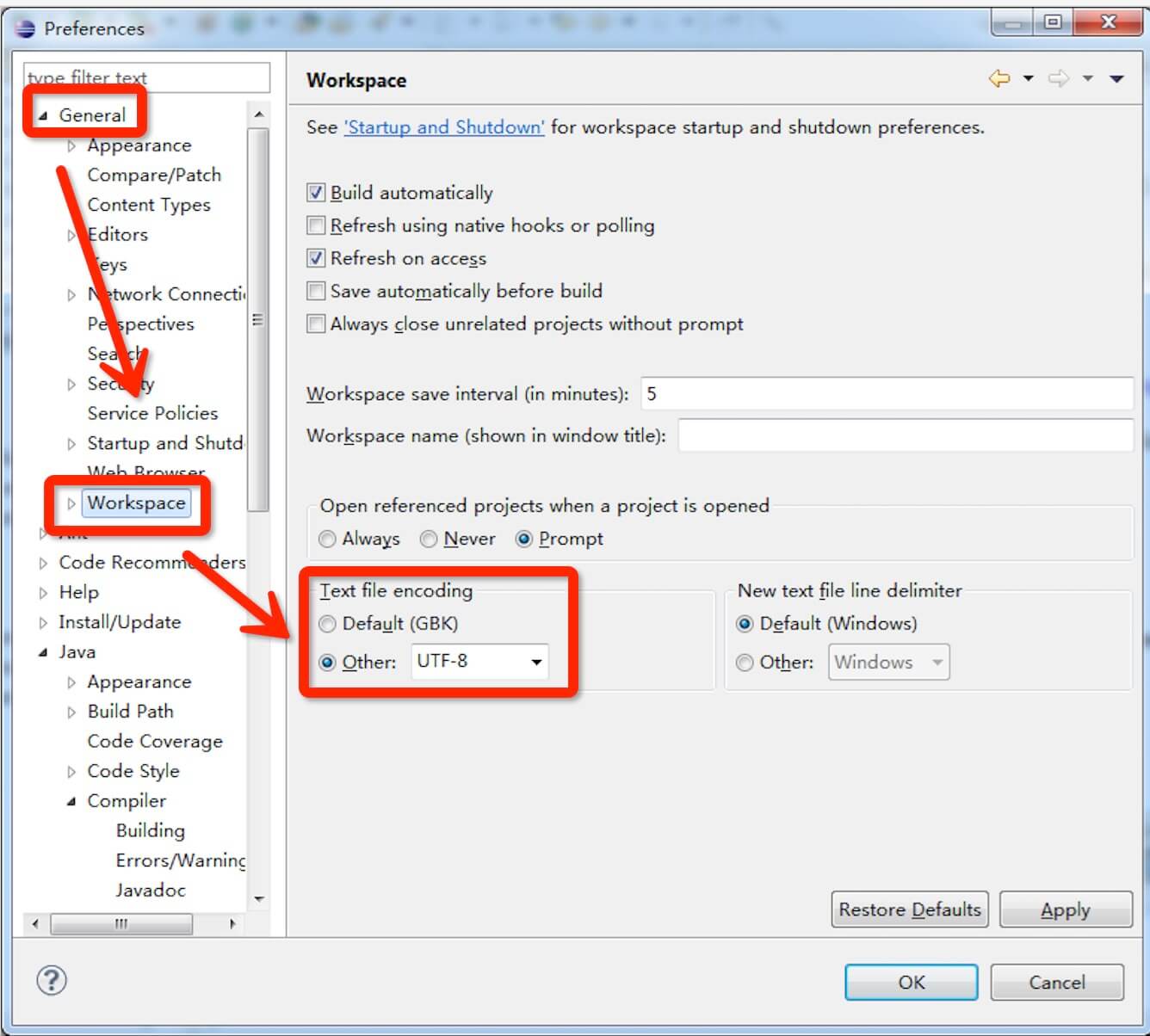
Select from the menu bar Window -> Preferences -> General -> Workspace -> Text file encoding, in Text file encoding, click Other, select UTF-8, as shown in the figure: