Docker Repository Management
A repository is a centralized place for storing images. The following is an introduction.Docker HubOf course, it is not just Docker Hub; only the remote service providers are different, but the operations are the same.
Docker Hub
Currently, Docker officially maintains a public repository.Docker Hub。
Most needs can be fulfilled by downloading images directly from Docker Hub.
Register
Inhttps://hub.docker.comRegister a Docker account for free.
Login and logout
Login requires entering your username and password. After successful login, we can pull all images under our account from Docker Hub.
$ docker login

Logout
To log out of Docker Hub, you can use the following command:
$ docker logoutPull image
You can use the docker search command to find images in the official repository, and use the docker pull command to download them to your local machine.
Search using "ubuntu" as the keyword:
$ docker search ubuntu
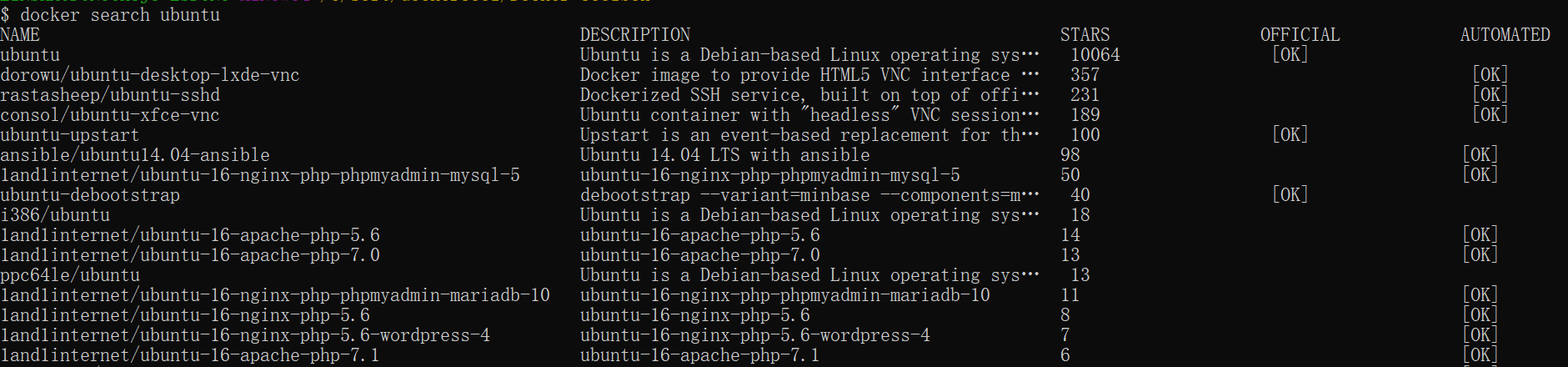
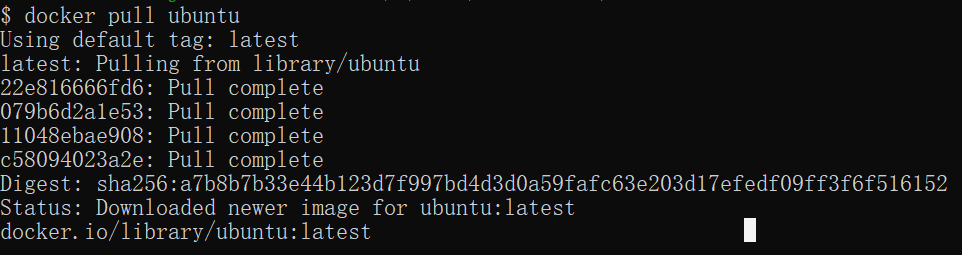
Use docker pull to download the official ubuntu image locally:
$ docker pull ubuntu
Push image
After logging in, users can push their own images to Docker Hub using the docker push command.
Please replace "username" in the following command with your Docker account username.
$ docker tag ubuntu:18.04 username/ubuntu:18.04
$ docker image ls

REPOSITORY      TAG        IMAGE ID            CREATED           ...
ubuntu          18.04      275d79972a86        6 days ago        ...
username/ubuntu 18.04      275d79972a86        6 days ago        ...
$ docker push username/ubuntu:18.04
$ docker search username/ubuntu

NAME             DESCRIPTION       STARS         OFFICIAL    AUTOMATED
username/ubuntu
other extensions