Ionic Side Menu
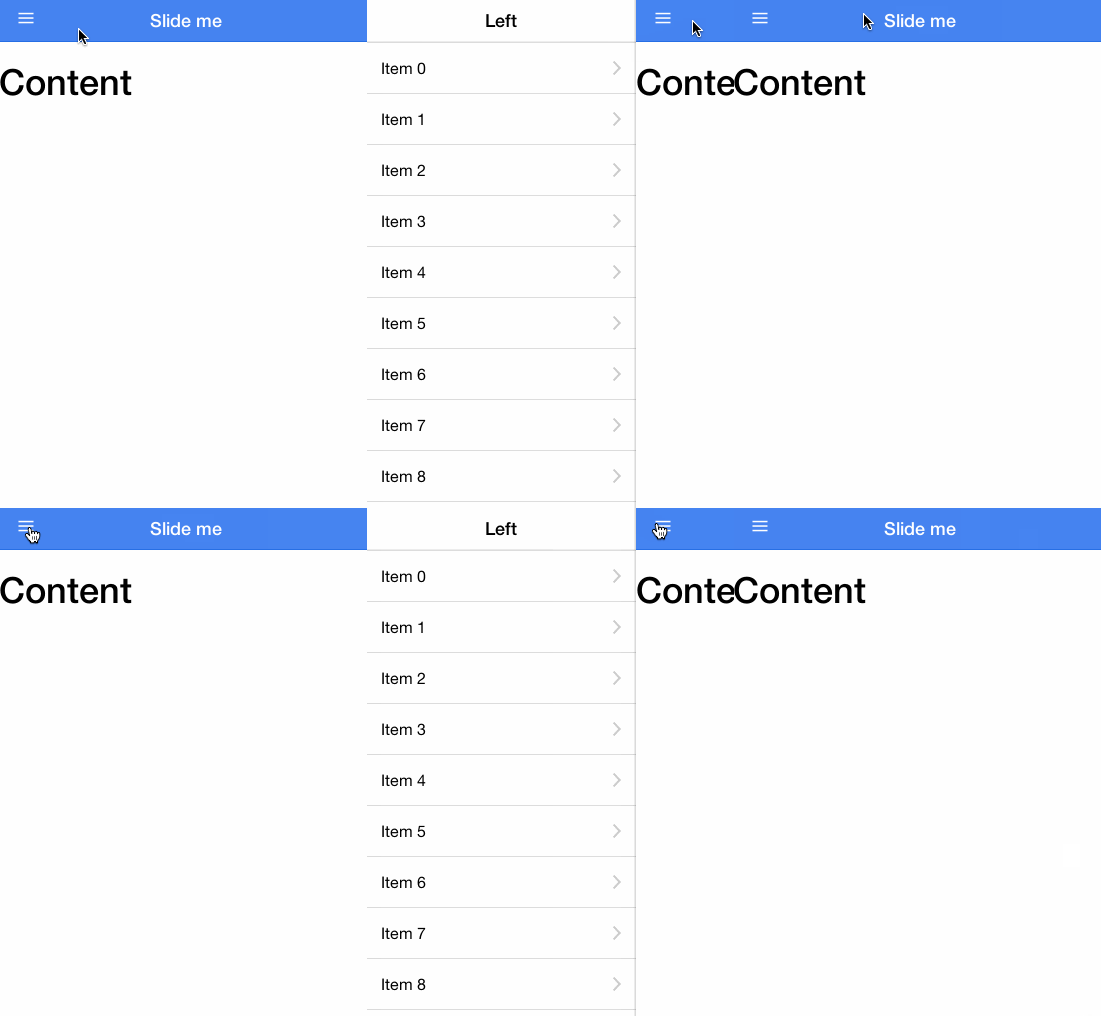
A container element contains the side menu and the main content. By dragging the main content area from one side to the other, the left or right side menu is toggled.
The effect is shown below:
Usage
To use the side menu, add a parent element `<ion-side-menus>`, an intermediate content `<ion-side-menu-content>`, and one or more `<ion-side-menu>` directives.
<ion-side-menus>
  <!-- 中间内容 -->
  <ion-side-menu-content ng-controller="ContentController">
  </ion-side-menu-content>

  <!-- 左侧菜单 -->
  <ion-side-menu side="left">
  </ion-side-menu>

  <!-- 右侧菜单 -->
  <ion-side-menu side="right">
  </ion-side-menu>
</ion-side-menus>
function ContentController($scope, $ionicSideMenuDelegate) {
  $scope.toggleLeft = function() {
    $ionicSideMenuDelegate.toggleLeft();
  };
}
API
| Attributes | Type | Details |
|---|---|---|
|
enable-menu-with-back-views
(Optional)
|
Boolean value
|
Whether to enable the side menu when the back button is displayed. |
| delegate-handle | String | This handle is used to identify the scroll view with $ionicScrollDelegate. |
ion-side-menu-content
A container for the visible main content, with one or more `ionSideMenu` directives as siblings.
Usage
<ion-side-menu-content
  drag-content="true">
</ion-side-menu-content>
API
| Attributes | Type | Details |
|---|---|---|
|
drag-content
(Optional)
|
Boolean value
|
Whether the content can be dragged. Default is true. |
ion-side-menu
A container for a side menu, with an `ion-side-menu-content` directive as a sibling.
Usage
<ion-side-menu
  side="left"
  width="myWidthValue + 20"
  is-enabled="shouldLeftSideMenuBeEnabled()">
</ion-side-menu>
API
| Attributes | Type | Details |
|---|---|---|
| side |
String
|
Which side the side menu is currently on. Possible values are: `'left'` or `'right'`. |
|
is-enabled
(Optional)
|
Boolean value
|
Whether the side menu is enabled. |
|
width
(Optional)
|
Numeric value
|
How many pixels wide the side menu should be. Default is 275. |
menu-toggle
Toggle the menu in a specified side menu.
Usage
Below is an example of a link in the navigation bar. Clicking this link will automatically open the specified side menu.
<ion-view>
  <ion-nav-buttons side="left">
   <button menu-toggle="left" class="button button-icon icon ion-navicon"></button>
  </ion-nav-buttons>
 ...
</ion-view>
menu-close
Close the currently open side menu.
Usage
Below is an example of a link in the navigation bar. Clicking this link will automatically open the specified side menu.
<a menu-close href="../index.html" class="item">首页</a>
$ionicSideMenuDelegate
This method directly triggers the $ionicSideMenuDelegate service to control all side menus. Use the $getByHandle method to control ionSideMenus in specific cases.
Usage
<body ng-controller="MainCtrl">
  <ion-side-menus>
    <ion-side-menu-content>
      内容!
      <button ng-click="toggleLeftSideMenu()">
        切换左侧侧栏菜单
      </button>
    </ion-side-menu-content>
    <ion-side-menu side="left">
      左侧菜单!
    <ion-side-menu>
  </ion-side-menus>
</body>
function MainCtrl($scope, $ionicSideMenuDelegate) {
  $scope.toggleLeftSideMenu = function() {
    $ionicSideMenuDelegate.toggleLeft();
  };
}
Methods
toggleLeft([isOpen])
Toggle the left side menu (if it exists).
| Parameters | Type | Details |
|---|---|---|
|
isOpen
(Optional)
|
Boolean value
|
Whether to open or close the menu. Default: toggle the menu. |
toggleRight([isOpen])
Toggle the right side menu (if it exists).
| Parameters | Type | Details |
|---|---|---|
|
isOpen
(Optional)
|
Boolean value
|
Whether to open or close the menu. Default: toggle the menu. |
getOpenRatio()
Get the proportion of the opened menu content that exceeds the menu width. For example, a menu with a width of 100px opened at 50% (50px) will return a ratio value of 0.5.
Return value:Float. 0 means not opened. If the left menu is open or opening, it is 0 to 1; if the right menu is open or opening, it is 0 to -1.
isOpen()
Return value:Boolean, determines whether the left or right menu is already open.
isOpenLeft()
Return value:Boolean, whether the left menu is already open.
isOpenRight()
Return value:Boolean, whether the right menu is already open.
canDragContent([canDrag])
| Parameters | Type | Details |
|---|---|---|
|
canDrag
(Optional)
|
Boolean value
|
Set whether the content can be dragged to open the side menu. |
Return value:Boolean, whether the content can be dragged to open the side menu.
$getByHandle(handle)
| Parameters | Type | Details |
|---|---|---|
| handle |
String
|
For example:
$ionicSideMenuDelegate.$getByHandle('my-handle').toggleLeft();
Other extensions