Debug JavaScript with Firebug
Firebug's official website announced that it has ceased further development, updates, and maintenance of Firebug, inviting everyone to use Firefox's built-in tools.DevTools。
Description
Firebug is a very powerful tool that can help you find errors in your code and resolve them.
Here we use Firebug to handle Javascript code.
First we need to load the page and open Firebug.
Sometimes you need to reload the page.
Error count in the status bar

Displays errors on the current page.
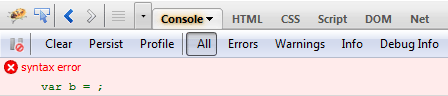
Displays detailed information about the error.
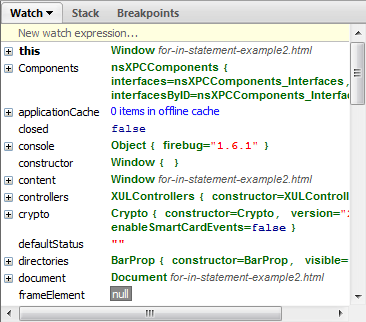
Step-by-step debugging code
You can execute code step by step. This is very useful for code debugging.
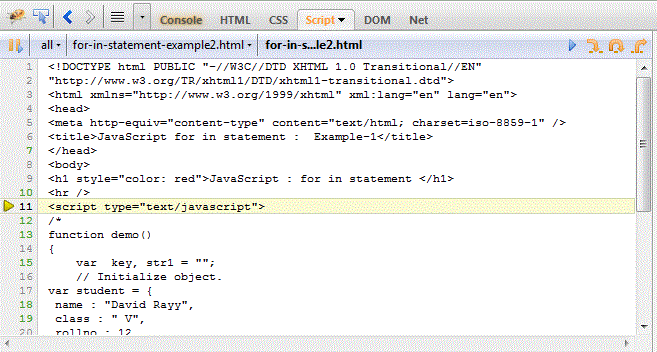
Debug with breakpoints
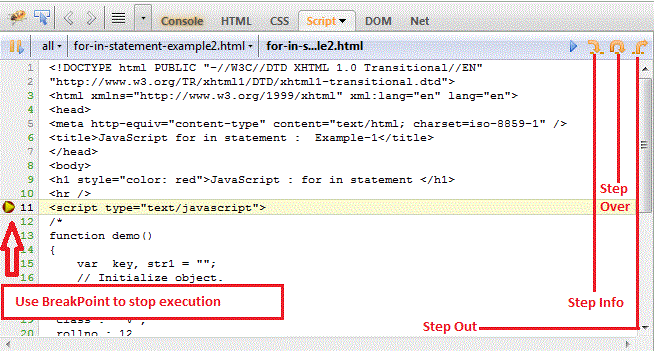
Breakpoint debugging can halt code execution. You can specify a range of code to see whether the error is within that specified range. This is very useful for debugging errors.
If you click the "Step over" button, Firebug will update all variables until you terminate the breakpoint execution in the right window.
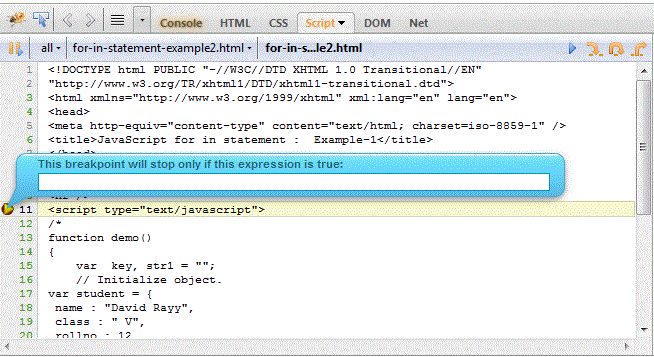
Use expressions to make breakpoints work.
You can write an expression, and when the condition is true, the breakpoint will stop code execution.
Search
You can use quick search to find keywords in your code.
