FastAPI Form Data
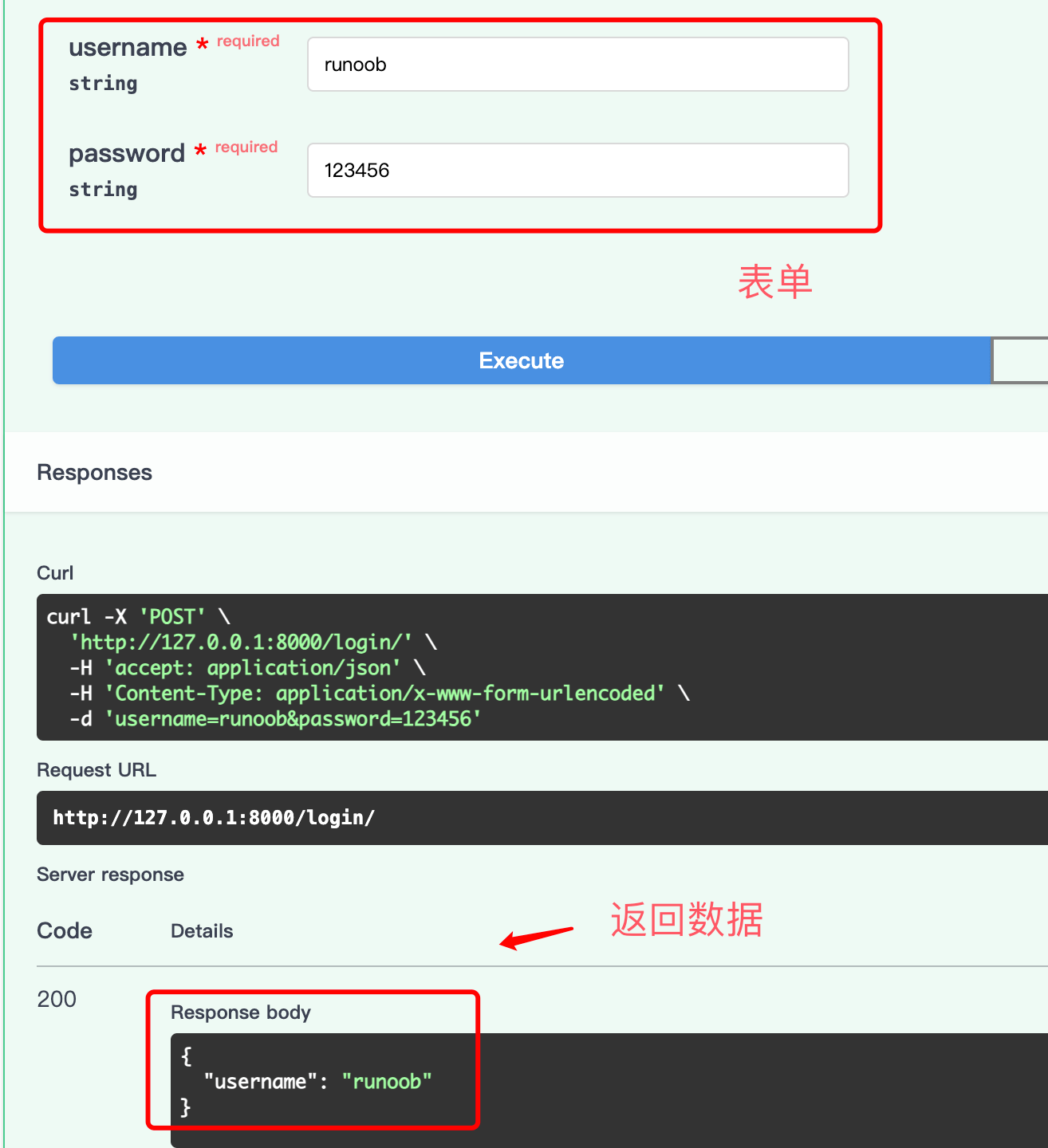
When a client sends data through an HTML form (application/x-www-form-urlencoded) When submitting data, you need to useFormto receive form fields, instead ofBaseModel。
Install python-multipart
Before using form functionality, you need to installpython-multipart:
pip install python-multipart
Receiving form data
UsageFormDeclaring form fields
Example
from fastapi import FastAPI, Form
app = FastAPI()
@app.post("/login/")
async def login(
username: str = Form(), # Required form fields
password: str = Form(), # Required form fields
):
return {"username": username}
app = FastAPI()
@app.post("/login/")
async def login(
username: str = Form(), # Required form fields
password: str = Form(), # Required form fields
):
return {"username": username}
Difference between form fields and JSON request body
| Comparison Item | JSON request body | Form data |
|---|---|---|
| Content-Type | application/json | application/x-www-form-urlencoded |
| Declaration method | Pydantic BaseModel | Form() |
| Data Structures | Supports nested objects and arrays | Flat key-value pairs |
| Applicable scenarios | API interface (front-end and back-end separation) | HTML form submission |
Form data is sent as "fields", not JSON. Therefore, you cannot
Formdeclare parameters as Pydantic models. Form fields and JSON request body cannot be used together in the same route.
Optional form fields
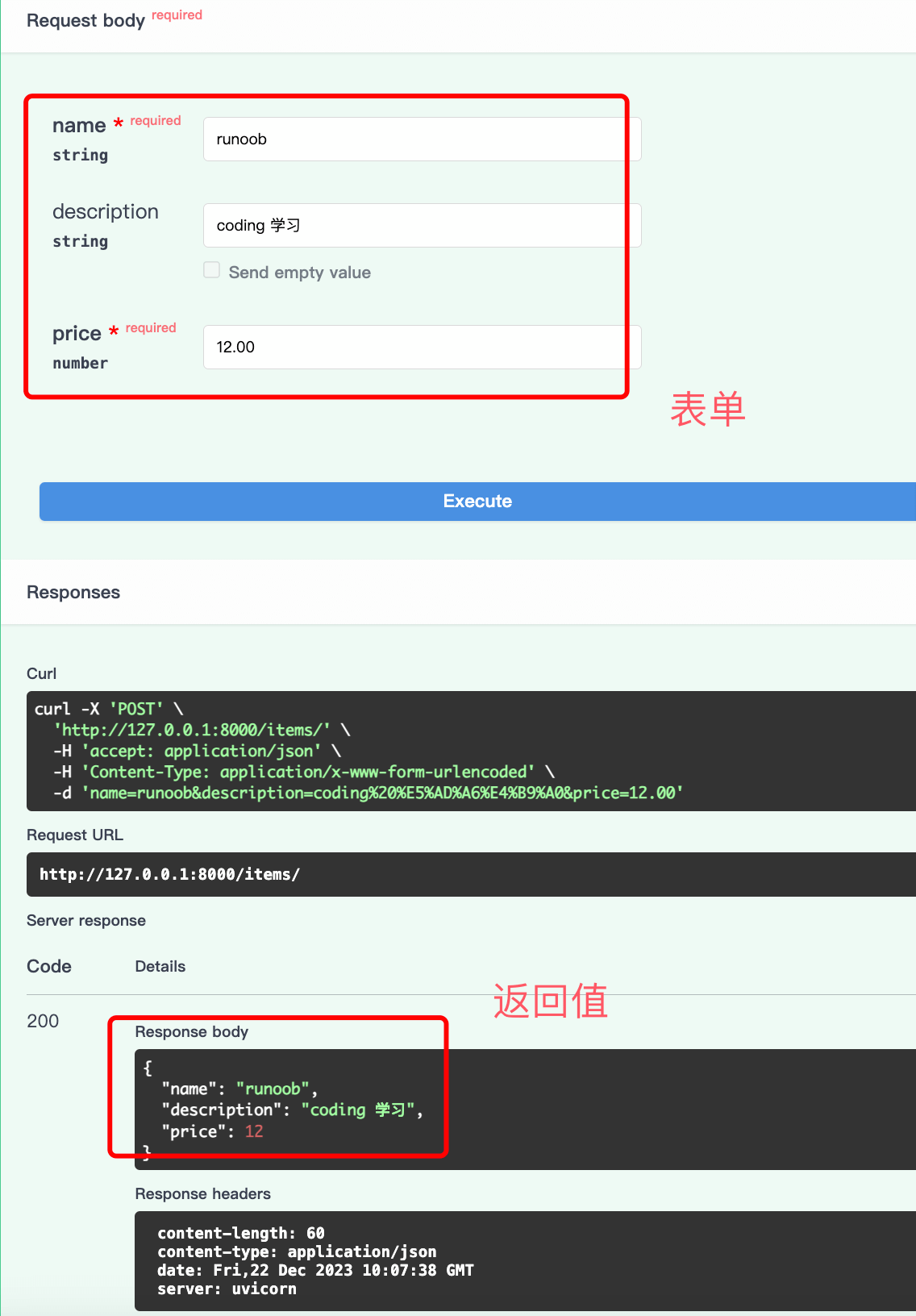
Similar to query parameters, form fields with default values are optional:
Example
from fastapi import FastAPI, Form
app = FastAPI()
@app.post("/items/")
async def create_item(
name: str = Form(...), # Required
description: str | None = Form(None), # Optional, default None
price: float = Form(..., gt=0), # Required, must be greater than 0
):
return {"name": name, "description": description, "price": price}
app = FastAPI()
@app.post("/items/")
async def create_item(
name: str = Form(...), # Required
description: str | None = Form(None), # Optional, default None
price: float = Form(..., gt=0), # Required, must be greater than 0
):
return {"name": name, "description": description, "price": price}
Test with HTML forms
You can create an HTML page to test form submission:
Example
<form action="http://localhost:8000/items/" method="post">
<label for="name">Name:</label>
<input type="text" id="name" name="name" required>
<br>
<label for="description">Description:</label>
<textarea id="description" name="description"></textarea>
<br>
<label for="price">Price:</label>
<input type="number" id="price" name="price" required min="0">
<br>
<button type="submit">Submit</button>
</form>
<label for="name">Name:</label>
<input type="text" id="name" name="name" required>
<br>
<label for="description">Description:</label>
<textarea id="description" name="description"></textarea>
<br>
<label for="price">Price:</label>
<input type="number" id="price" name="price" required min="0">
<br>
<button type="submit">Submit</button>
</form>
Validation and documentation of form data
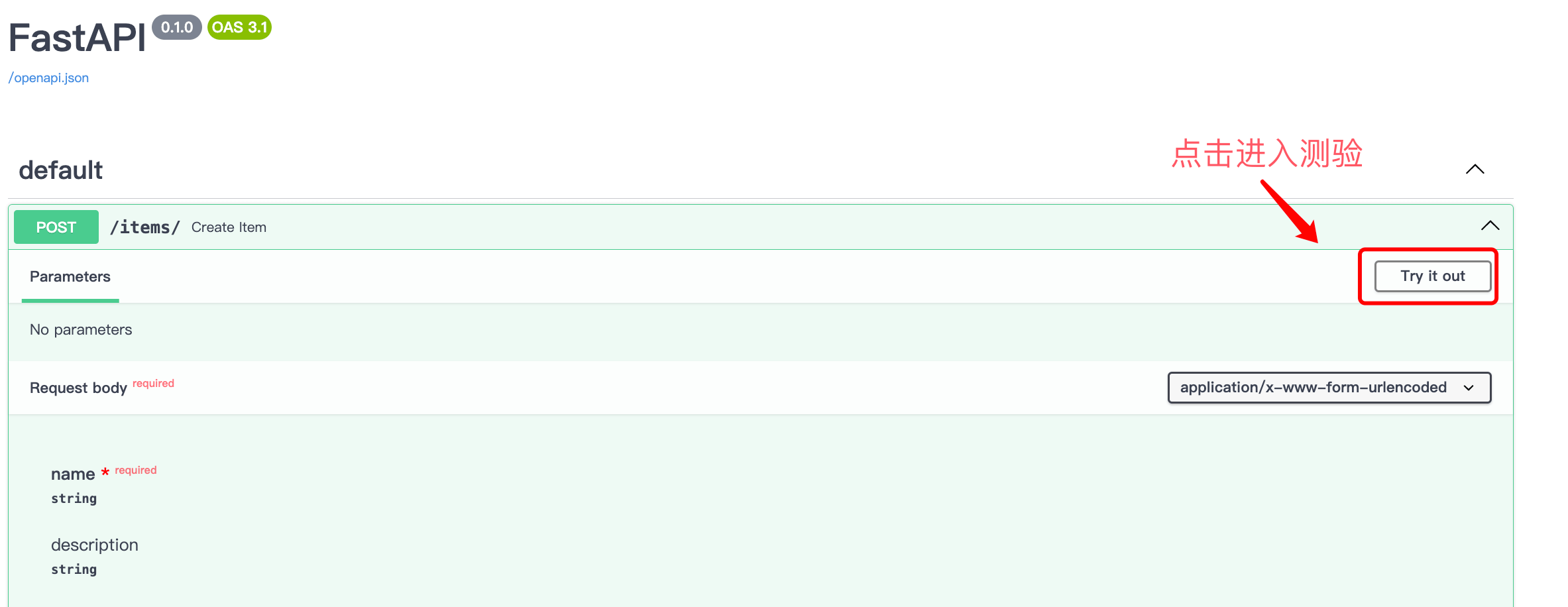
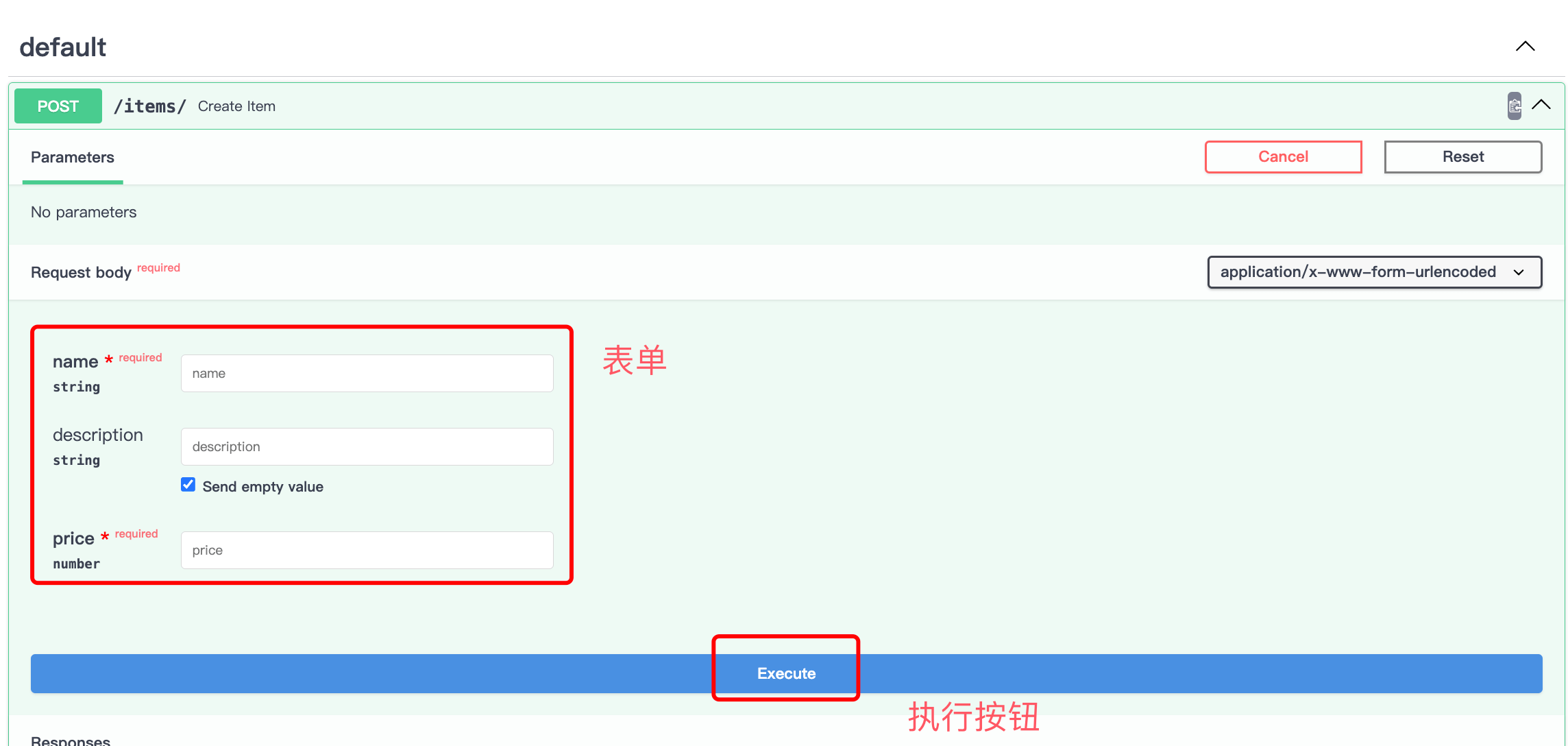
UsageFormFor the declared fields, FastAPI will automatically perform data validation and display them in the API documentation:
Summary
- Usage
FormReceiving data submitted from an HTML form - Form data is not JSON and cannot be used with
BaseModelRequest body mixing Form()Declaring required fieldsForm(None)Declaring optional fields- Requires installation
python-multipartPackage - Form fields support the same validation rules as query parameters (
min_length、gtetc.)