Eclipse Find
Search in workspace
In the Eclipse search dialog, users can search for files by using word or letter patterns within a specified workspace. Alternatively, you can search within a specified project or by selecting a specific folder in the Package Explorer view.
The search box can be invoked in the following ways:
- On the Search menu, select Search, File, or Java
- Press the shortcut key: Ctrl + H
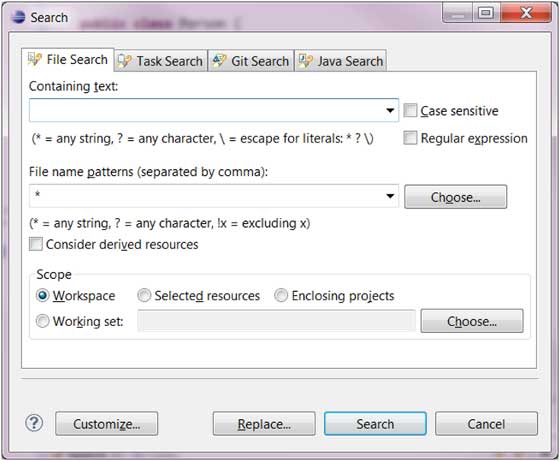
File search allows users to search across all file types, whereas Java search only targets Java files.
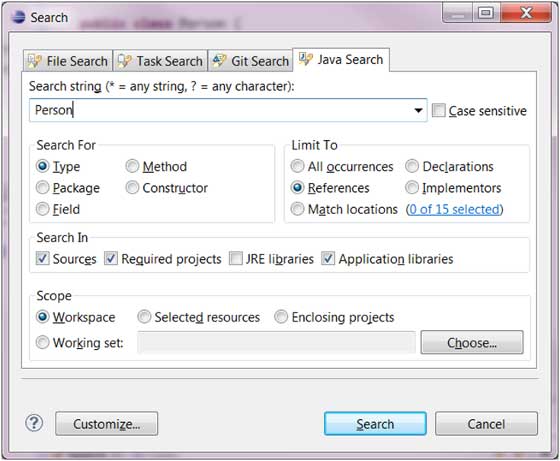
For example, to find where the Person type is used, we can use the Java search page:
- Enter "Person" in the search box.
- In the "search for" radio buttons, select Type
- In the "limit to" (limited to) radio buttons, select References
- Click Search
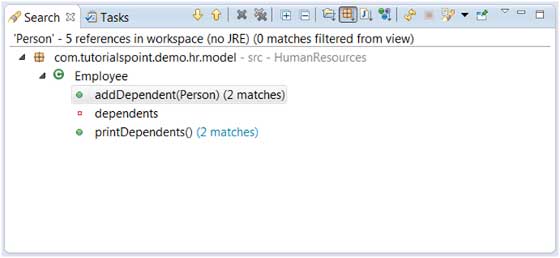
The results displayed in the Search view are as follows:
 other extensions