Django cookie and session
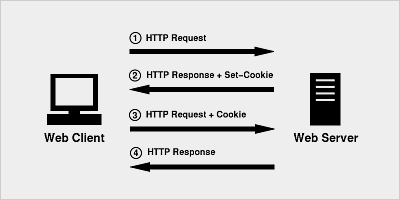
A cookie is a text file stored on the client computer and retains various tracking information.
Identifying returning users involves three steps:
- The server script sends a set of cookies to the browser. For example: name, age, or identification number, etc.
- The browser stores this information on the local computer for future use.
- The next time the browser sends any request to the web server, the browser sends this cookie information to the server, and the server uses this information to identify the user.
HTTP is a "stateless" protocol, meaning that each time a client retrieves a web page, the client opens a separate connection to the web server, and the server automatically does not retain any record of previous client requests.
However, there are still the following three ways to maintain the session between the web client and the web server:
Cookies
A web server can assign a unique session ID as a cookie for each web client, and for the client's subsequent requests, the received cookie can be used to identify it.
In web development, session is used for session tracking, and session relies on cookie technology at the underlying level.
Cookie syntax in Django
Set cookie:
rep.set_cookie(key,value,...)
rep.set_signed_cookie(key,value,salt='加密盐',...)
Get cookie:
request.COOKIES.get(key)
Delete cookie:
rep =HttpResponse || render || redirect
rep.delete_cookie(key)
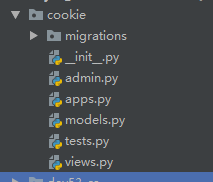
Create applications and models
models.py
username = models.CharField(max_length=32)
password = models.CharField(max_length=64)
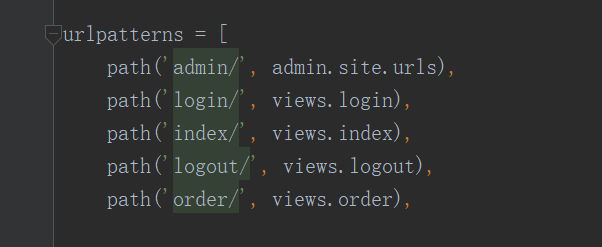
urls.py
from django.urls import path
from cookie import views
urlpatterns = [
path('admin/', admin.site.urls),
path('login/', views.login),
path('index/', views.index),
path('logout/', views.logout),
path('order/', views.order)
views.py
if request.method == "GET":
return render(request, "login.html")
username = request.POST.get("username")
password = request.POST.get("pwd")
user_obj = models.UserInfo.objects.filter(username=username, password=password).first()
print(user_obj.username)
if not user_obj:
return redirect("/login/")
else:
rep = redirect("/index/")
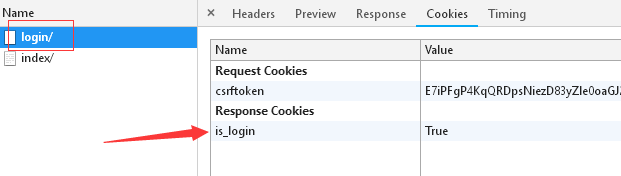
rep.set_cookie("is_login", True)
return rep
def index(request):
print(request.COOKIES.get('is_login'))
status = request.COOKIES.get('is_login') # When the browser sends another request, determine whether the cookie it carries is the cookie set in the response upon successful login.
if not status:
return redirect('/login/')
return render(request, "index.html")
def logout(request):
rep = redirect('/login/')
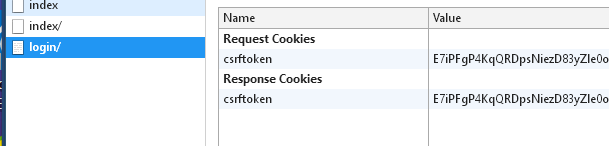
rep.delete_cookie("is_login")
return rep # Execute after clicking logout, delete cookie, no longer save user state, and redirect to login page
def order(request):
print(request.COOKIES.get('is_login'))
status = request.COOKIES.get('is_login')
if not status:
return redirect('/login/')
return render(request, "order.html")
The following creates three template files: login.html, index.html, order.html.
login.html
index.html
order.html
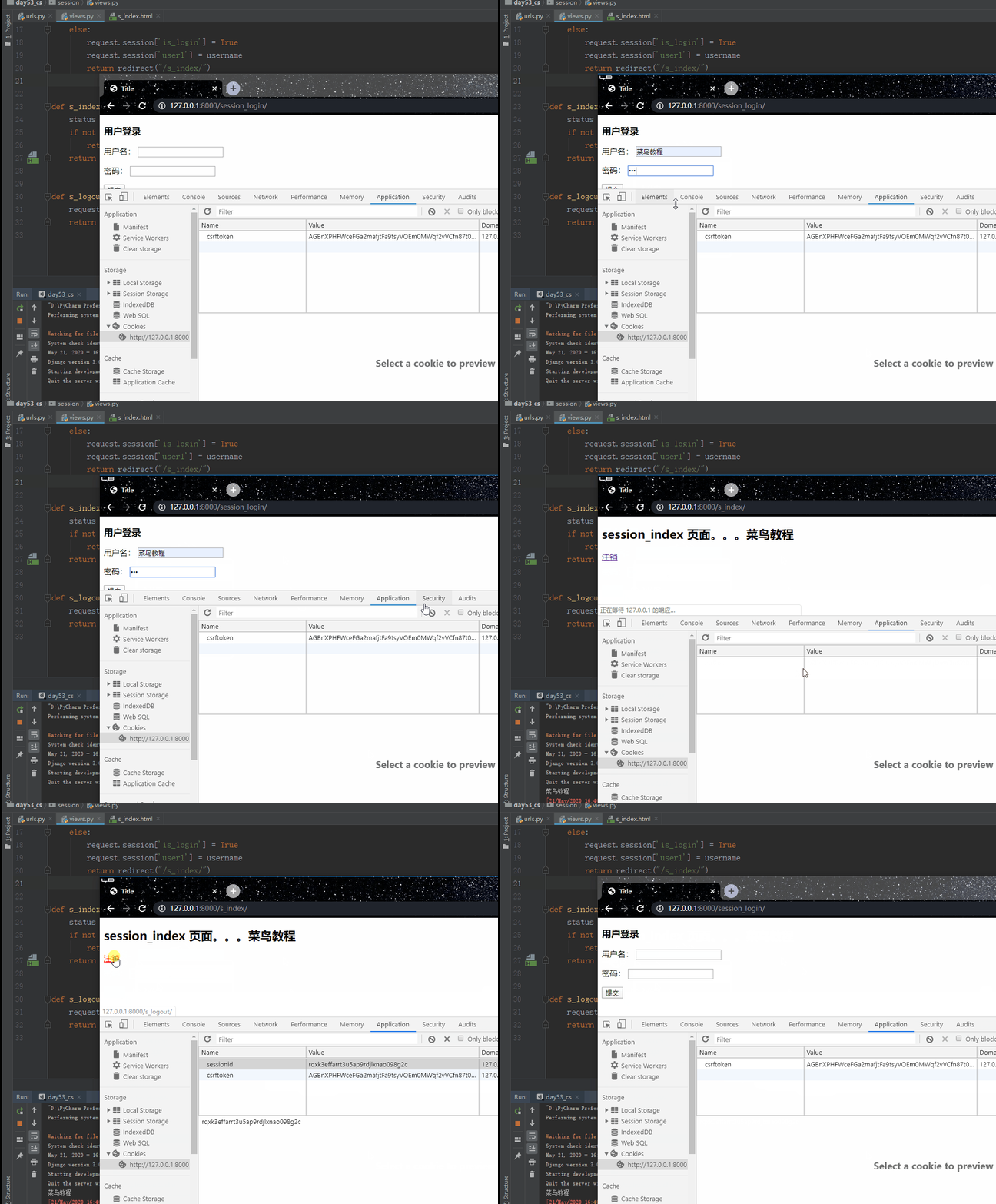
The running result is shown in the figure below:

Session (key-value pairs stored on the server side)
When the server is running, it can create a dedicated session object for each user's browser. Since the session is exclusive to the user's browser, when users access the server's web resources, they can store their respective data in their own sessions. When users subsequently access other web resources on the server, those other web resources retrieve data from the users' respective sessions to serve the users.
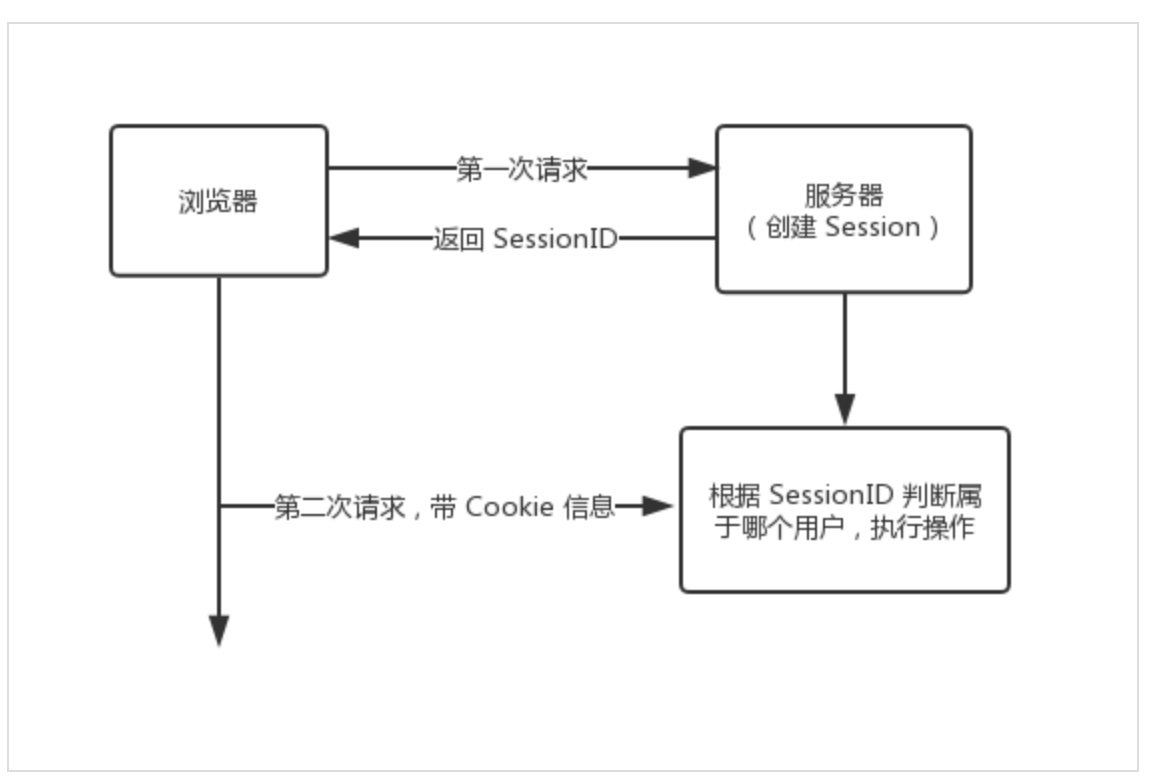
How it works
-
a. The browser first requests the login page.
-
b. When the browser enters the account and password for the second request, if the input is correct, the server responds to the browser with an index page and a cookie whose key is sessionid and value is a random string, i.e., set_cookie("sessionid", random_string).
-
c. Internally, the server stores a record in the django.session table.
There are three fields in the django.session table.
- session_key: stores the random string, i.e., the value corresponding to the sessionid key of the cookie sent to the browser.
- session_data: stores user information, i.e., multiple request.session["key"]=value, and it is ciphertext.
- expire_date: stores the expiration time of this record (14 days by default).
d. When the browser requests other resources for the third time, it carries the cookie: {sessionid: random_string}. The server retrieves the user's data from the django.session table based on the random string for the user to use (i.e., saving state).
Note:The django.session table stores browser information, not information about each user. Therefore, requests from multiple users using the same browser save only one record (the later overwrites the earlier), and only requests from multiple browsers save multiple records.
Cookies make up for the statelessness of HTTP, letting the server know "who" the person is. However, cookies are stored in the browser as text, which is less secure, and the maximum supported size is only 4096 bytes. Therefore, use cookies only to identify different users, and then store private information and text exceeding 4096 bytes in the corresponding session.
session settings:
request.session["key"] = value
Execution steps:
- a. Generate a random string
- b. Save the random string and the set key-value pairs into the session_key and session_data of the django_session table.
- c. Settingscookie: set_cookie("sessionid", random string)Respond to the browser
session get:
request.session.get('key')
Execution steps:
- a. Get the value of the sessionid key from the cookie, i.e., the random string.
- b. Filter out the record from the django_session table based on the random string.
- c. Retrieve the data in the session_data field.
Session deletion: delete the entire record (including the three fields session_key, session_data, expire_date):
request.session.flush()
Delete one of the key-value pairs in session_data:
del request.session["key"]
Execution steps:
- a. Get the value of the sessionid key from the cookie, i.e., the random string.
- b. Filter out the record from the django_session table based on the random string.
- c. Delete the filtered records
Example
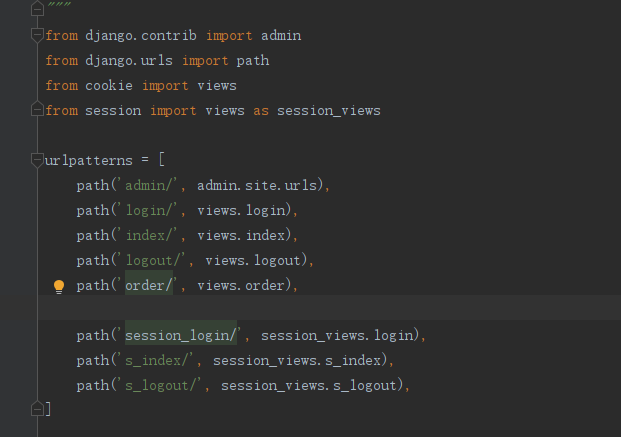
Create route:
urls.py
urlpatterns = [
path('session_login/', session_views.login),
path('s_index/', session_views.s_index),
path('s_logout/', session_views.s_logout),
]
Create a view function:
views.py
if request.method == "GET":
return render(request, "login.html")
username = request.POST.get("username")
password = request.POST.get("pwd")
user_obj = models.UserInfo.objects.filter(username=username, password=password).first()
print(user_obj.username)
if not user_obj:
return redirect("/session_login/")
else:
request.session['is_login'] = True
request.session['user1'] = username
return redirect("/s_index/")
def s_index(request):
status = request.session.get('is_login')
if not status:
return redirect('/session_login/')
return render(request, "s_index.html")
def s_logout(request):
# del request.session["is_login"] # Delete a set of key-value pairs in session_data
request.session.flush() # Deleteone条记录including(session_key session_data expire_date)threecharacterssegment
return redirect('/session_login/')
Template file:
s_index.html
The running result is shown in the figure below: