DeepSeek Harness loads local plugins
Previous articleDeepSeek Harness's First PluginWe've written the source code for hello-plugin; next, we'll load it into the Web UI.
Here we'll use two things: the patch overlay cordis.yml and the --patch startup parameter.
scratch-plugin directory structure
Previously we created scratch-plugin/src, now add a cordis.yml.
The structure of the entire temporary project is as follows:
scratch-plugin/
├── src/
│   └── my-plugin.ts    # 插件源码(上一篇写的 hello-plugin)
└── cordis.yml          # patch 覆盖层:告诉框架插入哪个插件
insert in cordis.yml
Run `pwd` at the repository root to get the absolute path.
Then create scratch-plugin/cordis.yml with the following content:
Example
# This is a Web overlay, only responsible for inserting local plugins.
- insert:
- id: hello
# name is the plugin file path, must be an absolute path!
name: '/absolute/path/to/deepseek-harness/scratch-plugin/src/my-plugin.ts'
Replace /absolute/path/to/deepseek-harness with the actual path printed by pwd.
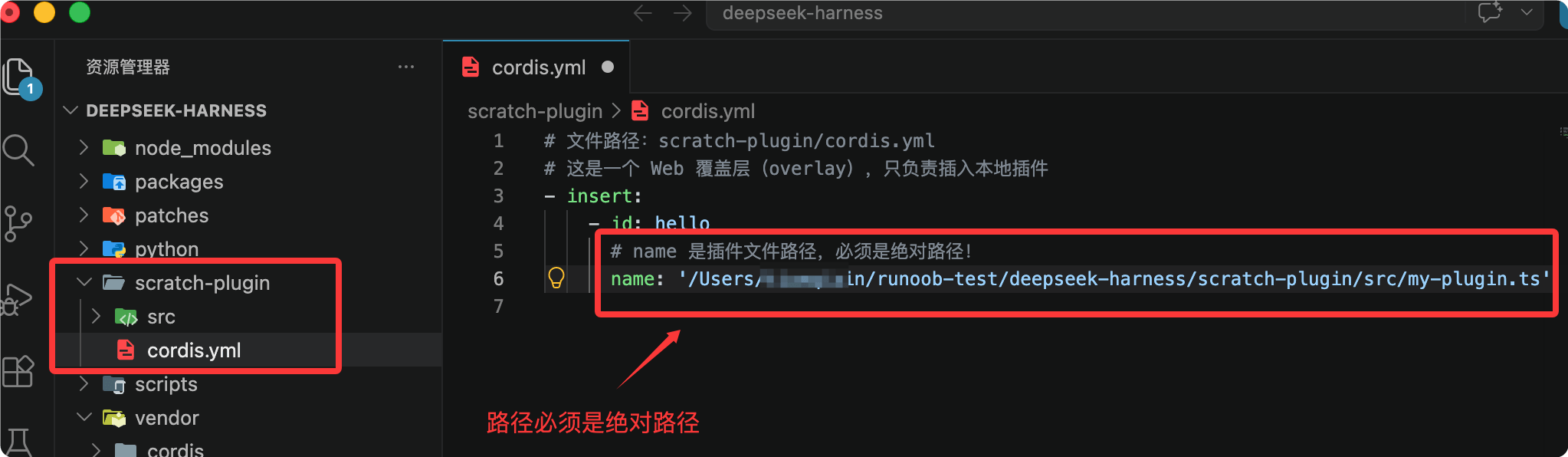
The plugin path must be an absolute path.
Patch files only contribute configuration; they do not change the profile directory used by the loader when resolving module paths.
Start with --patch
Start the Web UI with this overlay:
pnpm dsh web --patch ./scratch-plugin/cordis.yml
During startup, the terminal will print [hello-plugin] plugin loaded!.

Open http://127.0.0.1:3080, search for hello in the settings plugin list, and you can see the plugin we installed.
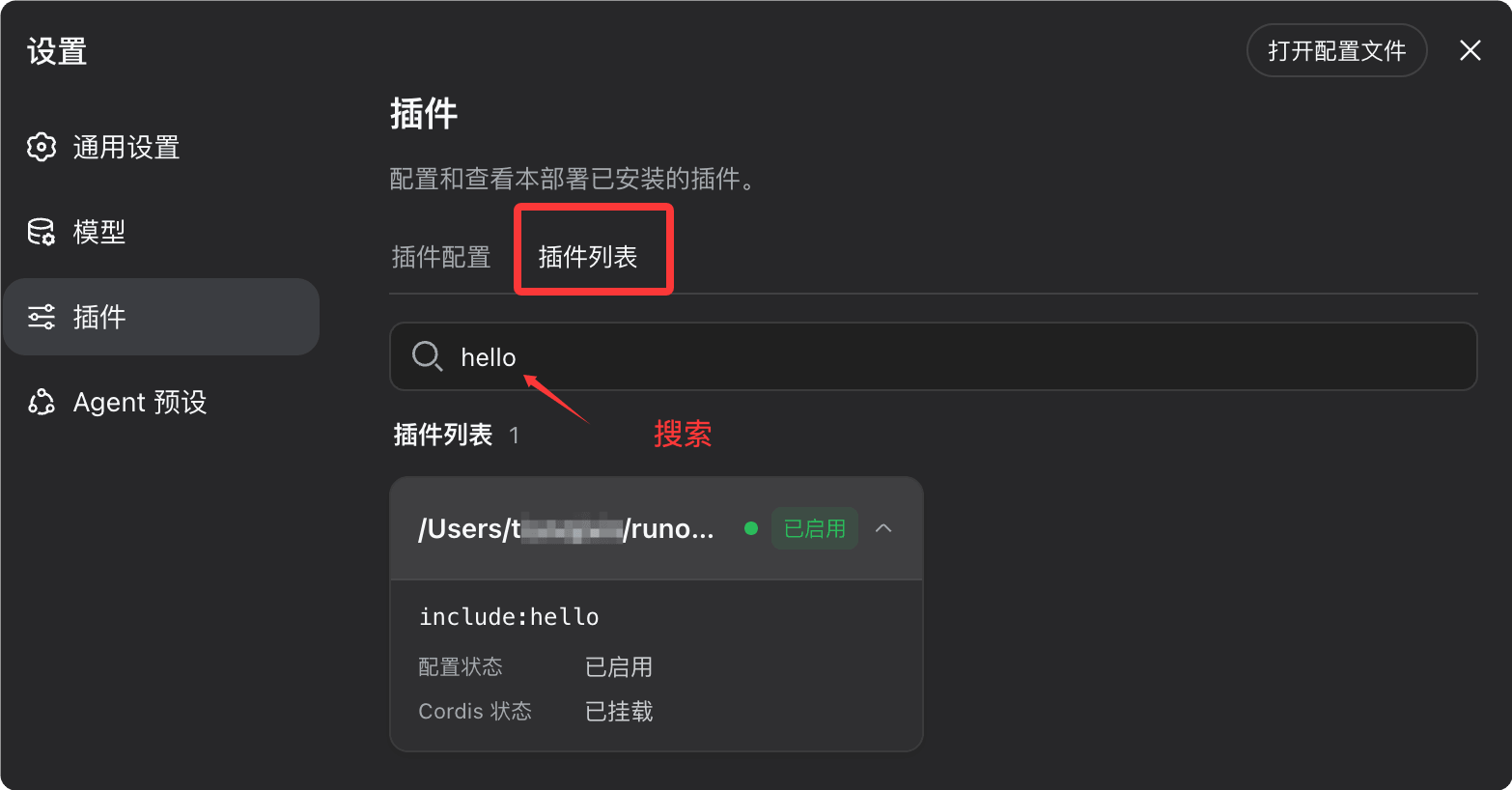

How it works
dsh layers multiple configuration sources in order into a single final configuration.
The cordis.yml passed via --patch is an overlay that gets merged into the profile at startup.
| Concepts | What is it | Function |
|---|---|---|
| profile | A launchable assembly configuration | Determine which bundles make up the Web UI. |
| patch overlay | Additional yml overlaid at startup | Insert local plugins and override a configuration item |
| insert | Syntax for inserting plugins in a patch | Load plugins by absolute path via `name`. |
Tip: --patch is suitable for local development and debugging.
When you need to deliver the plugin to others, use the bundle approach; see Article 21.