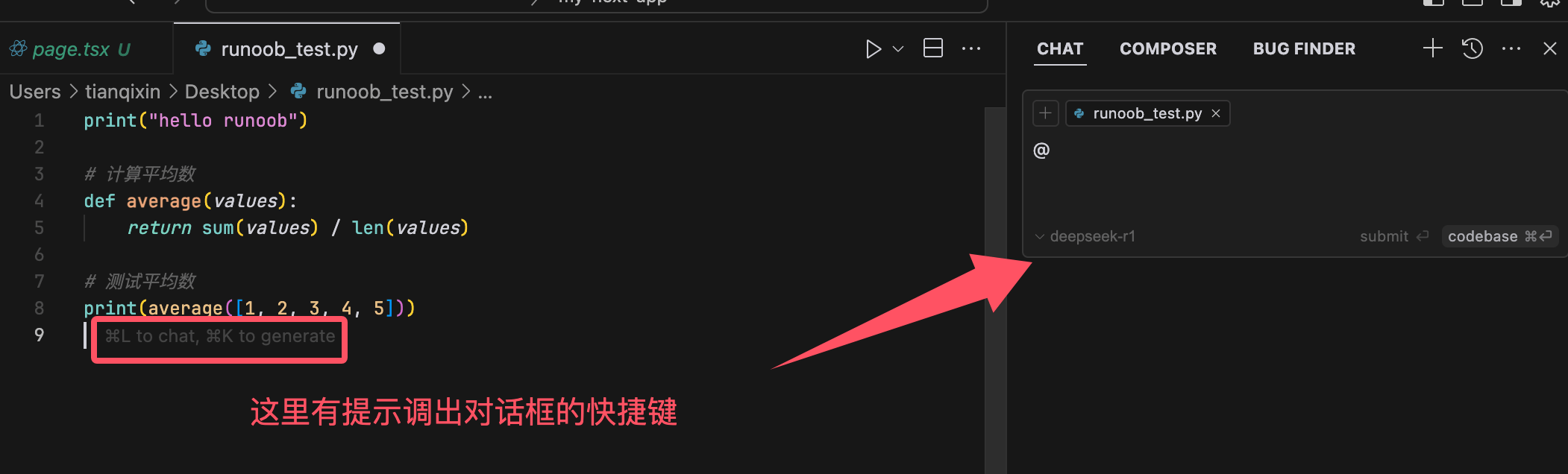
Cursor: Create a new file
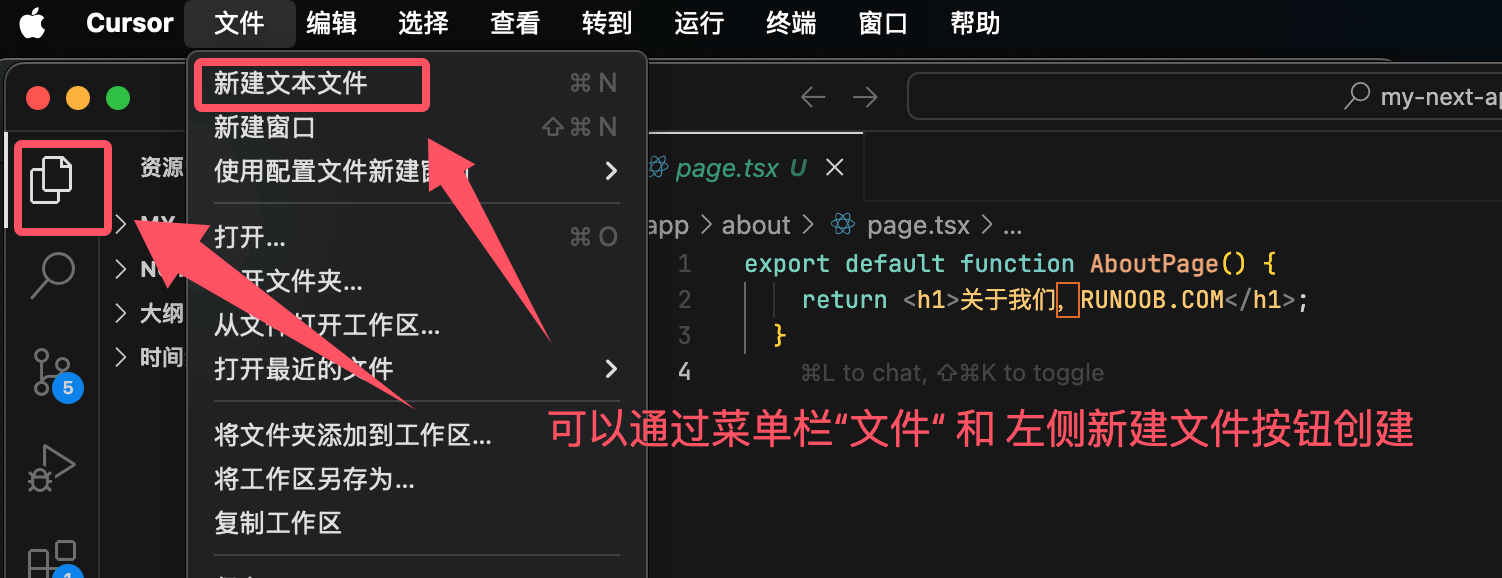
Creating a new file in Cursor is very simple; you can click on the menu bar's"File"or the left side's"File Explorer"to create:
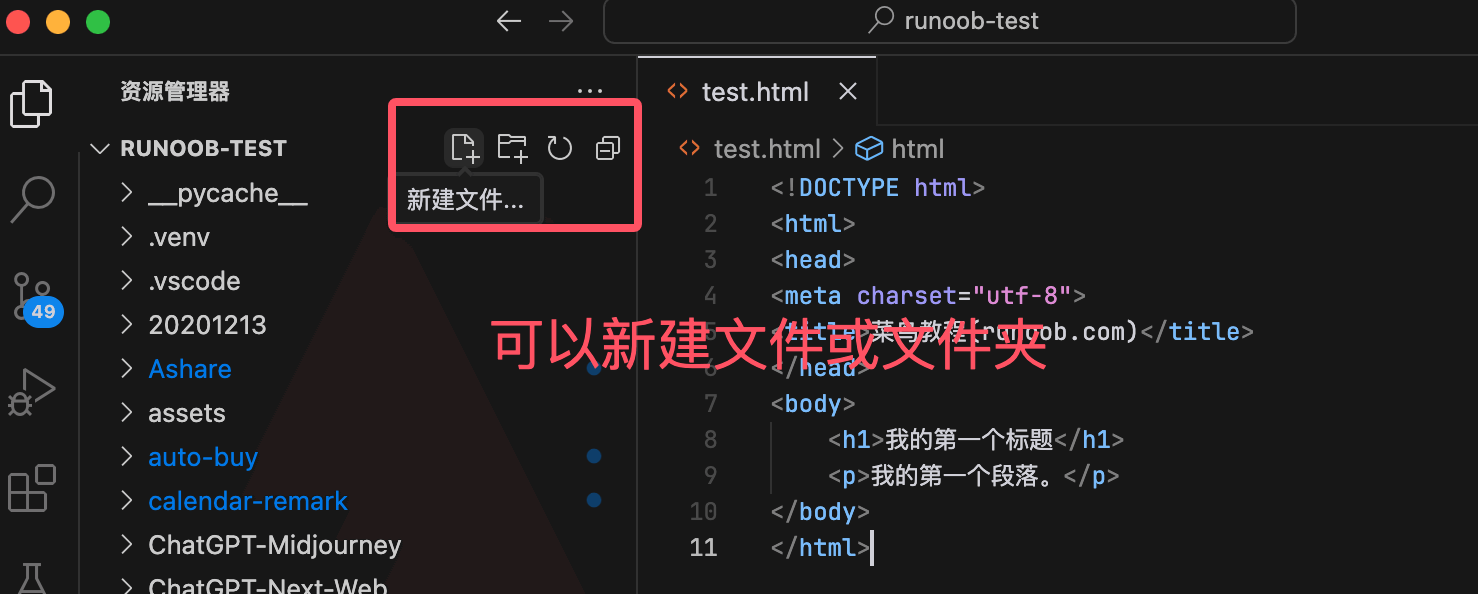
Through"File Explorer"Open a project, and you'll see buttons for creating files and directories:
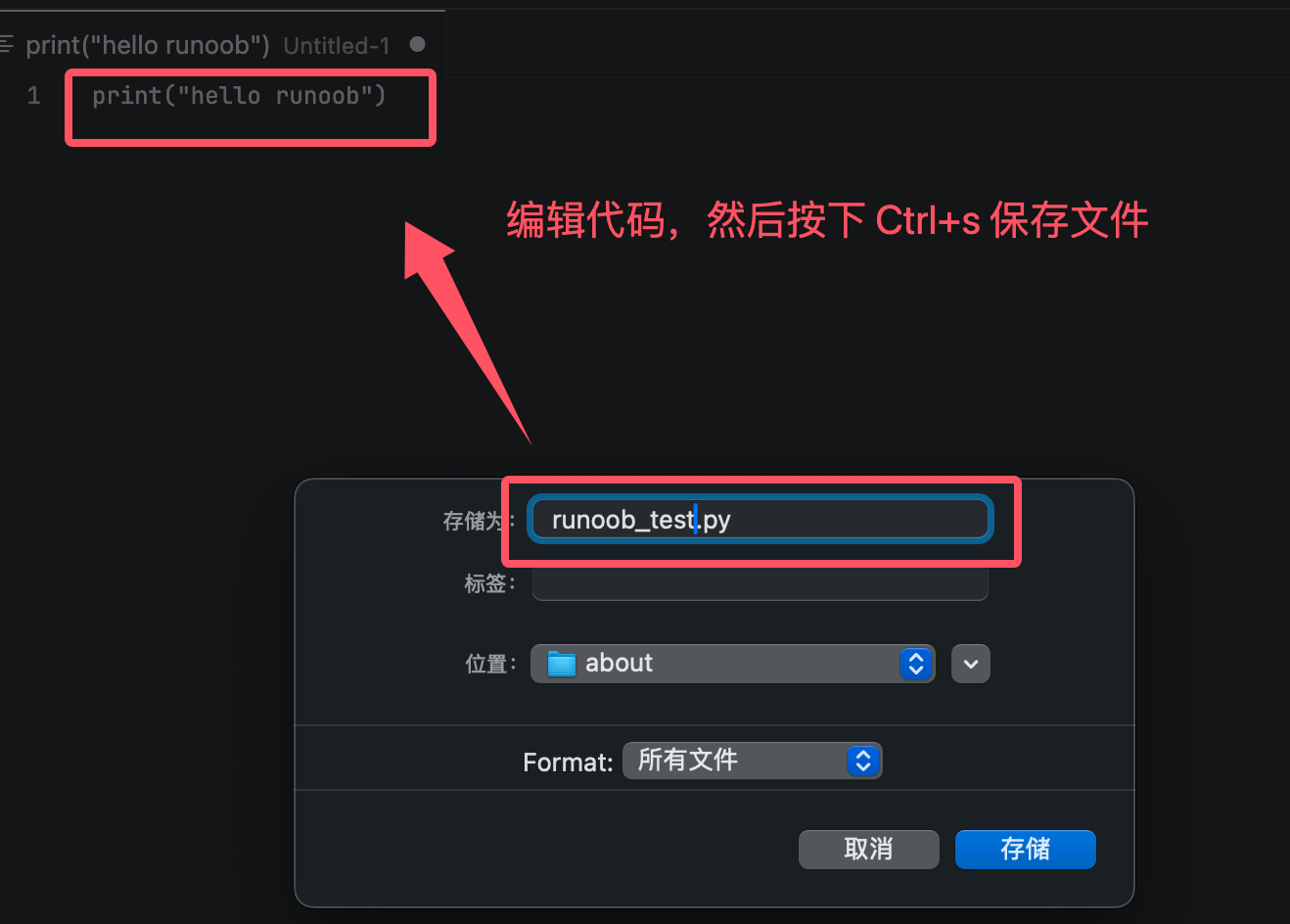
Click New File in the menu bar, and a blank text file will appear. We can enter code and pressCtrl + sTo save the code, enter a file name and set the save directory:
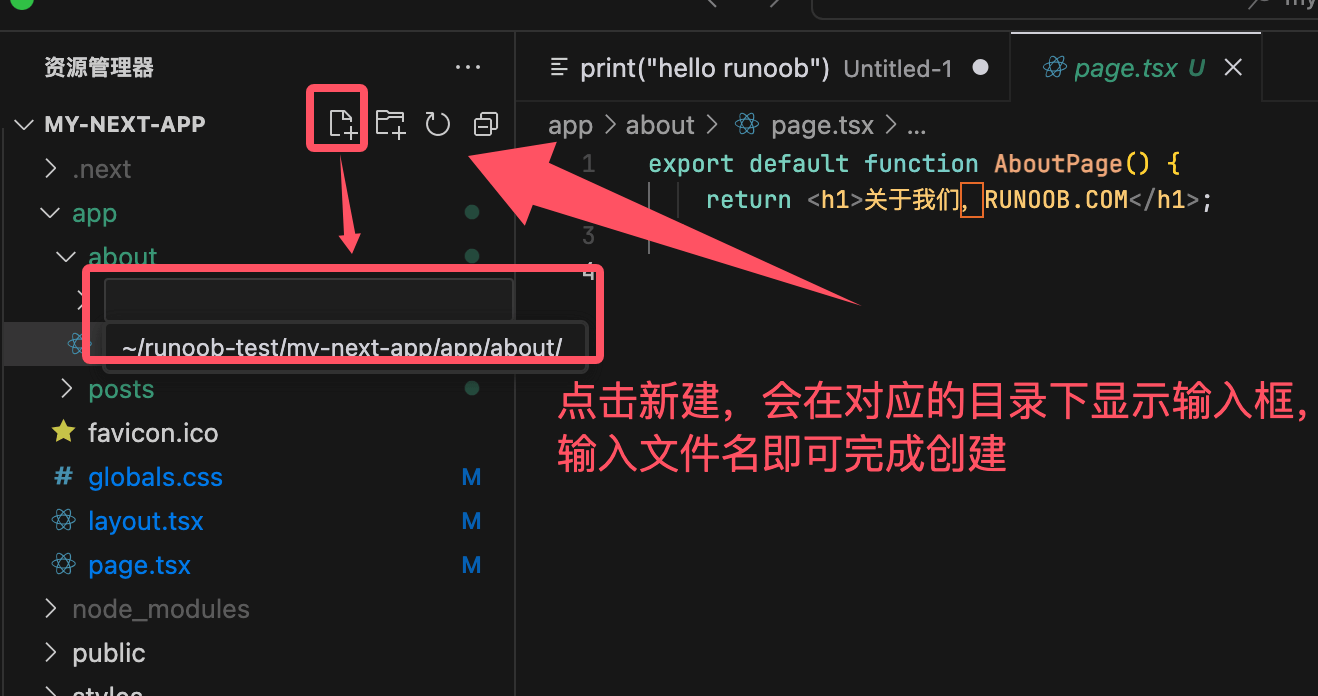
Through"File Explorer"the button in the project to create the file. An input box for entering the file name will appear first; after entering the file name, the creation is complete:
Intelligent completion and code generation
Cursor has built-in IntelliSense functionality, which provides intelligent completion suggestions based on context.
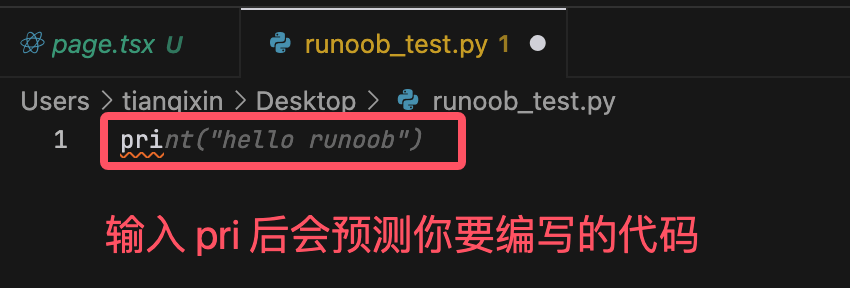
When we are writing code, such as Python or JavaScript, Cursor will predict what we are about to type:
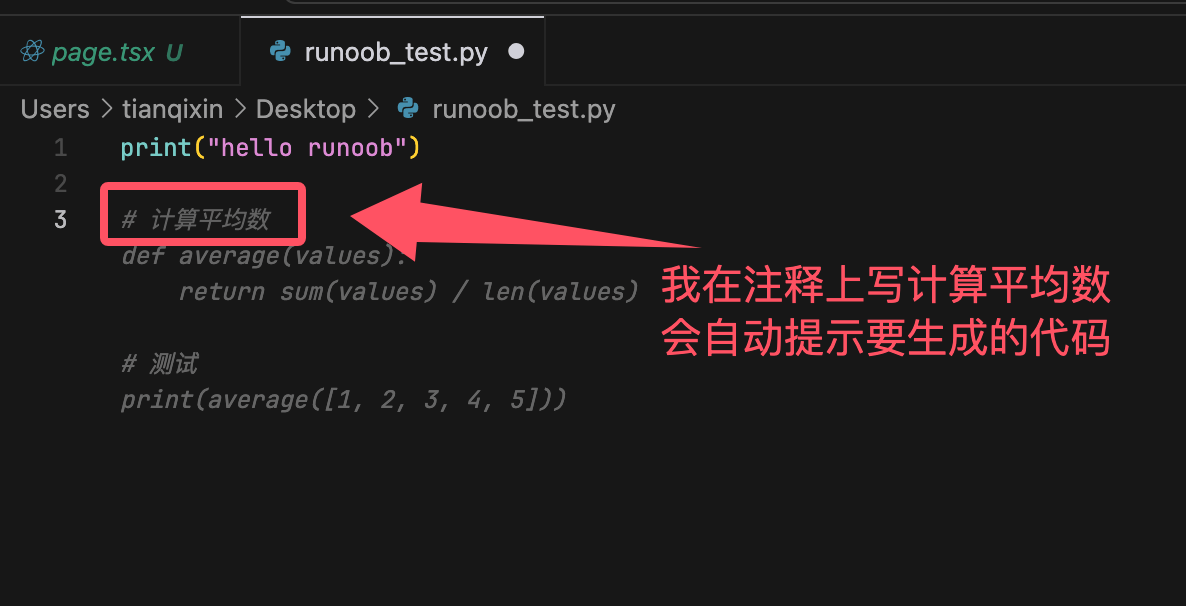
If you write a comment like# Calculate the averageCursor will then automatically help us implement the functionality. Press the Tab key to accept the code provided by Cursor:
If you are not familiar with the code and need AI to analyze it, you can use the shortcut Cmd/Ctrl + L to bring up the AI chat window: